
 October 29, 2021
  2 min to read
Related articles
:

Almost every ERP conversation today includes AI. Far fewer of them answer the question that matters most to operations and IT leaders: how does AI actually help the people doing the work, and how do you introduce it without adding risk or complexity to your IFS landscape? That was the focus of our session at IFS Unleashed 2026. Instead of a vision deck, we brought practical examples: how AI can be built into everyday IFS processes, what a real customer case looks like from the first step to the posted transaction in IFS Cloud, and how organizations can build their own AI-powered applications while staying in control. The starting point is a familiar gap. IFS Cloud holds the system of record, but much of the work happens elsewhere: at project sites, in warehouses, in the field and in procurement, often far from a desk. The session explores how to bridge that gap, so information flows from where work happens into IFS without extra effort from the people involved. Bridging the gap between where the work happens and what IFS Cloud sees. From the session AI shouldn’t add complexity to an organization. It should make it easier to do your work. Paul Phillips Product Manager, Novacura What the session covers In the full recording, our presenters Brendan Viggers, Paul Phillips and Greg Warner walk through: Practical AI in the workflow. Why AI delivers the most value when it supports users as part of their process, rather than as a separate tool they have to consult. A customer case, end to end. Goods receipt at a project site, from a paper delivery note to a posted receipt in IFS Cloud, including the business value model behind it. Use cases across IFS. Short examples from field service, master data, tendering and data imports, where unstructured input becomes structured ERP data. AI on Rails. How organizations can build IFS applications with AI at speed, while authentication, connectors, testing and auditing remain under control. The session includes live demos throughout, recorded at IFS Unleashed 2026. AI on Rails: building with AI inside an enterprise framework. Watch the full session If you’re exploring how AI could support your IFS processes, whether you’re already on IFS Cloud or planning an upgrade, this session offers a practical starting point. You’ll see what’s possible today, where the value comes from, and how to keep governance in place as you scale. Watch the full IFS Unleashed 2026 session on our landing page: Watch the session Have a process in mind already? Talk to our team
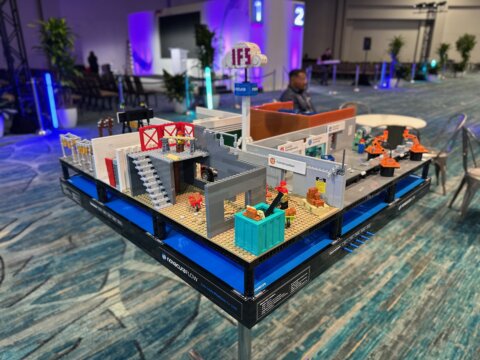
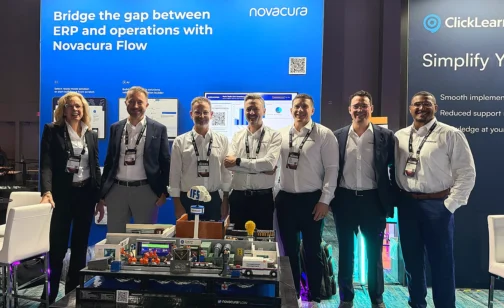
This October, Novacura is heading to Orlando as a Golden Sponsor of IFS Unleashed 2026, running October 12–16 at the Orlando World Center Marriott. It’s IFS’s largest yearly gathering of customers and partners – the one week where the people running IFS day to day, the people architecting where it goes next, and the people building on top of it all end up in the same rooms. For us, that makes it the most useful five days of the year to talk directly to the people who actually live inside IFS. We’re going to introduce AI on Rails and walk through what’s new in Novacura Flow — the same platform we’ve been building since long before IFS Cloud existed, now extended with governed AI that turns plainlanguage requests into working IFS applications. What hasn’t changed is the goal: closing the gap between what your ERP can technically do and what your frontline teams can actually get done in it. What we’re there to talk about If you’re running IFS today, chances are good you’re already dealing with at least one of the following — and if you are, come find us at booth 11, because it’s exactly what we’re built to solve: An efficient mobile warehouse solution, tailored to your actual processes Offline-capable field service apps for technicians, without the connectivity headaches Mobile reporting for shop-floor and production progress Connecting logistics, production, and maintenance into a single flow instead of three disconnected systems AI-assisted master data cleansing, including real-time duplicate detection And plenty more — bring whatever’s actually on your plate We’ll bring something hands-on to talk it through: a LEGO® factory model at our booth, expanded this year with a new production segment and a few basic digital touches that illustrate, in miniature, what digitizing a shop-floor step can look like. It’s a simple, tangible way to start a conversation about your own processes — not a full working replica of a production line — and if you engage with the demo, you’ll walk away with a LEGO® set of your own. The problems we’re actually built to solve Here’s where it gets more specific, because “AI-powered ERP platform” has become a phrase every vendor uses this year, and we’d rather show you what decades of IFS upgrade work actually looks like in practice. Start with a problem a lot of IFS Cloud customers are about to hit: with 26R2, IFS is removing Crystal Reports from the platform entirely. If you’re like most organizations that have been on IFS for a while, there’s a good chance Crystal Reports is quietly doing real work — invoices, pick lists, compliance documents, built up over years into hundreds of layouts nobody wants to touch. With Novacura Flow Connect, you get two ways forward instead of one forced migration. You can keep your existing Crystal Reports — standard and custom — fully integrated with IFS Cloud and triggered manually from a Flow app or automatically from an IFS event, with no layouts to rebuild. Or you can move gradually to Flow’s native reporting toolbox for documents, labels, and portals, report […]
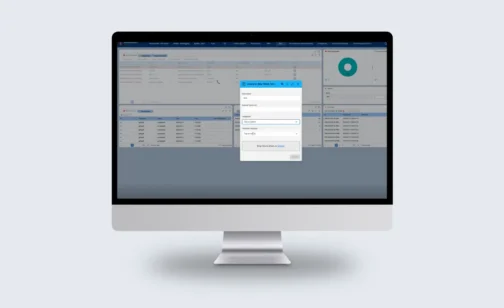

Don’t lose the reports your business runs on. Novacura Flow Connect gives you two ways forward – keep what works, or upgrade to more. Novacura Flow bridges the gap between ERP and operations — with AI-powered workflows, ready-to-deploy industry solutions, and seamless no-touch integrations that connect IFS Cloud to the way your teams actually work. Reporting is just one part of that picture, which is why we’re well placed to help with the change coming to Crystal Reports. What’s Changing? With the release of IFS Cloud 26R2, IFS will no longer support Crystal Reports as its built-in reporting tool. It’s a narrow change — the embedded Crystal Reports plug-in is being retired — not a move away from connected reporting. IFS still exposes report data through its third-party application gateway, which is exactly where solutions like Novacura Flow connect. For most organizations, that’s more than a technical footnote. Crystal Reports sits behind everyday operational documents — invoices, order printouts, delivery schedules — and the ad-hoc reports your teams rely on across finance, operations, and logistics. Those reports need to keep flowing, without disrupting daily business. The good news: you don’t have to start over. Who This Affects? If you’re implementing IFS Cloud now, upgrading from IFS Applications 10, or planning a future move to the Cloud, this change lands on your desk. Teams that have already invested in building Crystal Reports layouts face the prospect of recreating that work — and everyone needs a plan for their existing reports before Crystal Reports is no longer available. Whatever your starting point, the decision comes down to a familiar trade-off: keep what already works, or use the moment to modernise. It’s worth understanding both paths and the trade-offs before you commit. Novacura Flow Connect supports either one. Two Ways Forward Both options run on the same foundation — Novacura Flow Connect, sitting between IFS Cloud and your reports. From there you can go one of two ways. Option 1 — Keep your Crystal Reports Run all your existing Crystal Reports — standard and custom — fully integrated with IFS Cloud through Novacura Flow Connect. Your business data stays in IFS Cloud, Flow Connect initiates and runs the report, Crystal Reports continues to manage the report definitions, and the finished document is returned to IFS Cloud for archiving and printing — or distributed straight from Flow. In practice, it works much like what you have today. Your report layouts don’t need to be rebuilt, so the transition stays low-risk. Reports can be triggered two ways: Manually, from a Flow app — users run any report on demand, on desktop or mobile, or from inside IFS. Automatically, from IFS — an IFS event triggers a Flow Automation that generates the report with live IFS data. On demand for your users, or fully automated in the background. Option 2 — Gradually move to Flow reporting If you’d rather take this moment to modernise, you can gradually replace Crystal Reports with the full reporting toolbox built into Novacura Flow — connected natively to […]
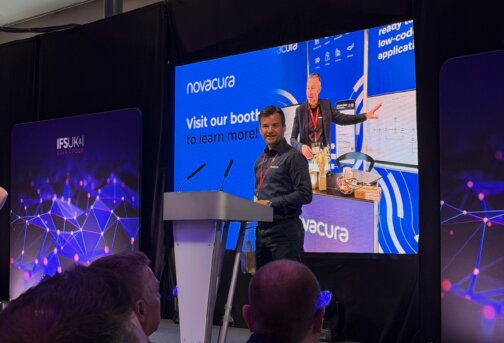
This year’s IFS UK&I User Group Annual Conference carried the theme ENIGMA — “breaking the code and solving complex business challenges together.” Over three days (1–3 June 2026) at the DoubleTree by Hilton, Milton Keynes Stadium, the IFS community gathered for customer stories, industry strategy sessions, peer-to-peer discussion, and a packed programme of partner presentations. Novacura was proud to take part as a sponsor, with Aksel Jarlbäck and Robin Huizer on site throughout the event — at our stand and on the main stage. As always, our focus was practical: not technology for its own sake, but how IFS customers close the gap between a well-designed process and what actually happens on the floor, in the field, and on the front line. The “last mile” of field service The ENIGMA programme made one thing clear: for most organisations, the hard part isn’t the ERP — it’s execution. IFS is a powerful system of record, but value is won or lost in the last mile: the moment a technician arrives on site, runs a safety check, uses a part, captures a reading, and signs off the job. Even with modern field service management software, the biggest challenges tend to appear during execution: Complex, changing environments — unpredictable site conditions and equipment variability. Rising compliance demands — safety, quality, and regulatory requirements that keep increasing. Knowledge and experience gaps — different skill levels and tribal knowledge undermining consistency. Data quality — accurate information still depends on manual capture in the field. Planning versus execution — plans look great in the system, but execution is hard to control. Mobile adoption — complex apps and poor user experience quietly limit uptake. When those gaps go unaddressed, the cost is familiar: rework, slower billing, compliance risk, and customers left waiting. Novacura FLow as the execution layer Our answer isn’t to replace or heavily customise IFS — it’s to add a layer on top of it. Novacura Flow acts as an execution layer that sits between the technician and the systems behind them: IFS FSM / IFS Cloud, CRM, ERP, and document systems. It shapes the system around the user’s natural workflow, rather than forcing people to adapt to rigid transaction screens — while IFS remains the single source of truth. Build once, deploy to anything: phone, tablet, rugged scanner, or desktop. Combined with ready-to-use template apps from the Novacura Marketplace and AI-assisted building, that means minimal time to value. On stage: Supercharging ifs field service Our main-stage session, “Supercharging IFS Field Service: A Smarter Execution Layer for Technicians,” presented by Aksel Jarlbäck, showed exactly how this works in practice — walking through a guided, end-to-end field service journey on a technician’s mobile device: Select and review the job from a clear job list, with fully configurable job information, maps, and contacts on hand. Start travel with automatic travel-time tracking. Arrive and run a compliance & safety checklist — arrival triggers the checklist, so safety steps are completed before work begins. Use van stock or order parts — issue from van stock, scan parts, and instantly see which warehouse has […]
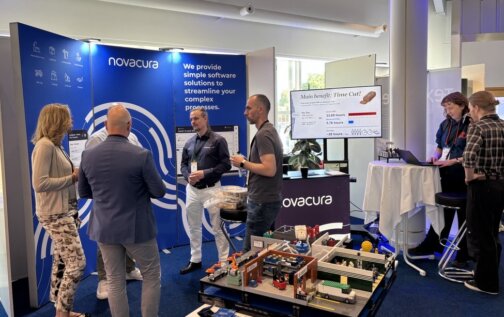

In late May, the Swedish Infor M3 community gathered in Linköping for the Working Together Conference (WTC) 2026, the annual event hosted by the M3 User Association (MAF). Across three days — a training day followed by two conference days — M3 users, partners, and Infor experts met for keynotes, hands-on sessions, and a packed exhibition, all around one shared question: how do you get more value from M3 as the platform moves to the cloud? Novacura was there as a Gold exhibitor, and had the privilege of joining one of our customers on stage. The programme made the mood of the moment clear: sessions on Infor CloudSuite and Cloud Release Management, Process Mining and the Velocity Suite, integration strategy, and — unmistakably — the rise of AI and “agentic” automation across M3. Infor’s own main-stage session was even titled “The Industry Agentic Cloud.” The tension every M3 customer is navigating A theme ran through the whole conference: the move to Infor M3 Cloud pushes organisations toward standard — a “clean core,” with fewer modifications and an easier path to stay evergreen. That’s the right direction. But it raises an important question for anyone running a real operation: if you strip out the customisations, what happens to the tailored, hands-on workflows your people depend on every day — the scanning, the traceability, the line-side reporting that standard screens don’t quite cover? That’s exactly the gap our on-stage session set out to address. WHY THE APPROACH RESONATES Beyond the specifics, the session landed on a pattern many M3 customers in the room recognised — the practical benefits of using an execution layer alongside a standard M3 Cloud core: Build fast, iterate with users. Instead of a 25-page spec written up front, let the team prototype early and refine the solution hand-in-hand with the end users who actually do the work. Developers who speak M3. Building with people who know both M3 and the mobile side made for a smoother, faster implementation. Flexible by design. Workflows can be shaped to each operational reality — and adapted as processes evolve — without touching the ERP core. Where this is heading: AI in Novacura Flow Fittingly for a conference themed around the “agentic cloud,” we also looked ahead — to how AI is being built into Novacura Flow across three levels: a co-pilot for developers that helps build workflows from a plain-language prompt; assisting AI inside the process that guides end users and automates steps (from pre-filling records to conversational, agent-style tasks); and a process-optimisation co-pilot that reads workflow telemetry to surface bottlenecks and unnecessary loops. The through-line: AI that’s deeply integrated with the ERP, and directly, practically applicable — not AI for its own sake. The takeaway Clean core and capable field execution aren’t opposites. As WTC 2026 showed, the winning pattern is to keep M3 standard and let a flexible execution layer handle the last mile — the scanning, traceability, and real-time reporting that operations depend on. You can go to the cloud without losing the shop floor. Thank you to MAF for another excellent Working […]
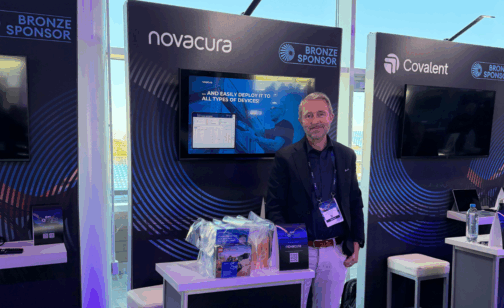
The conversation surrounding enterprise software has fundamentally shifted. For the past several years, corporate agendas have been dominated by theoretical discussions about the potential of artificial intelligence. However, at IFS Connect United Kingdom & Ireland 2026, held on April 29th at the iconic Silverstone Racecourse, the focus took a pragmatic turn. Industry leaders, asset-intensive enterprises, and system experts gathered to transition from broad AI hype to the rigorous execution of Industrial AI—artificial intelligence embedded directly into core, in-process business operations to deliver measurable outcomes. For Novacura, represented onsite by Aksel Jarlbäck and Josh Alexander, the event confirmed a critical market reality: before an enterprise can successfully adopt advanced AI capabilities at scale, it must first establish complete process clarity on the shop floor and in the field. The Blind Spots Threatening Industrial AI Readiness IFS Connect 2026 clearly distinguished generic, conversational AI from true Industrial AI designed for complex asset management and field service operations. IFS has positioned its ecosystem as a real-world enabler of industry transformation, showcasing digital assistants, evolving pricing models, and embedded capabilities within IFS Cloud. Yet, as organizations look to implement these technologies, they face an immediate, systemic obstacle: unresolved operational foundations. Many manufacturing and asset-heavy businesses are still plagued by legacy inefficiencies. Field Service Management (FSM) operations struggle with disconnected technicians, maintenance teams face data-logging bottlenecks, and warehousing teams operate with limited real-time shop floor visibility. Attempting to overlay sophisticated Industrial AI onto fractured, poorly integrated processes is an expensive miscalculation. If your frontline technicians lack a simple, structured method to input clean data from the field, any predictive maintenance model or AI-driven scheduling engine will fail due to poor data quality. To unlock the value of modern ERP upgrades and AI investments, companies must first close the execution gap between their central database and their physical operations. Stabilizing the Core with Novacura Flow This critical integration layer is precisely where Novacura focused its conversations at Silverstone. Acting as a process-optimizing workflow layer, Novacura Flow serves as the vital technical bridge connecting core IFS installations with real-world, frontline execution. At our exhibition booth, our team demonstrated how Novacura Flow insulates the core ERP from unnecessary complexity. Rather than relying on rigid, high-risk code modifications to adapt IFS to unique warehouse or maintenance routines—a practice that complicates or derails future cloud upgrades—organizations can deploy a flexible, low-code workflow layer. By utilizing this architecture, businesses can deliver simple, role-based mobile workflows directly to technicians and operators. Whether executing a complex asset inspection on a remote site or tracking inventory movements across a chaotic shop floor, the frontline worker interacts with an interface tailored exactly to their task. Novacura Flow handles the complex data validation in the background, ensuring that the information routed back into IFS is clean, structured, and instantly actionable. To visually reinforce this philosophy, our booth featured a LEGO giveaway. The concept resonated strongly with attendees: just as complex, high-performance vehicles at Silverstone are built from simple, standardized components, resilient enterprise architecture relies on simple, repeatable building blocks to manage data flow. Direct from Silverstone: […]