Don’t lose the reports your business runs on. Novacura Flow Connect gives you two ways forward – keep what works, or upgrade to more.

Novacura Flow bridges the gap between ERP and operations — with AI-powered workflows, ready-to-deploy industry solutions, and seamless no-touch integrations that connect IFS Cloud to the way your teams actually work. Reporting is just one part of that picture, which is why we’re well placed to help with the change coming to Crystal Reports.


What’s Changing?

With the release of IFS Cloud 26R2, IFS will no longer support Crystal Reports as its built-in reporting tool.

It’s a narrow change — the embedded Crystal Reports plug-in is being retired — not a move away from connected reporting. IFS still exposes report data through its third-party application gateway, which is exactly where solutions like Novacura Flow connect.

For most organizations, that’s more than a technical footnote. Crystal Reports sits behind everyday operational documents — invoices, order printouts, delivery schedules — and the ad-hoc reports your teams rely on across finance, operations, and logistics. Those reports need to keep flowing, without disrupting daily business.

The good news: you don’t have to start over.

Who This Affects?

If you’re implementing IFS Cloud now, upgrading from IFS Applications 10, or planning a future move to the Cloud, this change lands on your desk. Teams that have already invested in building Crystal Reports layouts face the prospect of recreating that work — and everyone needs a plan for their existing reports before Crystal Reports is no longer available.

Whatever your starting point, the decision comes down to a familiar trade-off: keep what already works, or use the moment to modernise. It’s worth understanding both paths and the trade-offs before you commit. Novacura Flow Connect supports either one.

Two Ways Forward

Both options run on the same foundation — Novacura Flow Connect, sitting between IFS Cloud and your reports. From there you can go one of two ways.

Option 1 — Keep your Crystal Reports

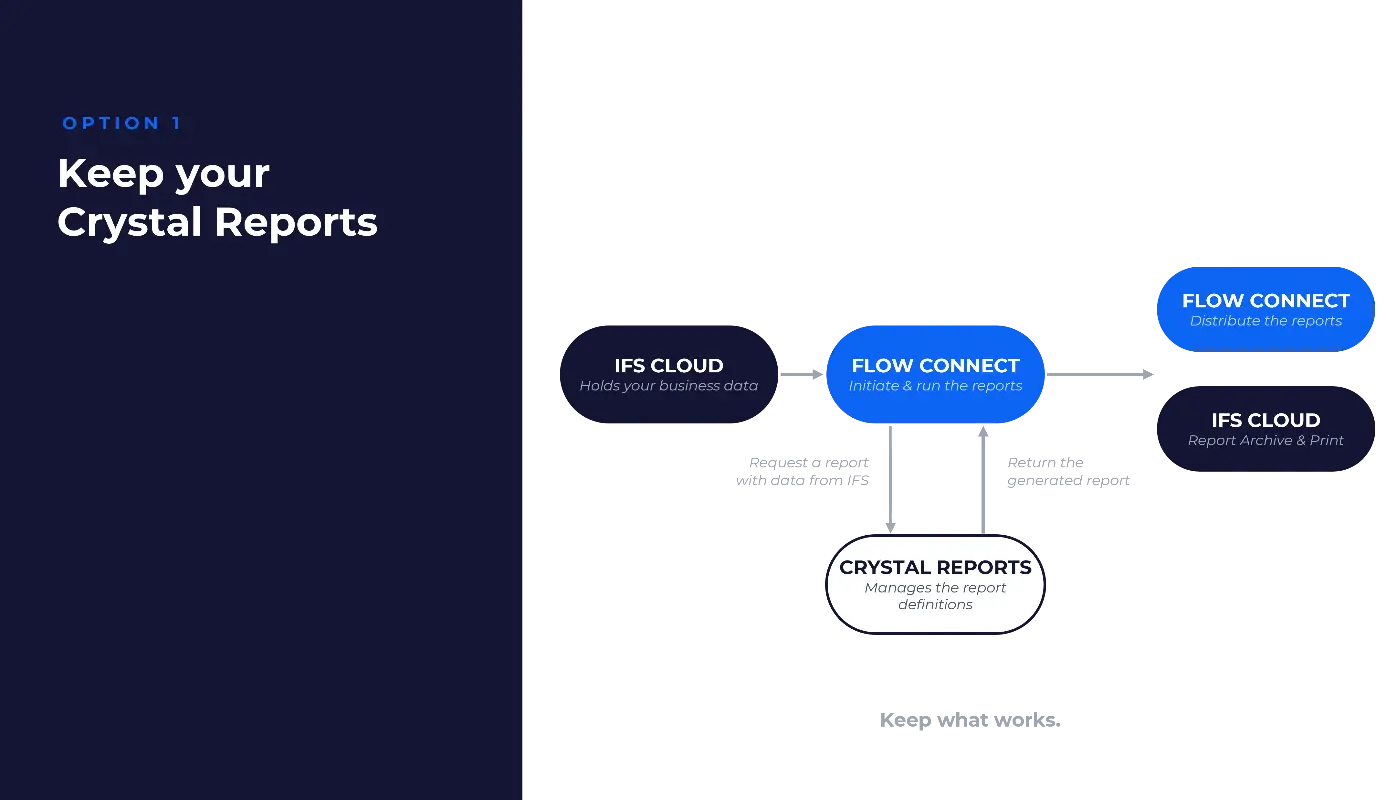
Run all your existing Crystal Reports — standard and custom — fully integrated with IFS Cloud through Novacura Flow Connect. Your business data stays in IFS Cloud, Flow Connect initiates and runs the report, Crystal Reports continues to manage the report definitions, and the finished document is returned to IFS Cloud for archiving and printing — or distributed straight from Flow.

In practice, it works much like what you have today. Your report layouts don’t need to be rebuilt, so the transition stays low-risk.

Reports can be triggered two ways:

  • Manually, from a Flow app — users run any report on demand, on desktop or mobile, or from inside IFS.
  • Automatically, from IFS — an IFS event triggers a Flow Automation that generates the report with live IFS data.

On demand for your users, or fully automated in the background.

Infrastructure diagram showcasing "Option 1: Keep your Crystal Reports." Arrows show data flow from IFS Cloud to Flow Connect, which requests and returns report data to Crystal Reports, then passes the finished document to Flow Connect and the IFS Cloud Report Archive.

Option 2 — Gradually move to Flow reporting

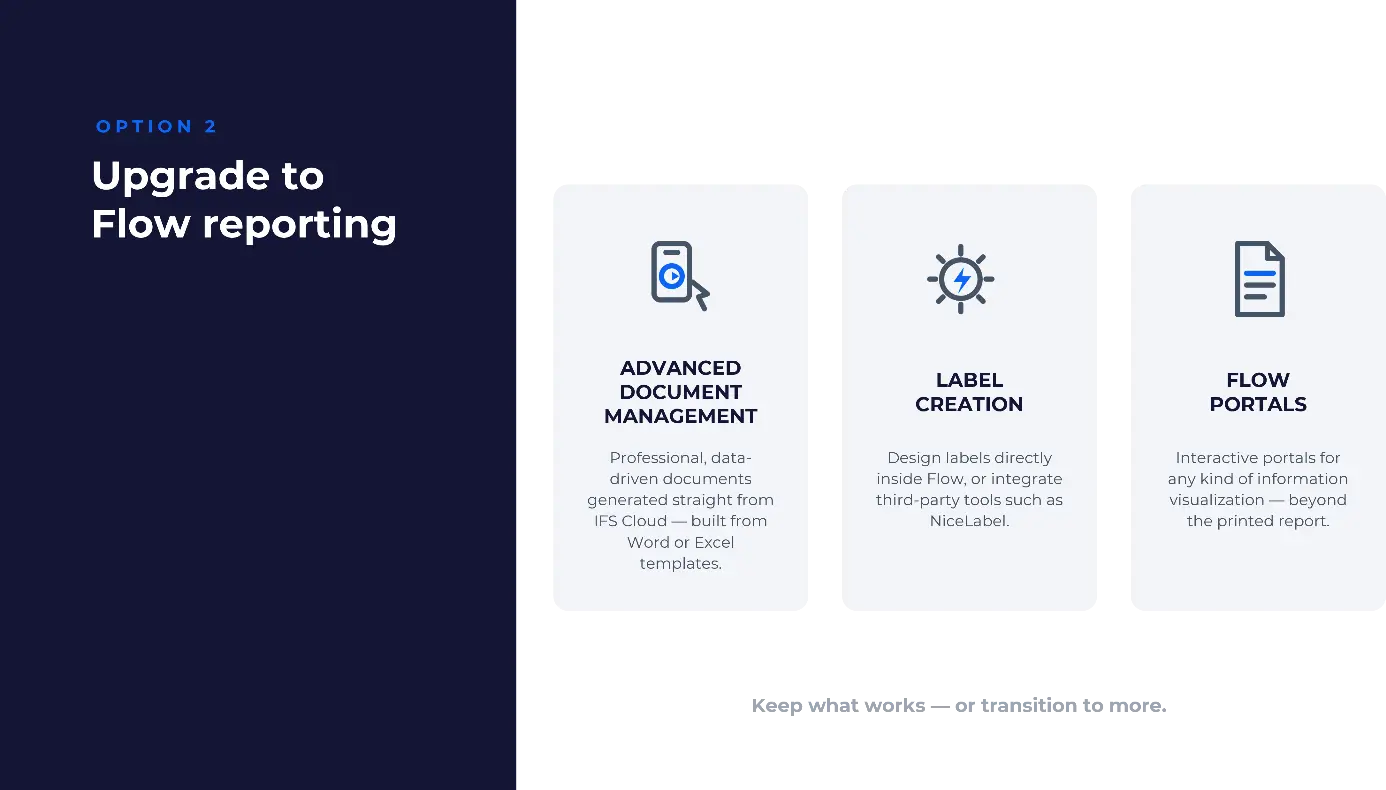
If you’d rather take this moment to modernise, you can gradually replace Crystal Reports with the full reporting toolbox built into Novacura Flow — connected natively to IFS Cloud. It rests on three building blocks:

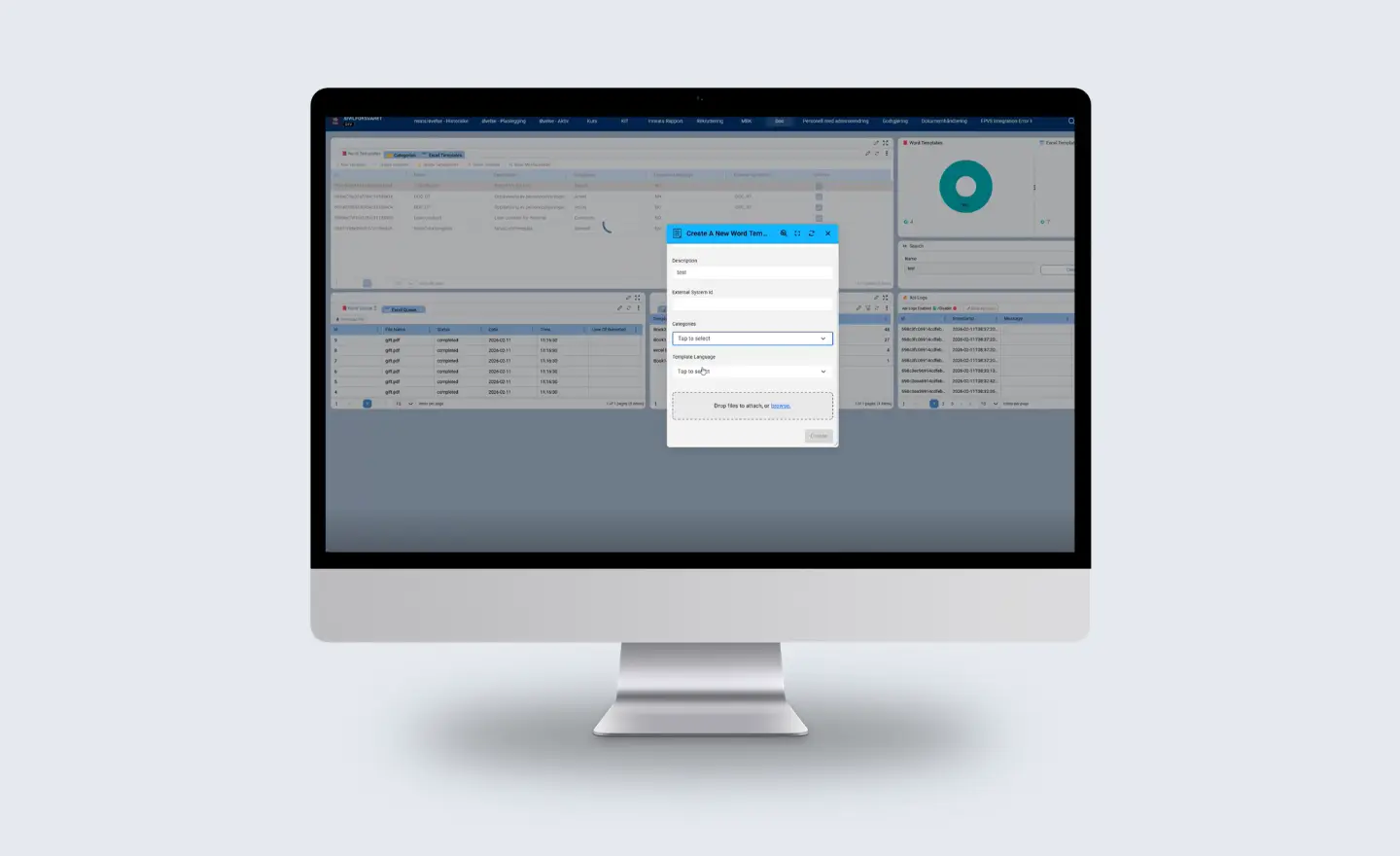
  • Advanced document management — professional, data-driven documents generated straight from IFS Cloud, built from familiar Word or Excel templates. You design the layout, mark where the data goes, and Flow fills it in — single values, tables, images, even signatures — returning a PDF, Word, or Excel file in seconds. It scales from a single document on demand to thousands generated in the background, with multi-language support. No HTML, and no report-design tool to learn.
  • Label creation — design labels directly inside Flow or integrate third-party tools such as NiceLabel.
  • Flow portals — interactive portals for any kind of information visualization, a modern alternative to reports you print.

The advantage: reports become simple to build and easy to maintain, and you can enrich them with data that native tools can’t easily reach.

Keep What Works, Or Upgrade To More

A quick side-by-side of the two paths:


Option 1 — Keep

Option 2 — Upgrade

Your reports

Existing Crystal Reports, standard & custom

Flow documents, labels and portals

Runs on

Novacura Flow Connect

Novacura Flow Connect

IFS Cloud

Fully integrated

Natively connected

Triggered

Manually or automatically

Built into your flows

Looking Ahead

We’re also exploring ways to make migration lighter still — including AI-assisted conversion of existing report layouts — so that, over time, moving reports into Flow means less manual rework.

Where To Start?

You don’t have to choose blind. The simplest first step is to bring your report list: the operational documents and ad-hoc reports your teams depend on. From there, we can help you map each one to the right approach — keep it in Crystal, or rebuild it in Flow — and leave you with a clear roadmap and next steps.

Solving Crystal Reports is a great first step — but it’s only that. The same platform that keeps your reports running can streamline the work around them too, from mobile workflows and process automation to connecting IFS with the other systems your business depends on. Reporting is where many teams start with Novacura Flow; it’s rarely where they stop.

Crystal Reports may be leaving IFS Cloud, but your reporting — and a lot more besides — doesn’t have to suffer. Get in touch with Novacura, bring your report list, and let’s map the way forward together.

Petter Larsson

Co-founder and VP Business Development at Novacura AB