
Workers on an assembly line processing and sorting fresh green apples in a large manufacturing facility.

Infor M3 Manufacturing Execution (MES) at Shop-Floor Speed

A smartphone displaying the Novacura mobile app screen for "Report Receipt (MO)" with fields for Quantity and Catch Weight.
A mobile, offline-capable workflow execution layer that sits on top of Infor M3 — giving operators zero-friction manufacturing order templates and zero custom ERP code. With this MES for Infor M3, operators handle Infor M3 shop floor reporting – material issue, operation time and receipts – on handheld scanners and phones, so you can extend Infor M3 without modifications to the ERP core.

Infor M3 Cloud Apps Manufacturing & Production ERP Apps

What is an MES for Infor M3?

A manufacturing execution system (MES) for Infor M3 connects the production floor to the ERP. It captures what actually happens on each manufacturing order – material consumed, time spent per operation, quantities produced and rejected – and posts it to M3 as it happens. Novacura delivers this as a lightweight mobile execution layer built on the Novacura Flow applications builder, so you get real-time production data in Infor M3 without deploying and maintaining a separate MES.

Infor M3 already contains the transactions for manufacturing order reporting: material issue (PMS060), operation reporting (PMS070) and receipt reporting. The challenge is how operators reach them – often a desktop terminal away from the line. The Manufacturing Execution package puts the same standard transactions on a scanner, in a few guided steps.

WHAT IT IS & HOW IT WORKS

One execution layer between your shop floor and Infor M3

A suite of simple, mobile-friendly application templates covering core manufacturing order operations in Infor M3 — connected through safe, real-time transactions.

Scan on the production line

An operator scans a manufacturing order or work center in the Novacura Flow app. The interface is built for gloves, noisy floors and one-handed use.

✓ Mobile-first experience ✓ Ready-to-use after download ✓ Adaptable to your process

Infor M3 production reporting and shop floor apps:

Field-tested apps for core manufacturing order transactions.

Browse the suite by production process. Each app is a pre-built Novacura Flow template that maps directly onto standard Infor M3 manufacturing order transactions. Three apps are available to download today. The rest of the portfolio is on the roadmap – and similar flows can be built on Novacura Flow if you need them sooner.

Infor M3 Shop-Floor Reporting

Eliminate the walk to the terminal and the lag that comes with it. This layer brings guided, mobile-first workflows to the line, so operators can report material issue, operation time, and order receipt directly from the line — validated against live M3 data and posted in real time, order by order. This is the core of shop floor data collection for Infor M3: no paper travellers, no re-keying at the end of the shift.

  • Available Marketplace Apps:

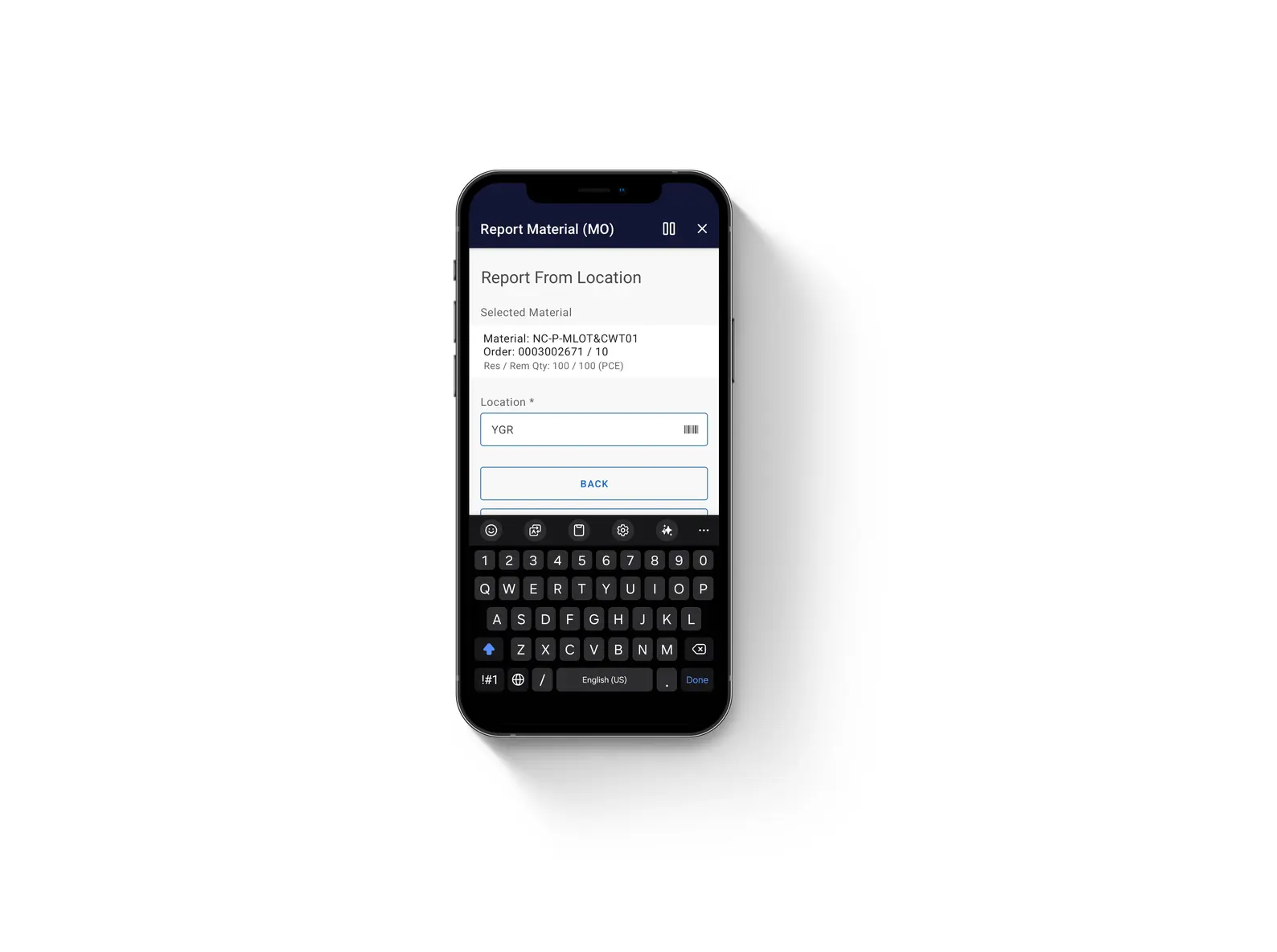
    • Report Material (MO): Issue material to the MO — from-location, lot, container and catch weight against available balances. 
    • Report Operation (MO): Report setup time, run time and quantity per operation, with reject-reason tracking. 
    •  Report Receipt (MO): Report receipt of produced goods — lot, expiry, container, packaging and to-location.
  • On the Roadmap (Coming Soon):
    • Report Order-less Manufacturing: Report production output without a formal manufacturing order.
    • Report Start and Stop: Capture start/stop times per operation for accurate run-time data. 

Order & Schedule Control

Upcoming apps will give planners and supervisors direct control over the manufacturing order lifecycle — release, reschedule, and close orders from a guided mobile workflow. Planners will also be able to update BOM attributes and review material shortages on the spot, with every change validated and posted to M3 in real time.

  • On the Roadmap (Coming Soon):

    • Release Manufacturing Order: Push planned orders to the floor with one guided action.
    • Workcenter Rescheduler: Rebalance operations across work centers on the fly.
    • Close Manufacturing Order: Finalize completed orders and lock reporting.
    • Update Bill Of Material: Adjust BOM lines directly from the shop floor.
    • Material Planning: Review and act on shortages and replenishment needs.

Quality & Documentation

Upcoming apps will bring inspection and documentation to the point of work instead of a back-office terminal. Operators will execute quality checks, log reject reasons, and trigger QMS inspection requests directly from the manufacturing order, with work instructions and operational documents always one tap away — no paper, no lag before it posts to M3.

  • On the Roadmap (Coming Soon):

    • Inspect Manufacturing Order: Execute shop-floor quality inspections and report dispositions.

    • Report Inspection Request (QMS): Trigger and report quality inspection requests to QMS.
    • Manage Operational Documents: View and attach work instructions and operational documents.

Results: Kohberg Bakery cut production reporting time by 82%

Kohberg Bakery Group, a Danish industrial bakery running Infor M3, moved production reporting to guided mobile workflows on Novacura Flow – with every transaction posted to M3 in real time.

  • 82% less time spent on production reporting
  • Around 10,000 hours saved per year
  • Daily reporting effort down from 34 hours to 6 hours

Read the Kohberg Bakery case study

Built for process manufacturing on Infor M3

Many companies running process manufacturing on Infor M3 – food and beverage, chemicals, pharma – need more than quantity and time. The Manufacturing Execution apps handle catch weight, lot-controlled items, expiry dates and containers in the standard flows, not as custom add-ons. That keeps batch traceability intact from the first material issue to the final receipt.

Execution layer vs. full MES vs. Infor Factory Track

Choosing an MES for Infor M3 usually means comparing three approaches. Whether you need a lightweight mobile layer, a full MES platform or Infor Factory Track, the right fit depends on how deep you need to go on the shop floor.

Novacura Manufacturing Execution Infor Factory Track Full MES platform
What it is Mobile apps on Novacura Flow for standard M3 manufacturing order transactions Infor’s mobility solution for M3 warehouse and manufacturing transactions Standalone system with machine connectivity, OEE and detailed scheduling
Best for Fast, guided mobile shop floor reporting on M3 Companies standardising on Infor’s own mobility stack Plants that need machine-level data and advanced analytics
How you adapt it Visual workflows in Novacura Flow Configurable workflows Configuration and integration projects
Connection to M3 Infor M3 REST API Built for M3 Integration project
Time to value Ready to use after download Depends on configuration Usually the longest rollout

Already running Factory Track? Novacura Flow for Factory Track extends it with workflow automation and cross-system apps.

About Novacura Marketplace

Ready-to-use apps, adaptable to your process

Novacura Marketplace is where Infor M3 customers find ready-to-use, adaptable application templates. Every app is built on Novacura Flow, so what you download as standard can be reshaped to match exactly how your production runs — without starting from scratch.

The Manufacturing Execution app package for Infor M3 addresses the basic requirements every manufacturing company faces — spanning inhouse and shop order-related processes across key steps on the production floor. Every concept is built on the M3 mobility experience gained through years of consultancy and business analysis, with embedded functions that make it easy to find, list, and report pending tasks.

Designed in sequential, conditional steps, the apps are ready to use straight after download. If standard features aren’t enough, every workflow can be reshaped in Novacura Flow.

Manufacturing Execution is delivered as a complete solution: download the package, connect it to Infor M3 via the REST API, and put guided mobile apps in your operators’ hands.


Product Specification

App Type Complete Solution
Flow version Connect
ERP Type Infor M3 Cloud Apps
Process Area Manufacturing & Production ERP Apps
Product Clients Mobile & Web Client
Product Connectors Infor M3 REST API
Product Publisher

Novacura Business Apps


FAQ: MES for Infor M3

What is an MES for Infor M3?

arrow icon
It is the layer that records shop floor execution – material issue, operation time, quantities and receipts – against Infor M3 manufacturing orders in real time. Novacura's version runs as mobile apps on top of M3 instead of as a separate MES database.

How do operators report production in Infor M3 with Novacura?

arrow icon
They scan the manufacturing order or work center, follow a few guided steps to enter quantities, lots or times, and confirm. The app validates the entry against live M3 data and posts it through the Infor M3 REST API.

Do the apps require modifications to Infor M3?

arrow icon
No. The apps use standard M3 API transactions, so the ERP core stays untouched and upgrade-safe.

Can the apps work offline?

arrow icon
Yes. The app keeps working when the connection drops and syncs queued transactions once the device is back online.

Contact our expert:

Looking for personalized advice? Feel free to ask Aksel about how Novacura can tailor solutions to your business. Fill out the form, and we’ll get back to you shortly!


Prefer email? Contact us here: info@novacura.com

Portrait of Aksel Jarlback, Sales Director at Novacura, photo Novacura
Aksel Jarlbäck Solution Expert
This field is for validation purposes and should be left unchanged.