

Real-Time Stock Tracking
Always know exact balance IDs and stock levels across every M3 warehouse location.
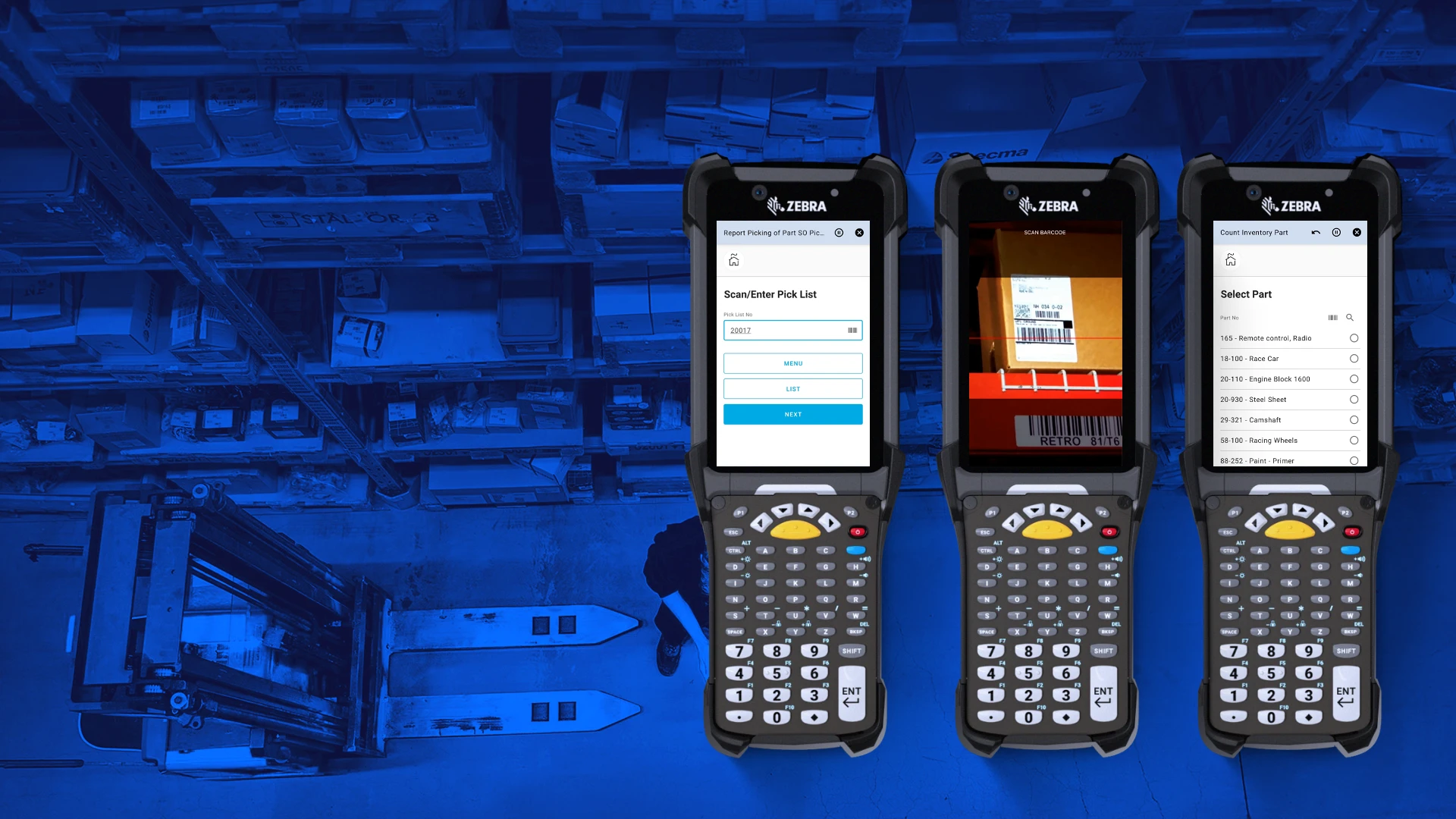
Mobile Warehouse App
Intuitive scanning and task execution on handhelds — built for M3 operators, not IT teams.
Replenishment & Reorder Control
Automate reorder points and drive purchase planning directly from M3 demand signals.
Integrated Shipping Management
Plan, execute, and document shipments through a seamless connection to M3's delivery toolbox.
Analytics & Dashboards
Track KPIs like stock turns, picking accuracy, and throughput — all drawing live from M3 data.
M3 Integration — Out of the Box
Connects to Infor M3 via standard MI programs and Infor ION — no custom API builds, no ERP modifications.
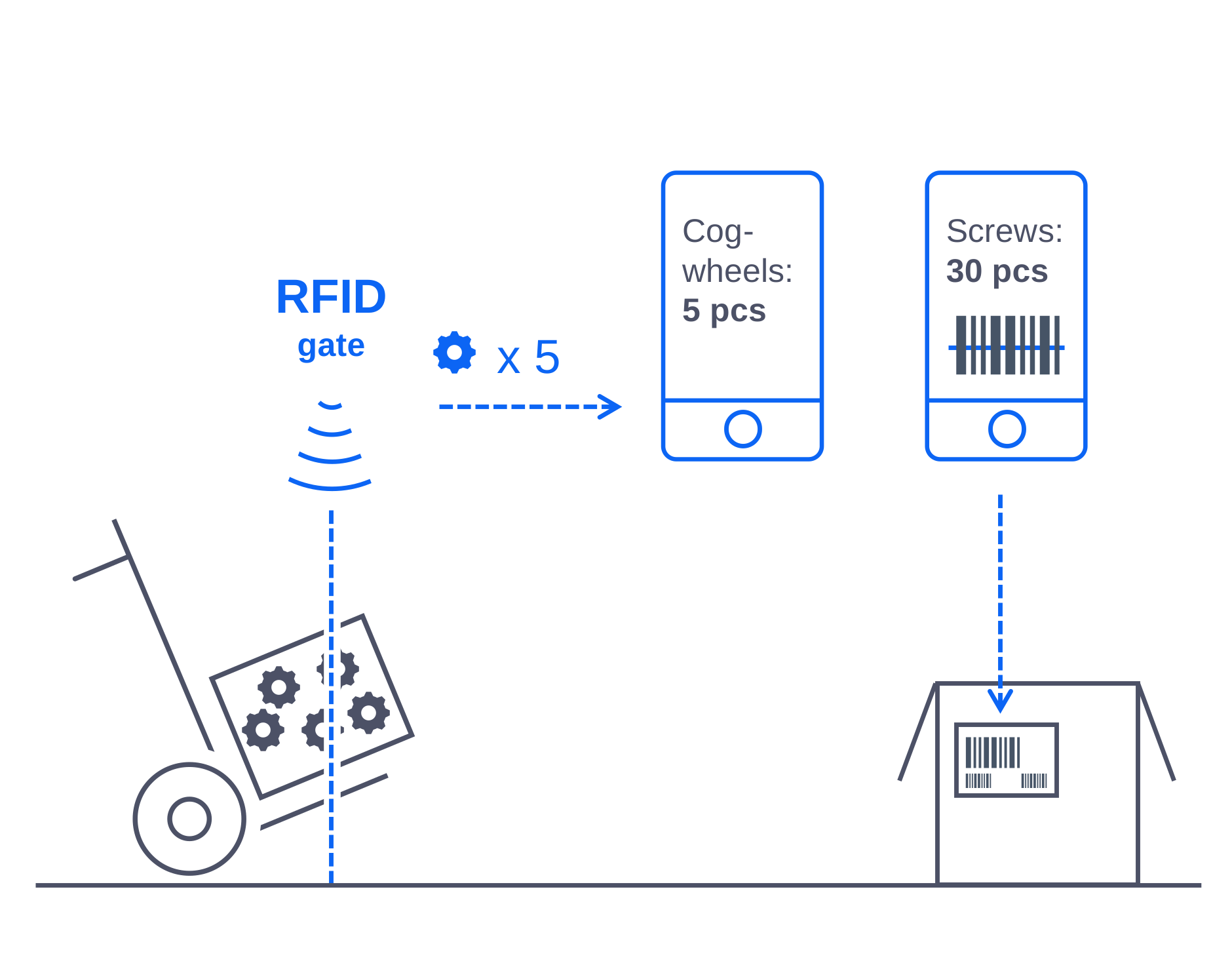
Improve data-entry efficiency with barcodes and RFID
Novacura WMS connects directly to M3 balance IDs and stock locations, enabling operators to scan any package, asset, or warehouse location instead of typing codes manually. Every input field in the mobile application supports scanning — GS1-128, QR, or proprietary barcodes are all handled without configuration per field. The application can also be integrated with RFID gates to automatically capture part and finished goods movements as they cross inventory boundaries, triggering the corresponding MMS stock transactions in real time.
Barcode and RFID data is validated against M3 item masters and location records at the point of scan, then posted directly as MI transactions — keeping your M3 balance accurate and eliminating the reconciliation work that comes with manual entry.
Print, scan, and manage labels directly from within M3 processes
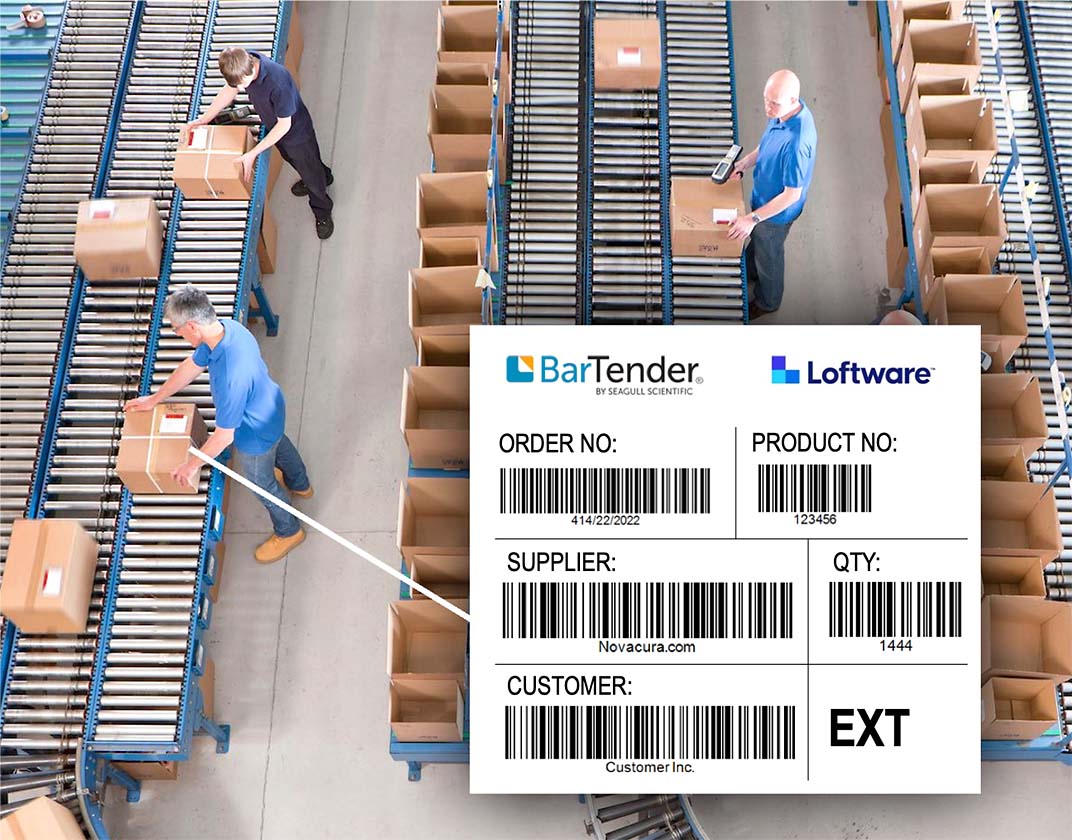
Our WMS integrates with Loftware (formerly NiceLabel) and BarTender, embedding label generation as a natural step inside M3-driven warehouse workflows. When a goods receipt is confirmed or a pick list completed, the mobile application triggers the label job and feeds the print system with item, batch, LOT, and SSCC data drawn straight from M3 — no copy-paste, no separate label tool to switch between.
The integration is bidirectional: the warehouse solution can also decode any label it scans and map the encoded data back to M3 item and batch records. Template management stays consistent across sites, and every label printed is traceable to the M3 transaction that generated it.
Work with handling units and container management
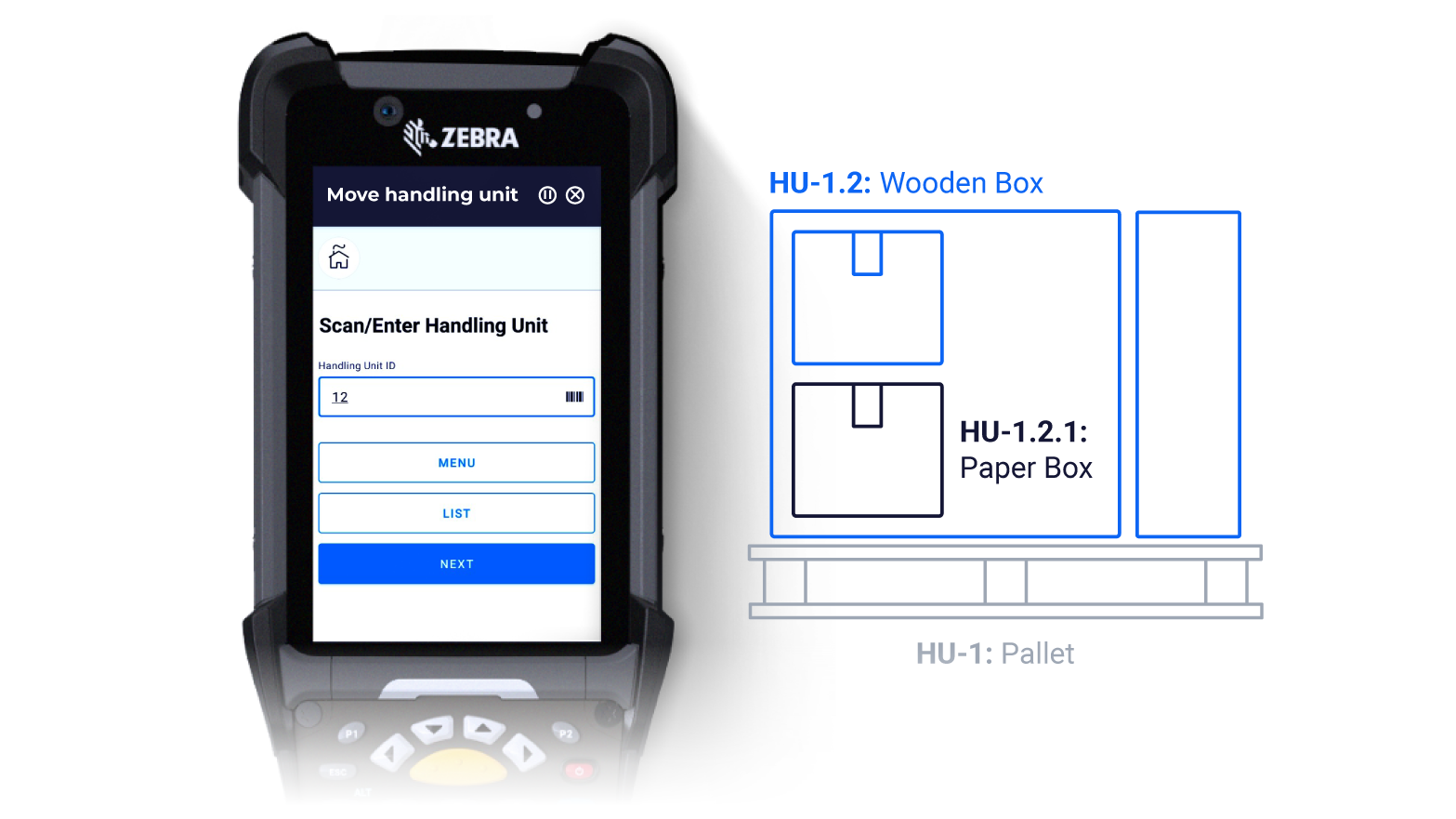
Novacura WMS extends M3's native container management with flexible, mobile-friendly handling unit support. Materials, components, and parts can be grouped into nested packages — a box inside a crate on a pallet — and moved as a single unit with one scan and one M3 posting.
Whether transferring goods to another warehouse location, staging for the shop floor, or loading a delivery, operators work at the handling unit level rather than line by line. This dramatically reduces the number of M3 transactions required per physical movement while keeping stock records precise at every level of the hierarchy.
Optimise picking paths for M3-driven demand
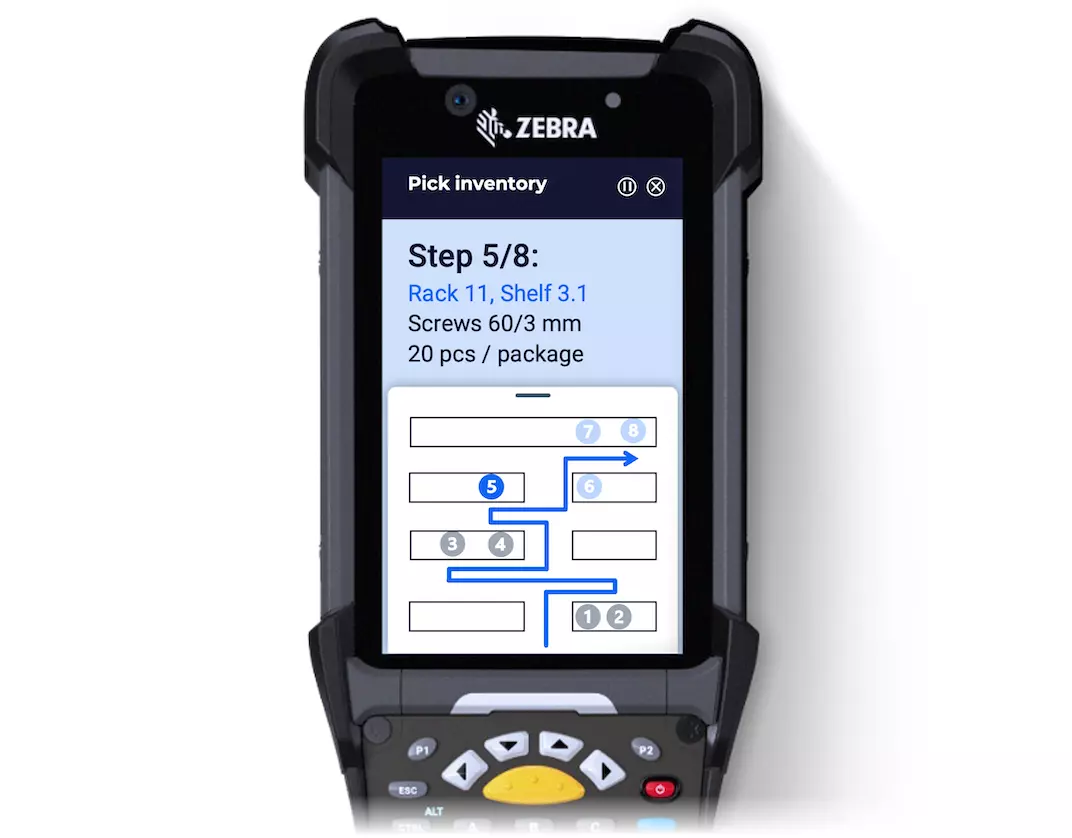
Picking for production orders or sales deliveries in a JIT environment means balancing speed with accuracy across a live M3 demand landscape. Novacura WMS generates optimised pick sequences based on warehouse location, weight, required unloading sequence, and — where applicable — FEFO or FIFO rules aligned with M3's lot management settings.
The result is a guided route that eliminates unnecessary travel. Operators follow a logical path through the inventory rather than interpreting a flat M3 pick list, cutting walking distance and increasing picks-per-hour. Dynamic pathing logic adapts in real time as new demand comes in from M3 manufacturing orders or OIS delivery lines, so the route stays optimal even during busy periods.
Connect to warehouse equipment via industrial IoT
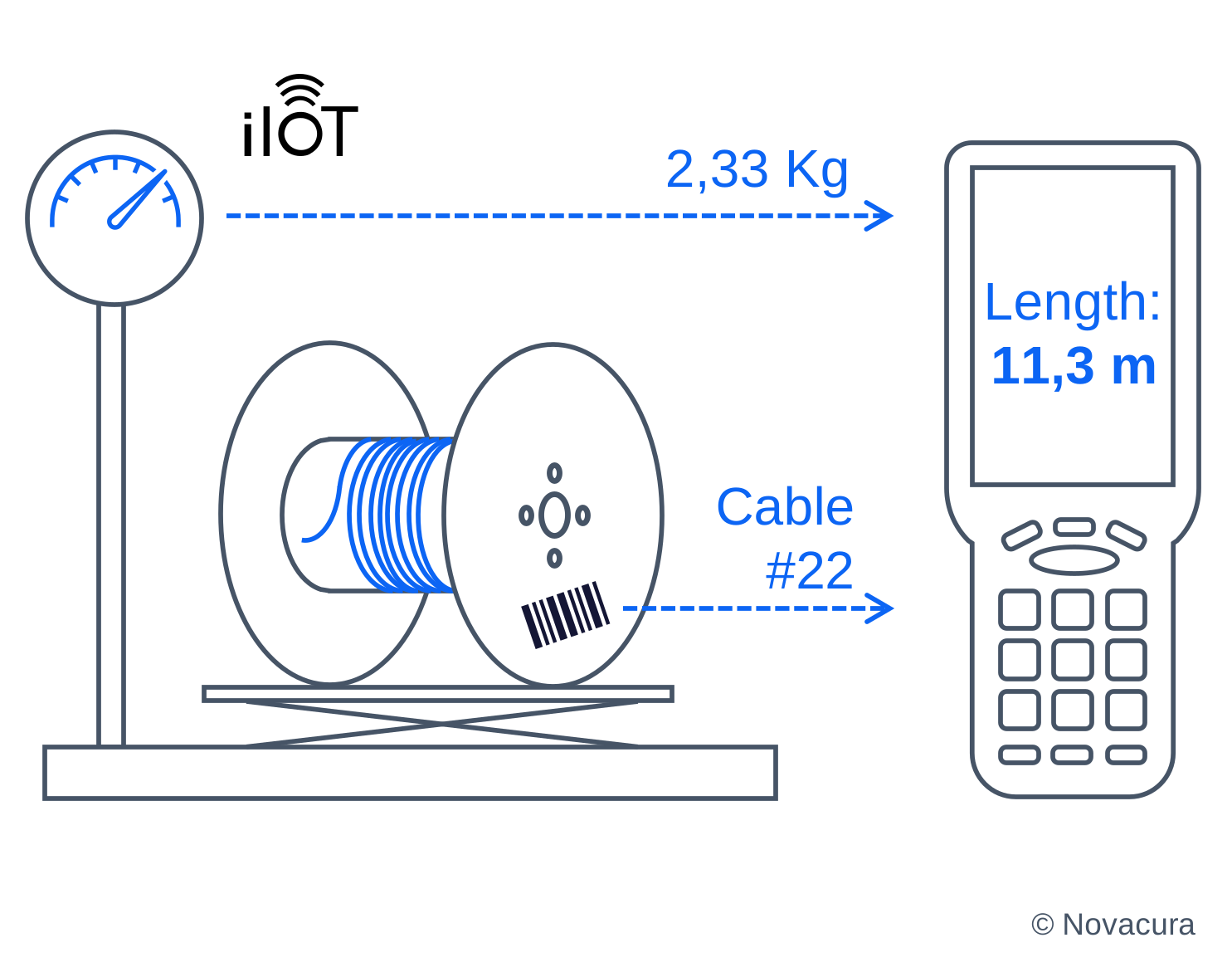
Novacura Flow — the platform underlying our WMS — supports direct integration with industrial machinery and IoT devices operating on the warehouse floor. A common deployment is scale integration: weight data is read automatically and used to verify incoming deliveries, count items returned from the shop floor (such as cable by length or sheet material by mass), or confirm the contents of an outbound shipment before it's posted in M3.
Device signals and sensor readings flow through Infor ION or direct API connections into both the mobile application and the relevant M3 MMS transaction — removing manual entry, reducing errors, and creating an auditable chain of evidence from physical event to ERP record.
Pick by voice — hands-free warehouse execution
Novacura WMS supports pick-by-voice technology, allowing warehouse operators to receive spoken task instructions through a headset while keeping both hands free for physical work. Confirmations are made by voice using natural language, with recognition handled locally on the device or via a connected speech platform.
The same hands-free workflow extends to inventory counting and anomaly reporting — operators can flag discrepancies directly through voice without breaking their movement through the warehouse. All confirmations post back to the corresponding M3 balance and lot records in real time, maintaining the integrity of the M3 stock picture without any additional data-entry steps.

Manage deliveries and shipments end-to-end
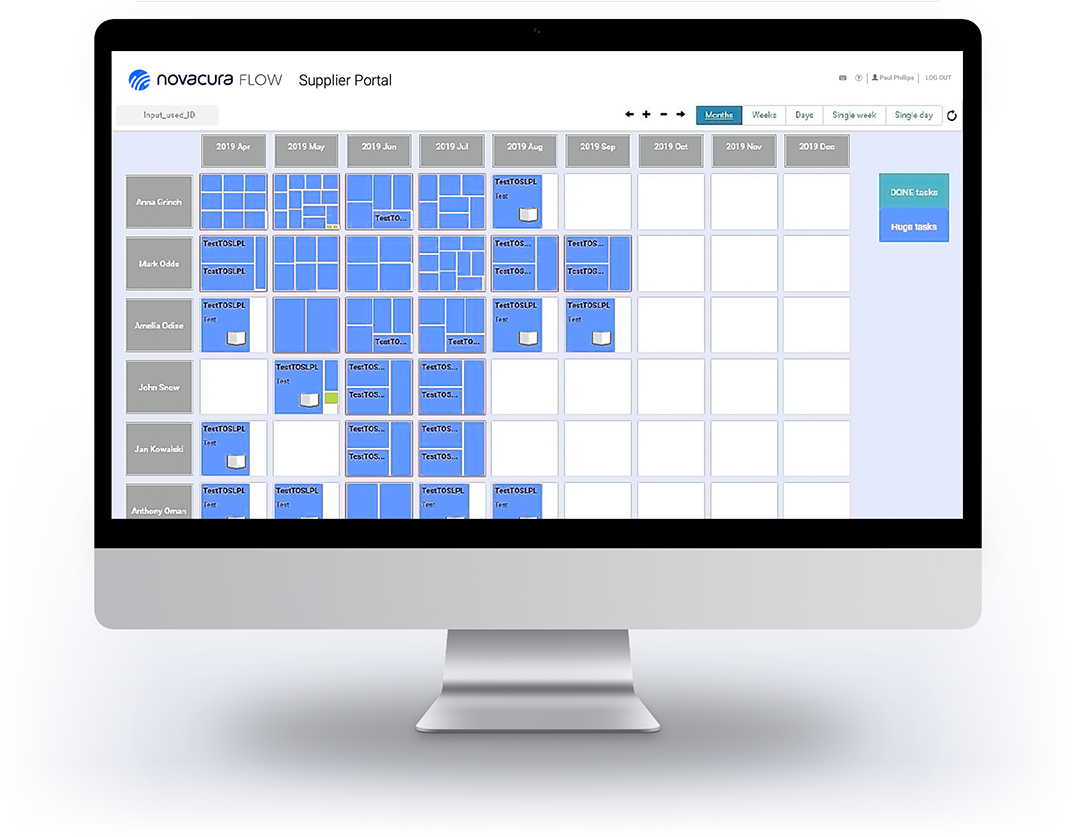
Novacura WMS covers the full inbound and outbound supply chain, not just internal inventory moves. Suppliers can confirm delivery schedules, submit advance shipping notices, and book dock time slots through a B2B Portal that connects directly to M3's purchase order and delivery structures — reducing the manual coordination that typically sits between procurement and the goods receiving dock.
On the outbound side, the solution integrates with carrier platforms (including PaceJet and comparable transportation exchanges) to support rate selection, booking, and shipment confirmation. These workflows post back to M3's delivery toolbox and shipment toolbox, giving OIS and logistics users a complete picture of every outbound movement without leaving M3. For businesses with ecommerce or omnichannel fulfilment requirements, the connection from ASN confirmation through to last-mile dispatch is handled in one continuous process.
Recognise and map supplier item codes
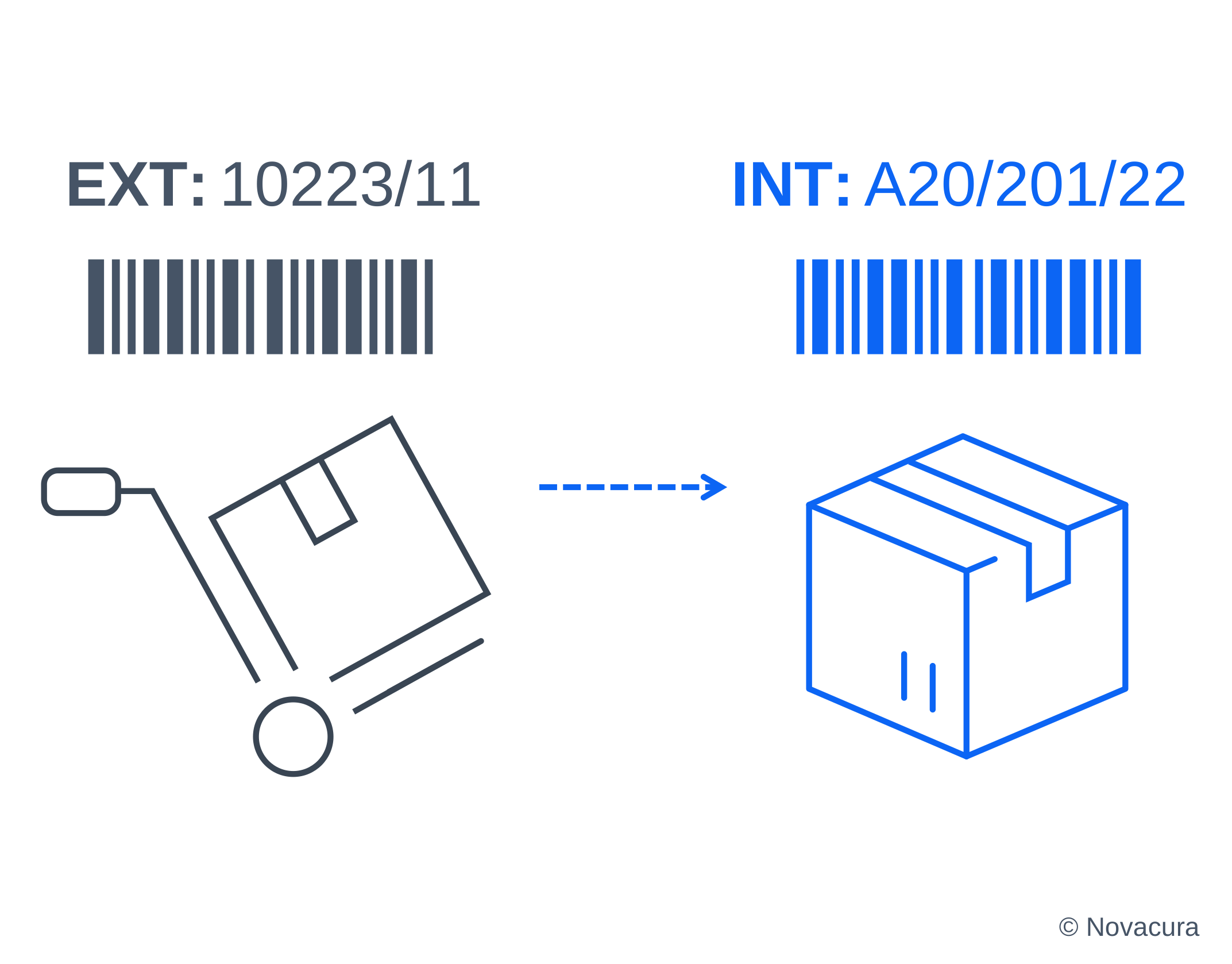
When goods arrive from a supplier, they typically carry the supplier's own item codes — not your internal M3 item numbers. Novacura WMS handles this automatically, maintaining a cross-reference between supplier codification and M3 item master records. Scanned supplier labels are resolved to the correct M3 item, eliminating the manual lookup step at goods receiving and reducing misidentification errors when multiple suppliers deliver the same component under different codes.
Connect warehouse operations to other M3 modules
The greatest operational advantage of running Novacura WMS on top of Infor M3 is the cross-module connectivity it enables. A material request raised by a production planner in M3's manufacturing order module can automatically generate a guided picking task for a warehouse operator — no email, no phone call, no manual transfer order. Equally, a scrap report from the shop floor can immediately trigger an internal replenishment run, routing the correct components from the warehouse directly to the affected work centre.
Quality inspection results from incoming goods can be linked to M3 batch records, holding or releasing stock automatically based on inspection outcomes. Maintenance teams requesting spare parts get real-time visibility of warehouse stock. This cross-functional handoff is core to how M3-connected warehouse management should work — every interdepartmental request flows through a guided, confirmable process that keeps M3 as the single source of truth.
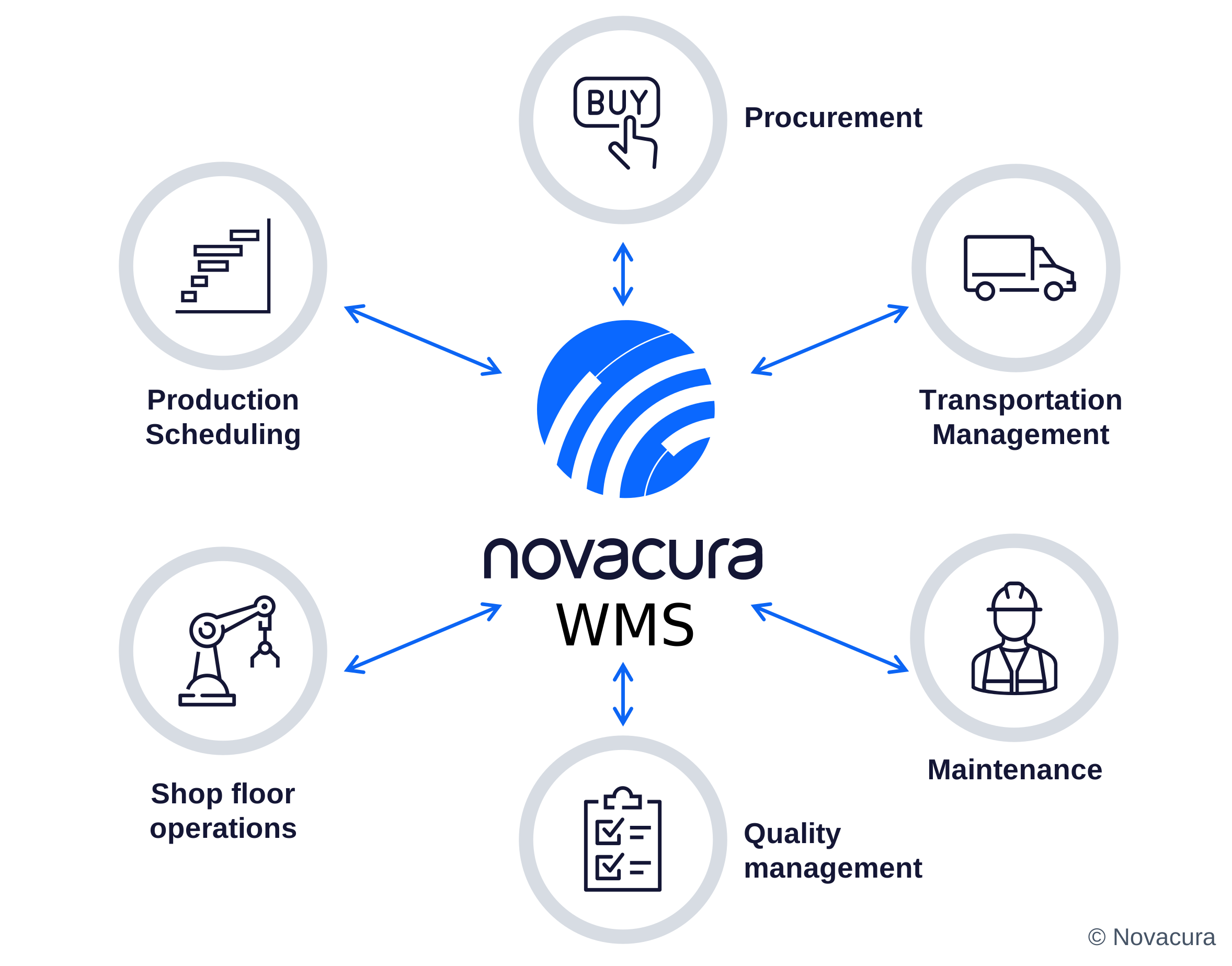
Industries We Serve:
Warehouse challenges vary across sectors — but the need for accurate stock data, fast fulfilment, and a reliable connection to M3 is universal. Novacura WMS helps M3 customers across the following industries take full control of their inventory operations.
01

Manufacturing
Ensure components and finished goods are always in the right location at the right time — aligned with M3 production schedules and manufacturing orders.
02
Logistics Providers
Optimise inbound receipts, outbound shipments, and cross-docking with full visibility into M3 stock and carrier data.
03
Distributors & Wholesalers
Handle high-volume stock flows with confidence — reduce inventory discrepancies and improve picking accuracy against M3 sales orders.
04
Commerce & eCommerce
Manage fast-moving inventory, handle seasonal peaks, and connect every fulfilment step back to M3 delivery and order structures.
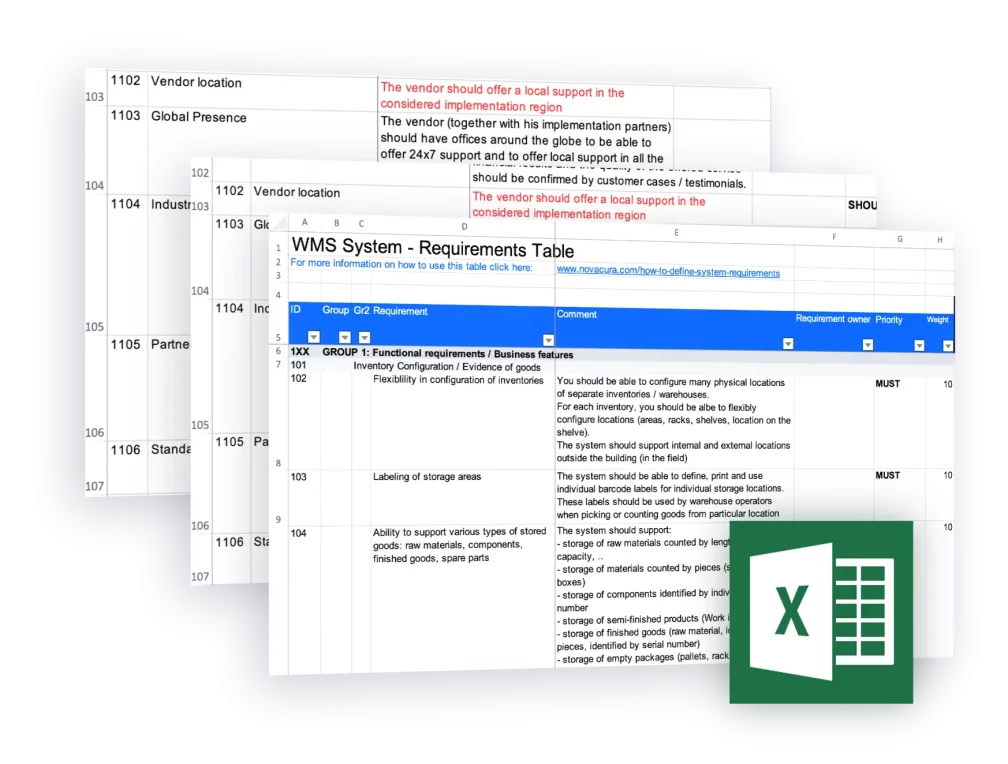
166 Requirements For Evaluating Warehouse Management Software (WMS)
82 Functional + 84 Non-Functional WMS Requirements, directly connected with the warehouse processes in large and medium business. Adapt for your needs, evaluate vendors & more. Novacura – Trusted by 220+ Companies.
Case Studies
:


In a dynamic business environment, the Polish branch of a Swedish company Nolato (a developer and manufacturer of products in polymer materials) faced operational inefficiencies due to outdated systems and manual processes. With the decision to implement IFS as their ERP system, the team aimed to enhance efficiency and streamline operations. This case study illustrates the challenges encountered, the solutions devised, and the overall impact of the ERP implementation, drawing insights from Novacura’s team members Andrzej Sałęga-Starzecki, Adam Szlembarski, Dorota Kopacka, and Patrycja Kowalska, who were responsible for the implementation. Additionally, notes from the customer side are included to provide deeper context and for the presented material. BACKGROUND: THE COMPANY AND ITS CHALLENGES The Polish branch of Nolato was facing challenges due to reliance on outdated methodologies, primarily using local legacy systems, Excel sheets, and manual processes. Recognizing the pressing need for modernization, they decided in 2022 to move forward with an IFS ERP implementation. Due to corporate requirements, the group implemented version 9 of the IFS system, with plans to upgrade to IFS Cloud in the future. The execution of this ERP system modernization was complex, requiring strategic planning and specialized expertise. Initial attempts to implement IFS in 2022 were unsuccessful, leading Nolato to engage Novacura as their IFS implementation partner. Key challenges included: Assembling a capable team familiar with IFS 9, suited to the specific needs of the Polish division. Configuring essential features like tax compliance and local reporting standards, requiring support from experienced consultants. Addressing compatibility issues between IFS 9 and the company’s manual processes, which relied heavily on physical records. With guidance from Novacura’s team in Stargard, Nolato successfully completed the project, setting the stage for future IFS upgrades and migrations. PROBLEM ANALYSIS AND PROPOSED SOLUTIONS The project kicked off in the second half of 2023, with the goal of completing it by year-end (the go-live phase occurred in June 2024). At the beginning, the project encountered a few problems, such as accessing an IFS support team proficient in IFS9, which was no longer supported by IFS, and correcting the previous Polish extension to IFS. Nolato had already tried to implement IFS in 2022 without major success. A significant challenge during the implementation process was also a data migration from an outdated, local database developed by a Szczecin-based company. The opening balance and initial data import were not problematic; however, preparing the data for migration proved to be more complex. The previous database used different terminologies, which required extensive training and clarification for the clients to understand the new IFS system’s requirements. Our consultancy team worked with Nolato, guiding them through the necessary adjustments. Adam Szlembarski Lead Business Systems Consultant at Novacura This hands-on approach ensured that the client’s team was well-equipped to handle the transition, which was also confirmed by the positive feedback from the Nolato side: The implementation process took place in a very friendly atmosphere. The consultants were always well-prepared and supportive. We tackled the assigned tasks gradually, which often required a great deal of flexibility on Novacura’s part. […]
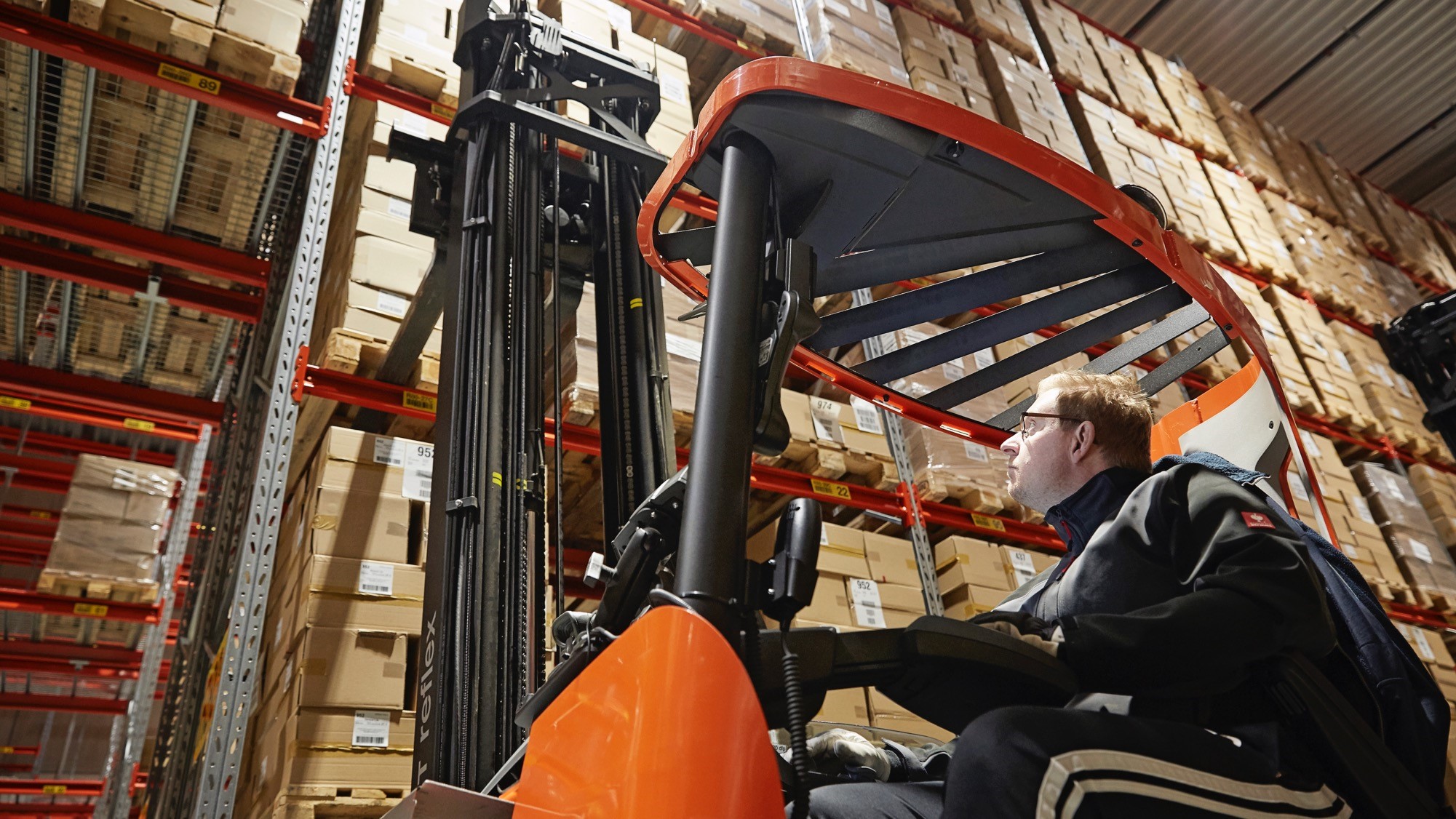

We had the pleasure of speaking with Herman Moodysson, Manager IT & Business Development at SMD Logistics, about their transition from the Merit Portal to Novacura Flow. SMD Logistics serves as the essential intermediary connecting manufacturers with the Swedish market by distributing tobacco and tobacco-related items. Beyond tobacco, they also act as wholesalers for various high-demand consumer goods. SMD Logistics’ distribution infrastructure, guided by principles of security, quality, and sustainability, extends to 10,000 clients across Sweden and Norway. In the interview presented to our readers, Herman Moodysson, IT Manager at SMD Logistics, shared insights into their transition from Merit Portal to Novacura Flow for logistics operations. HIGHLIGHTS FROM THE INTERVIEW The interview was performed on 2024-05-21, between: Herman Moodysson (HM) from SMD Logistics, and Łukasz Majer (LM), Business Solutions & Marketing Director at Novacura. LM: Could you please introduce yourself, detailing your current role within your company and sharing some background information about yourself? HM: Certainly. I’m employed as the IT Manager and Business Development professional at SMD Logistics. I’ve dedicated 13 years of service to the company, with my responsibilities centered around IT since the beginning. Earlier in my career I served as an IT Consultant at Intentia, a company now under Infor’s ownership, where I gained extensive experience with Infor M3. LM: Could you provide us with an overview of your company, including the products/services offered, and target markets? HM: SMD Logistics specializes in the transportation of high-value goods, predominantly tobacco products. We are the logistics partner for all major tobacco companies in the Swedish market and to some extent in Norway. While we maintain our own fleet for the Greater Stockholm area, we rely on external transport companies for other regions. LM: Could you share some key figures regarding your company’s operations? HM: We currently have a workforce of over 200 employees. Our main business is distribution of tobacco products and we serve the majority of retail outlets in Sweden, around 80% directly to point-of sale (POS) and the remaining 20% through wholesale operations. Our clientele encompasses approximately 7 500 delivery points, including prominent chains such as ICA, Axfood, Reitan and Circle K, alongside independent retailers. We also have a small but growing business acting as 3PL to e-commerce customers. LM: Could you tell us something about what differentiates your business from the generic logistics operators? HM: One thing is that we are acting as a logistics partner to different competing businesses, meaning competitive neutrality is fundamental to us. Secondly, since we deliver tobacco products, our business must meet restrictive safety and compliance regulations. LM: Thank you! Could you now provide an overview of your IT infrastructure, including the ERP system you use? HM: As our main ERP system, we use Infor M3 13.4, on-premises. It is supplemented by MEC (M3 Enterprise Collaborator) engine for integration management. Since our strategy is to be a fully digital company, we use several systems to be able to process 98% of our customer orders digitally. We use an EDI platform and we also […]
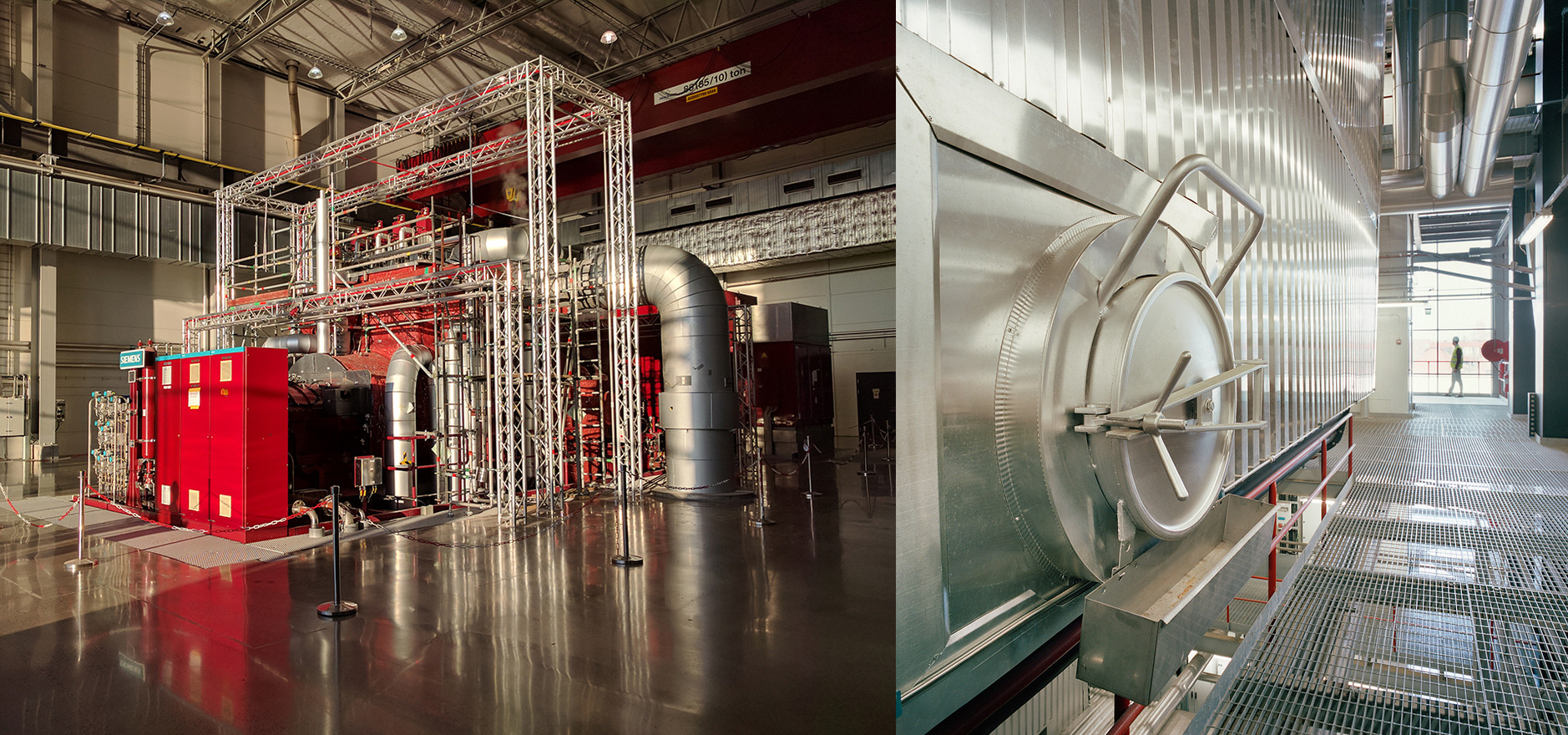

Introduction Söderenergi is a leading energy company, producing district heating and electricity in the Stockholm region, and contributing to the ongoing green transition. We are delighted to announce that Novacura has been chosen as the implementation partner for IFS Cloud at Söderenergi in Sweden. As a Channel Partner for IFS, one of the leading global ERP providers, Novacura’s experts will initially implement the following modules of IFS Cloud: Finance Purchasing Inventory Management The IFS Cloud implementation project commenced in November 2023, with the go-live scheduled for June 2024. Learn more about IFS Cloud Finance Module Novacura is presently in the analysis stage, examining customer needs and requirements. This ERP system implementation will support Söderenergi in streamlining operations and enhancing efficiency, contributing to their digital transformation in the energy sector. Leveraging ERP for energy companies like Söderenergi ensures optimized processes, from finance management to inventory management in the energy industry, helping drive sustainable growth. About Söderenergi Söderenergi generates district heating for approximately 300,000 residents, offices, and industries in the Stockholm region, supplying electricity to 100,000 households. Annually, the company transforms 1 million tons of waste into energy. Learn more about Söderenergi About Novacura As a Channel Partner to IFS since 2018, Novacura offers a comprehensive range of services for IFS, including IFS implementation, upgrades, enhancements, integration, training, and audits. Additionally, Novacura provides a low-code platform, Novacura Flow, enhancing flexibility of IFS platform with low-code solutions for ERP customization. Novacura is honored as a Gold Channel Partner in the Nordics, receiving the prestigious “Channel Partner Awards” three times consecutively in 2017, 2019, and 2022. As a trusted Novacura IFS Cloud partner, the company continues to deliver ERP implementation best practices across industries. Discover Novacura’s IFS services About IFS Cloud
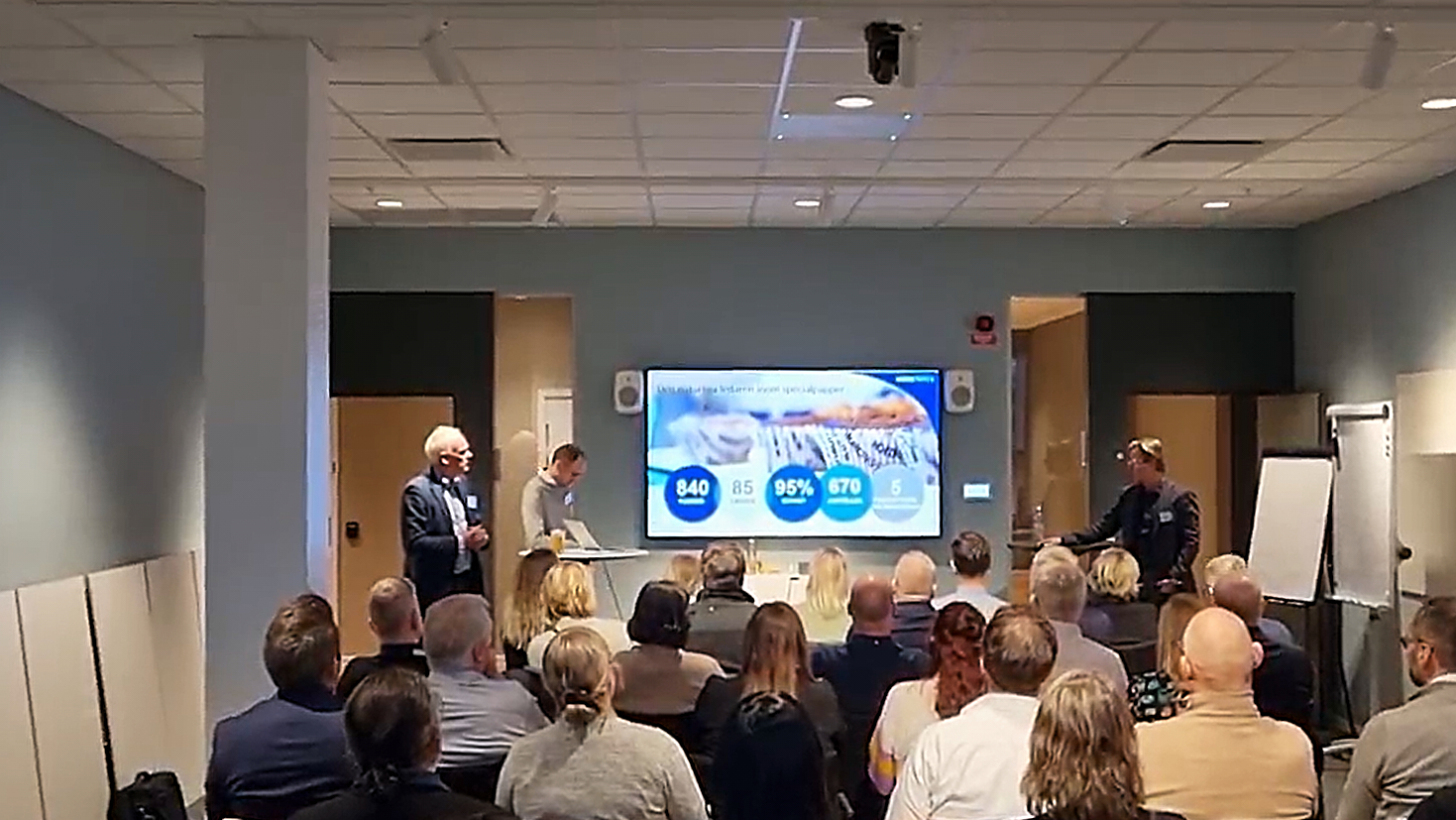

INTRODUCTION Novacura, as an active member of the IFS Scandinavian User Group, lead a seminary during the latest IFS User Group Day on November 22, 2023, in Stockholm, Sweden. Collaborating with our client, Nordic Paper, a leading producer of Greaseproof Paper and Kraft Paper, we had the opportunity to present a customer case centered around the transition process from IFS Applications v7.5 to IFS Cloud, a transition we jointly planned and executed. In the seminar, our speakers — Patric Johansson (CIO at Nordic Paper), Johan Magnusson (ERP Lead at Nordic Paper), and Lars Steen (VP Services at Novacura) — discussed the expectations and insights derived from upgrading from IFS Applications v7.5 to IFS Cloud. Additionally, the session explored IT strategy development, best practices for user training, and how process visualization can drive a smoother transition. Through maintenance management and system support, Novacura ensures that companies like Nordic Paper achieve an optimized and future-ready IFS Cloud implementation. OUR PRESENTATION SUMMARY: “JOURNEY TO IFS CLOUD” During the event Novacura, in partnership with Nordic Paper, provided insights into the migration journey from IFS Applications v7.5 to IFS Cloud. The session featured an open discussion on project experiences, highlighting both accomplishments and challenges in IT system implementation and ERP system upgrade. Presenters explained that the migration process timeframe was between January 2022 and November 2022, and was organized into six phases, which included: Initiation Confirmation Establishment Implementation Go live Support At the conclusion of the presentation, the Novacura experts emphasized that post-live, in an Evergreen state, the overall stability of IFS Cloud was very good. IFS Cloud is a evergreen cloud-based solution offering advanced features tailored to address specific business needs. It follows a systematic development schedule, with releases occurring twice a year at six-month intervals, identified by versions R1 and R2. (The slide from the event presentation). Below, we outline key observations from the successful IFS Cloud upgrade project as presented by the speakers: The slide from the event presentation. WHAT TO EXPECT FROM AN IFS CLOUD PROJECT? The important part of the presentation was a comparison between the recent IFS Cloud Upgrade project and the classical IFS upgrade implementation known from earlier versions of IFS Applications. They underscored the following similarities and differences: The slide from the event presentation. At the presentation’s end, the speakers shared key lessons learned from the project, focusing on technical perspectives. They emphasized the following: Integration with Rest OData can consume more time; New opportunities with Lobbies & Projections may cause Performance issues; Sizing of Middleware; There is no (easy) possibility to roll-back to the previous release when software defects appear; Environments can become desynchronized – proper environment management is necessary. SUMMARY Novacura led a seminar at the recent IFS Scandinavian User Group Day on November 22, 2023, in Stockholm, Sweden. The event received widespread acclaim, generating positive feedback and attracting great interest and interaction from various participants. Jointly with Nordic Paper, a key producer of Greaseproof Paper and Kraft Paper, Novacura presented a compelling customer case on transitioning from IFS Applications v7.5 to IFS […]
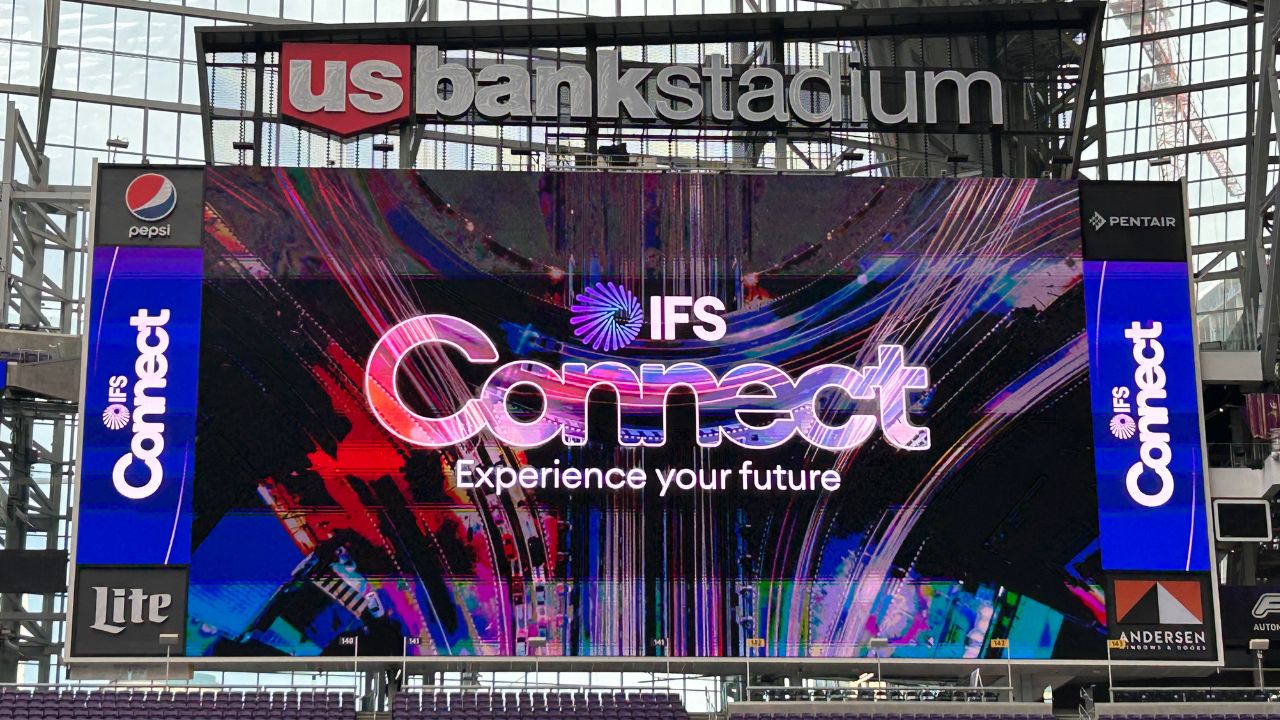

On June 13-14, Novacura participated in the latest edition of the IFS Connect conference organized in North America in Minneapolis, USA. Novacura, as a long-time IFS partner and gold sponsor of the event, had the opportunity to lead one presentation with Mistras (...)
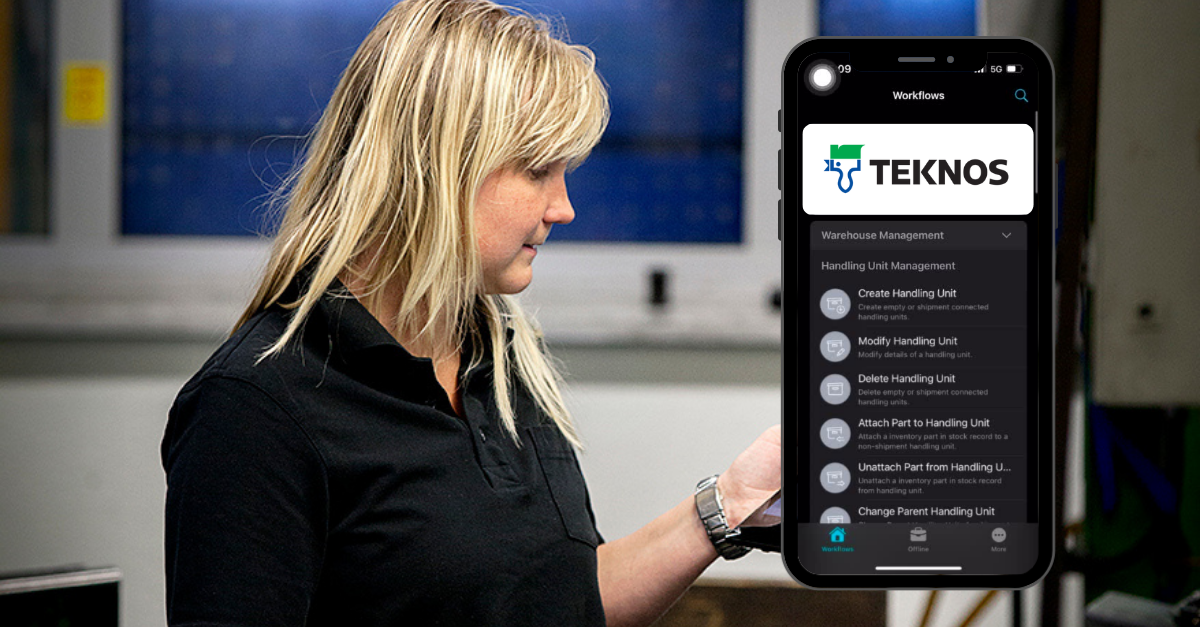

Manufacturing and logistics are closely interrelated on many levels. In a modern enterprise, attention is always on productivity and efficiency. Manufacturers have become very cognizant of the importance of measurement and obtaining data from different processes to create a holistic view of the entire business’s effectiveness. Improvements on the shop floor are the essential, but optimizations on the logistics and distribution side are required to accelerate maximum production cycle results. Smart internal logistics and inventory management are deeply integrated into production processes and are essential for efficient total process management (TPM). Focus on business improvement Most manufacturing companies these days are facing some serious problems that are crossing production and inventory management operations. It is crucial for these companies to correctly understand the root causes of the existing issues to clarify the requirements for improvement. Warehouse operations – inefficiencies in connecting the complexity of warehouse operations (order picking, inbound and outbound, inventory management) with the production floor can result in significant financial losses due to faulty packaging management, lack of good coordination of raw materials, utilization of scrap or damage detection. Modification problems – difficulties with modifications that are required to meet new business needs. The old software systems installed on the shop floor need to be more flexible to extend the business capabilities that are needed to manage day-to-day operations. Business solutions from Novacura Problems in operations with manufacturing and warehouse management can be solved with software solutions that can extend the capabilities of ERP systems with mobile and desktop applications. The most appropriate approach is using a solution that will not make changes to the structure of the ERP system itself but will connect independently on top of it and provide the user with the ability to implement continuous modifications whenever required by the business. Novacura Flow is an example of flexible software that can be connected to an ERP system and allow the user to modify a business process at any time. This approach will enable users to respond effectively to ongoing changes driven by production and warehouse operational needs. https://www.novacura.com/wp-content/uploads/2022/08/nc-www-app-creation-in-flow.mp4 The example presented above explains how users can use Novacura Flow, with access to Novacura Flow Studio, environment for developing applications for internal operational needs in warehouses. The warehouse solution for Teknos TEKNOS GROUP OY. is one of the global coatings company from Finland that offers a wide range of paints and coatings for the manufacturing industry, building professionals, and consumers. The company operates in 20 countries in Europe, Asia, and the US, with more than 1500 employees globally. They have achieved outstanding results with their business approach and development in industry-driven product quality. TEKNOS GROUP OY. selected Novacura Flow software in early 2022. Since then, the company has begun implementing Novacura solutions for warehouse operations, which are required in their manufacturing processes. Novacura had the opportunity to speak with Peter Muhonen, ICT Manager, Supply Chain – and RnD Solutions, about recent developments. Improving the warehouse operations Before implementing Novacura Flow, Teknos already used the Novacura service to connect its IFS ERP […]
TECHNOLOGY: FLEXIBLE FOUNDATION FOR YOUR M3 WAREHOUSE:
ERP extensions — fast to activate, zero core impact
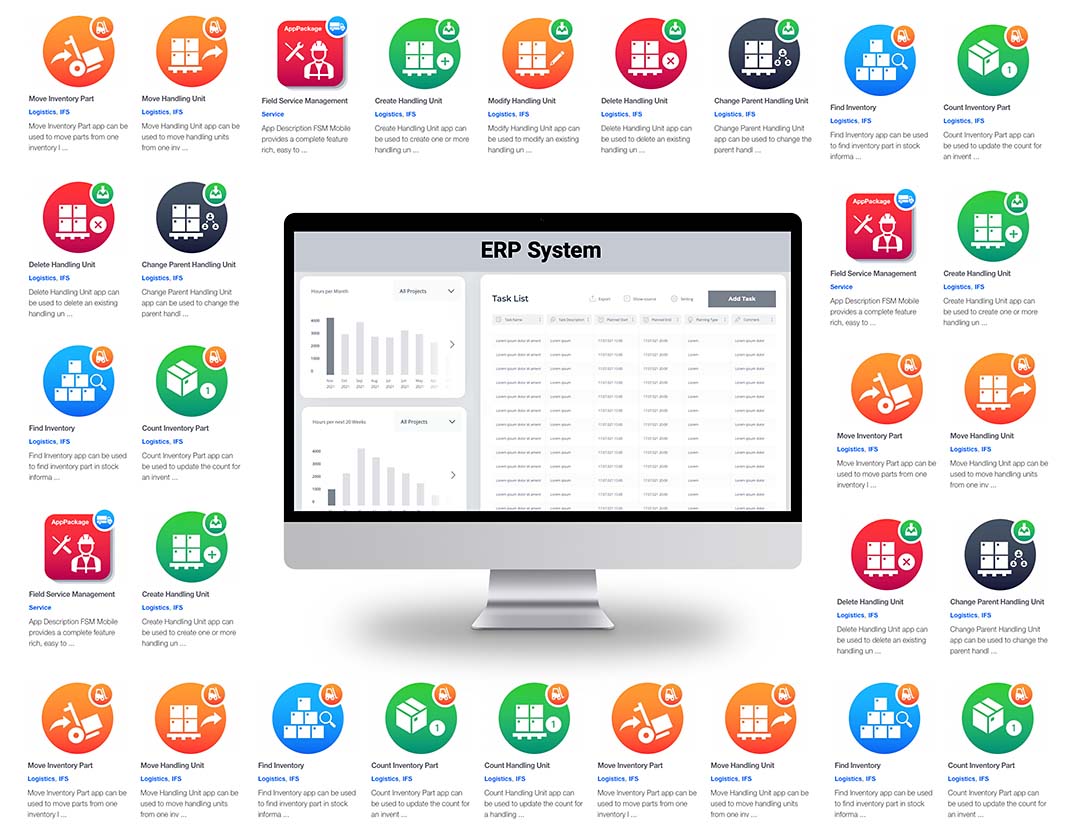
Novacura WMS for Infor M3 is built as a package of ERP extensions that sit on top of the M3 Business Engine without modifying it. Integration is handled through standard MI programs and Infor ION — the same connectivity layer M3 uses natively — so there's nothing to rebuild when M3 CE releases a new update or your team upgrades to a later version.
The key operational benefit: every warehouse action performed in Novacura is immediately reflected in M3. Procurement managers checking stock, production planners confirming material availability, or finance reviewing inventory value — they all see accurate, live data in M3, exactly as they did before Novacura was introduced.
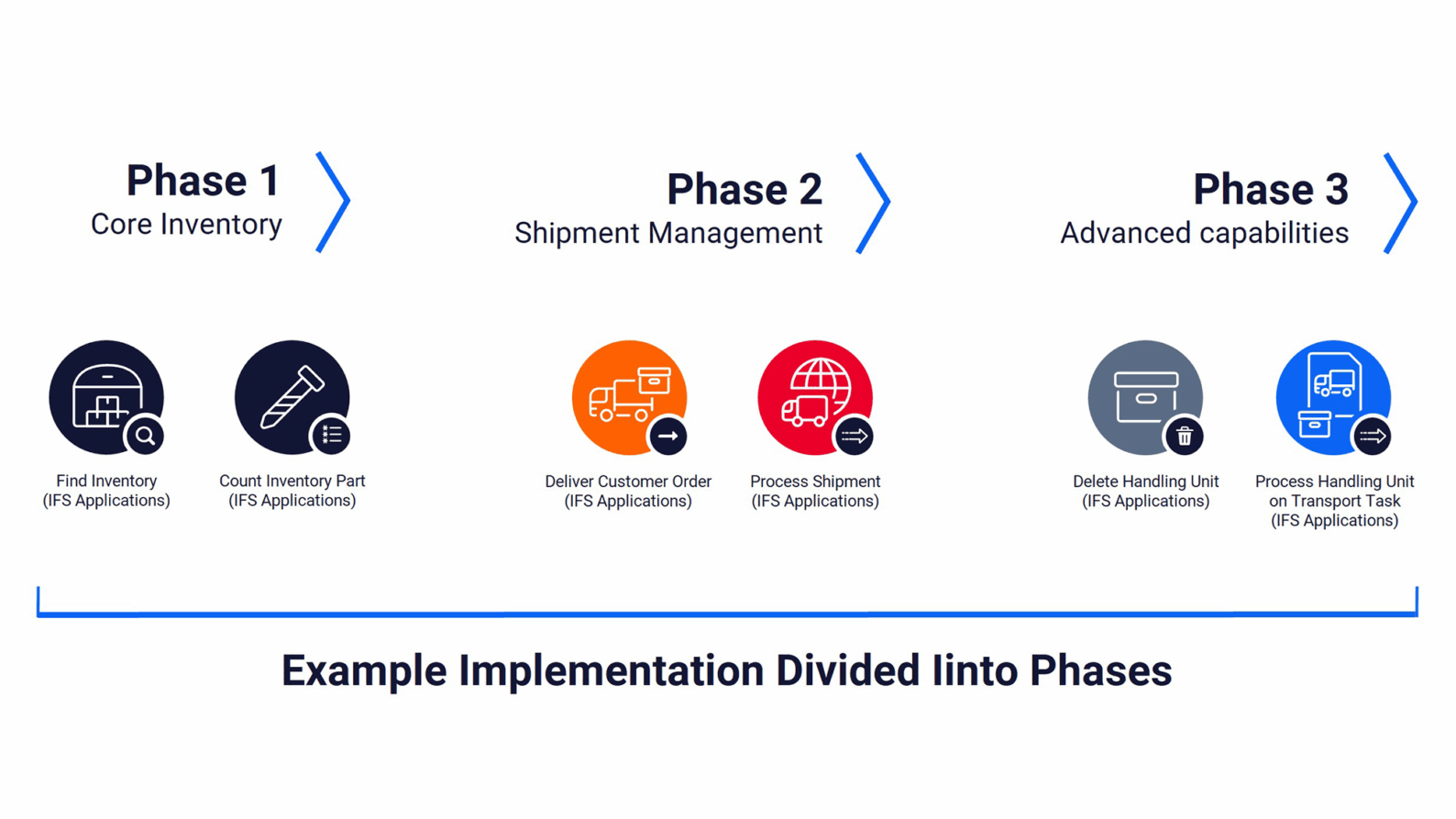
An incremental approach — no big-bang go-live required
Because each application in the Novacura WMS package shares the M3 database as its source of truth, you don't need to implement everything at once. Start with the processes that have the highest pain — goods receiving or pick optimisation, for example — and use standard M3 functionality everywhere else. As your team adopts the first wave, add the next application. There's no data migration, no parallel running period, and no cutover risk when you expand.
Ready for what comes next — low-code at the core
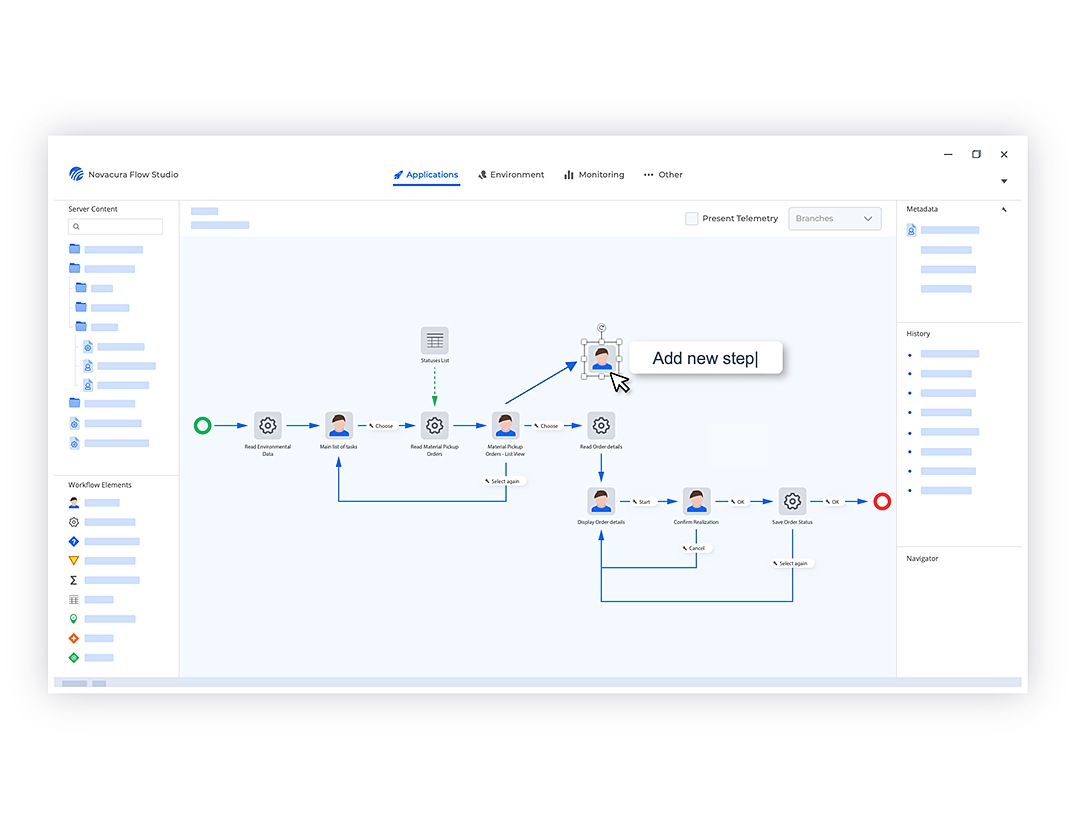
Every company running M3 has processes that are uniquely theirs. Novacura WMS is built on the Novacura Flow low-code platform, which means no application in the package is hard-coded. Your team — or ours — can modify existing workflows, clone them for site-specific variants, or build entirely new applications using a visual process designer. When M3 introduces new functionality, or your business adds a new distribution channel, you adapt the warehouse layer to match without a development project.
THE IMPLEMENTATION PROCESS:
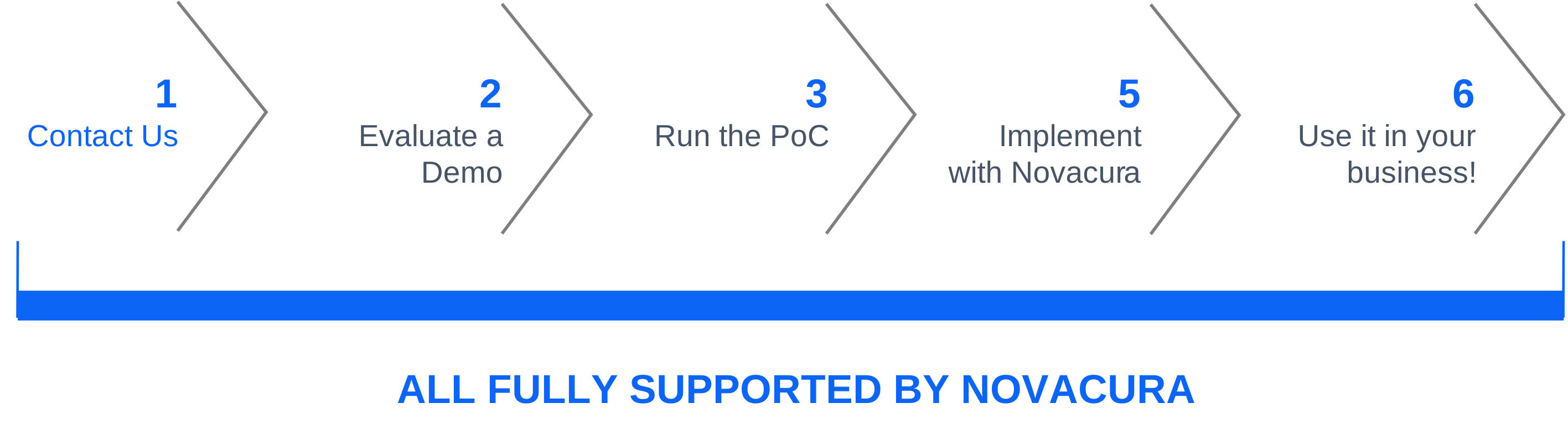
The implementation process takes less time than usual. We have a flexible solution that can be easily integrated with existing systems.
1. Mature methodology
Our implementation approach follows a structured sequence — requirements workshop, feasibility study, configuration, pilot, and go-live — giving you a predictable timeline and clear checkpoints throughout. Every phase is designed around how M3 customers actually work.
2. 17+ years of M3 and logistics experience
We bring a library of ready-to-use applications proven across M3 deployments in manufacturing, distribution, and logistics. These are available on the Novacura Flow Marketplace and can be demonstrated, customised, and deployed without starting from scratch.
3. Low-code platform
Novacura Flow makes every element of the WMS configurable. Whatever your M3 setup — on-premises, M3 CE, with MEC, with ION — we can adapt to match your integration architecture and your process requirements.
4. Industrial connectors, already built
Scale integration, RFID gates, EDI, pick-by-voice, carrier APIs, Loftware, BarTender — the connectors exist. Technology is not the bottleneck. Getting your team confident and productive is where we focus the project effort.
Contact Us:
Please fill out the form. Our team will respond within 1 business day.
Prefer email? Contact us here: info@novacura.com

Aksel Jarlbäck
Solution Expert