
Warehouse operator using a mobile tablet to process real-time logistics and inventory data integrated with Infor M3 ERP.

Simplify Infor M3 Logistics
& Production

Eliminating Shop-Floor Complexity with Real-Time Reporting

A suite of simple and mobile-friendly application templates that cover most of the logistics and warehouse management operations in Infor M3.

Logistics ERP Apps - Novacura Marketplace Logistics & Manufacturing - Infor M3

WHAT IT IS & HOW IT WORKS

End-to-end supply chain execution
built on Infor M3


The Supply Chain Execution package for Infor M3 covers all the basic requirements a distribution or manufacturing company faces — across inboundinhouse and outbound warehouse management and logistics. Every concept was designed from M3 mobility experience gained through years of consultancy and business analysis.

Apps are designed in sequential and conditional steps and are ready to use directly after download. Where standard features aren’t enough, workflows are easily adapted with the Novacura Flow low-code platform. The suite connects to your ERP through the Infor M3 REST API.

Mobile-first experience Ready-to-use after download Low-code adaptable

App Portfolio:

One package, the full warehouse journey Grouped across the three stages of supply chain execution.
Each card links to its app on the Novacura Marketplace.

Receiving Inbound Goods

Eliminate manual entry bottlenecks and downstream discrepancies at the point of entry. This layer replaces complex native ERP screens with a streamlined, mobile-first workflow that ensures every inbound shipment—whether from suppliers, internal distribution, or returns—is validated, tracked, and routed to storage in real time.

  • Available Marketplace Apps:

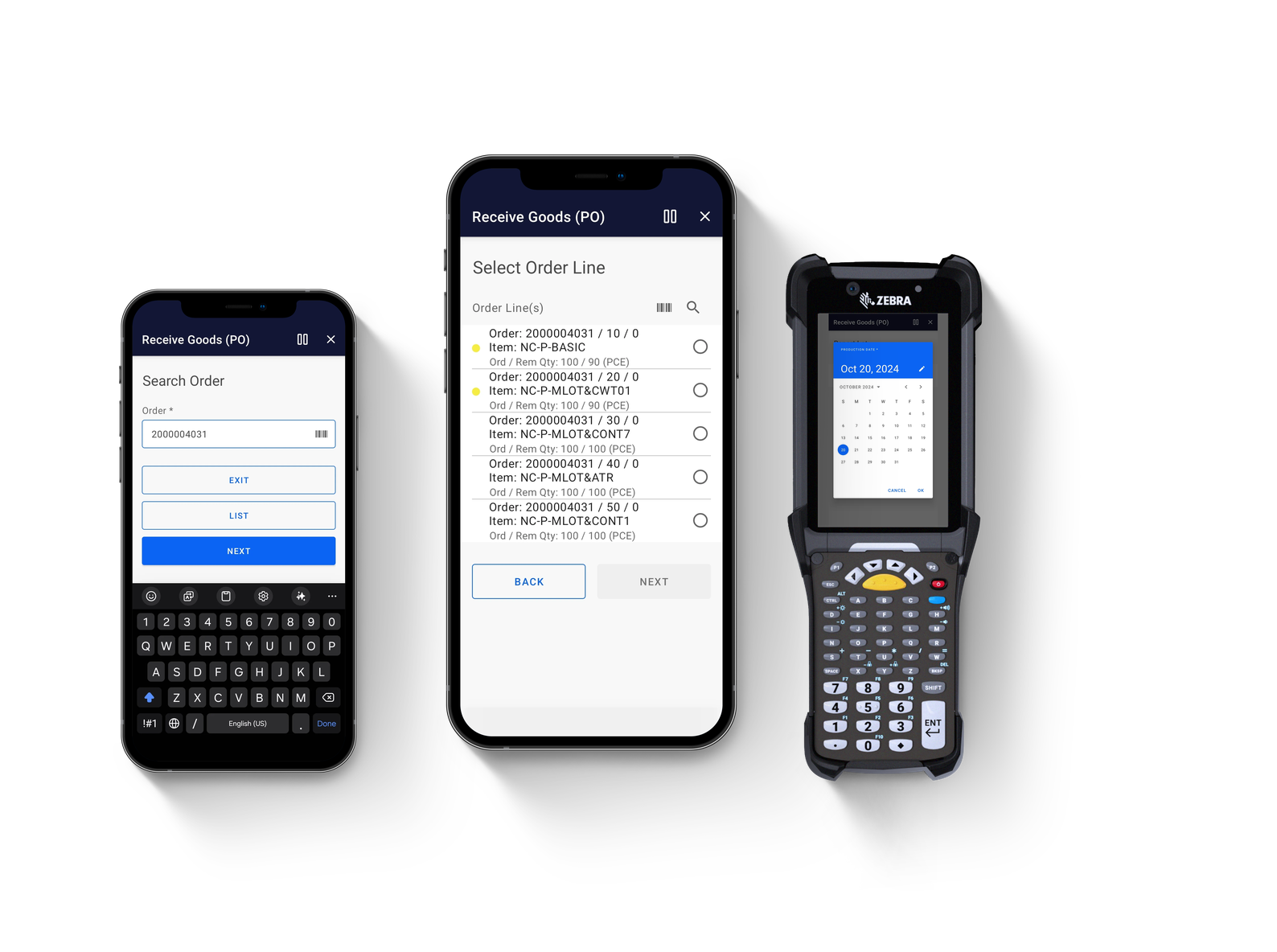
    • Receive Goods (PO): Search open purchase orders and report detailed catch weights and lot details.

    • Inspect Goods (PO): Execute shop-floor quality inspections and report reject reasons (PPS310).

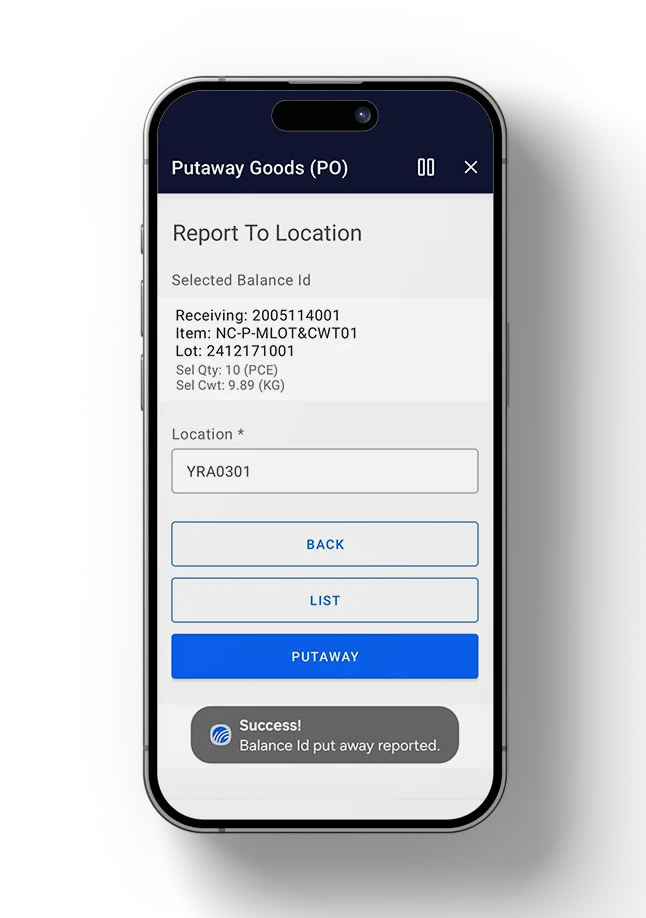
    • Putaway Goods (PO): Route received purchase order items directly to optimal storage locations.

    • Receive Goods (DO): Streamline the reception of internal Distribution Orders.

    • Receive Goods (RO): Manage and document inbound Customer Returns efficiently.

    • Receive Delivery (ASN): Accelerate intake by validating against Advanced Shipping Notifications.

    • Receive Goods (CR): Process goods arriving from specialized Requisition Orders.

    • Process Put-Away (2-Step): Orchestrate advanced two-step put-away staging and tracking.

Managing Inhouse Activities

Maintain total inventory integrity without forcing operators to touch a desktop terminal. By providing mobile tools for cycle counting, stock adjustments, and asset reclassification, this module keeps your digital twin in perfect sync with physical floor reality, dramatically reducing data lag and stabilizing production scheduling.

  • Available Marketplace Apps:

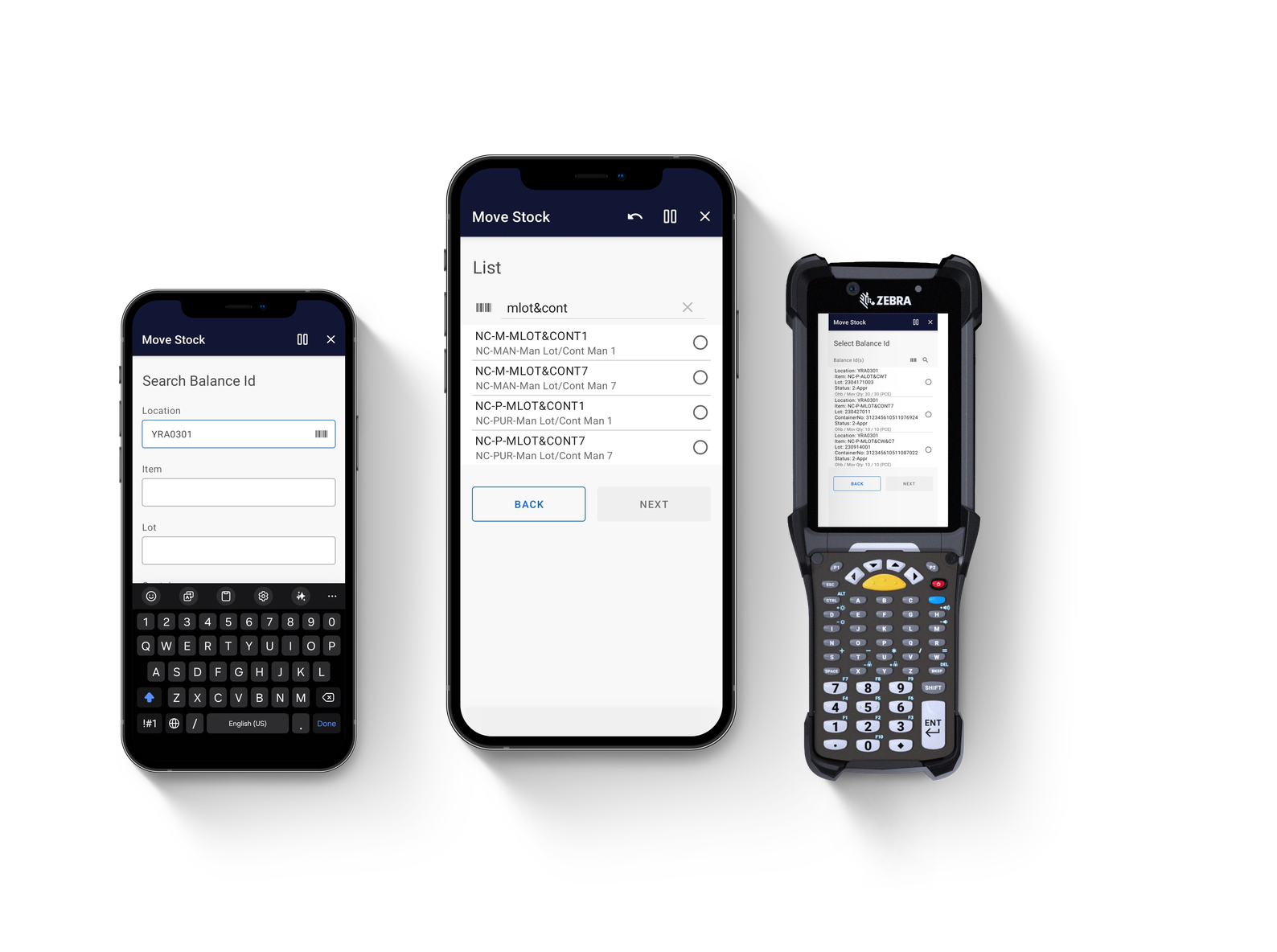
    • Move Stock: Execute on-the-fly inventory transfers between bins, zones, or warehouses.

    • Count Stock: Simplify physical inventory counts and cycle counting parameters (MMS300/MMS301).

    • Reclassify Stock: Instantly update stock statuses, expiration fields, and lot assignments.

    • Update Stock: Make real-time adjustments to quantities and existing balance IDs.

    • Add Stock: Log unexpected or un-ordered physical stock directly into Infor M3.

    • Print Stock Label: Generate and print high-fidelity inventory barcodes on demand.

    • View Stock Allocation / Details: Provide instant visibility into reserved stock and balance records.

  • On the Roadmap (Coming Soon):

    • Create Stock Internal Order | View Transactions History | Manage Sublots | Blend Lots

Managing Outbound Goods

Accelerate your order-to-ship cycle and eliminate costly picking errors. This execution layer optimizes the final leg of your supply chain by coordinating warehouse logistics—guiding operators through structured picking paths, rapid packing workflows, and automated container manifesting directly integrated with M3.

  • Available Marketplace Apps:

    • Release Delivery for Pick: Authorize and push qualified delivery lines to the warehouse floor.

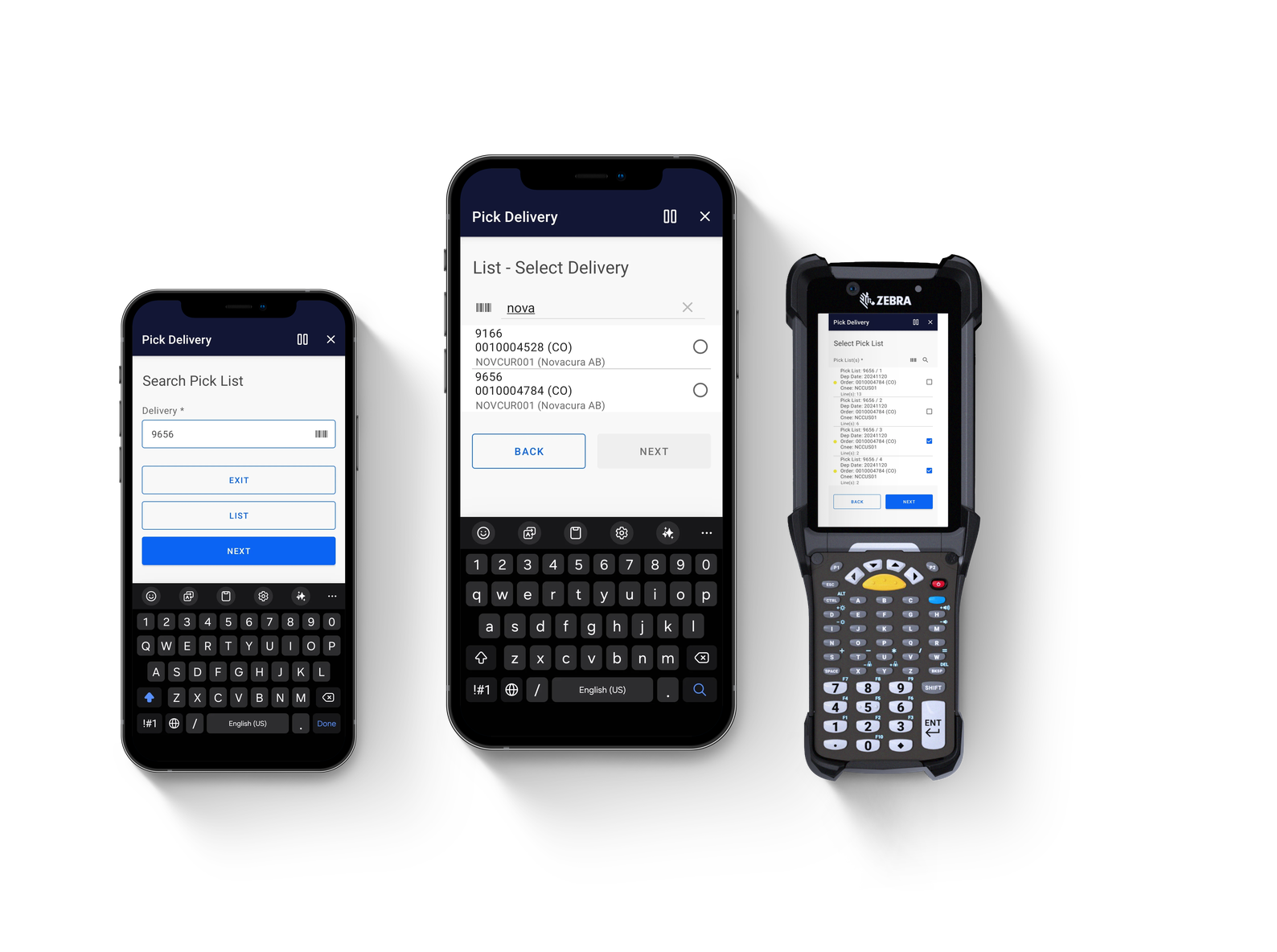
    • Pick Delivery: Execute guided, optimized picking routes with direct mobile confirmation.

    • Pack Delivery: Verify, aggregate, and package picked items into correct transport containers.

    • Issue Delivery: Finalize shipments and trigger the outbound transaction loop inside Infor M3.

  • On the Roadmap (Coming Soon):

    • Correct Delivery Picking | Manage Delivery Packages | Print Delivery Documents & Labels | Manage Shipment (Load Building) | Delivery Toolbox

A product layout featuring three mobile devices displaying different screens of a logistics app titled "Receive Goods (PO)." The devices include two standard smartphones and one rugged Zebra enterprise scanner with a physical keyboard.

About Novacura Marketplace

Ready-to-use apps, adaptable to your process

Novacura Marketplace is where Infor M3 customers find ready-to-use, adaptable application templates. Every app is built on the Novacura Flow low-code platform, so what you download as standard can be reshaped to match exactly how your warehouse runs — without starting from scratch.

Supply Chain Execution is delivered as a complete solution: download the package, connect it to Infor M3 via the REST API, and put guided mobile apps in your operators’ hands.

Product Specification

App Type Complete Solution
Flow version Connect
ERP Type Infor M3 Cloud / 13.X
Process Area Logistics
Product Clients Mobile & Web Client
Product Connectors Infor M3 REST API
Product Publisher

Novacura Business Apps


Contact our expert:

Looking for personalized advice? Feel free to ask Aksel about how Novacura can tailor solutions to your business. Fill out the form, and we’ll get back to you shortly!


Prefer email? Contact us here: info@novacura.com

Aksel Jarlbäck

Solution Expert

    Freely given consent from contact I agree to the use of my data to respond to my request, as explained in the Novacura Privacy Policy.