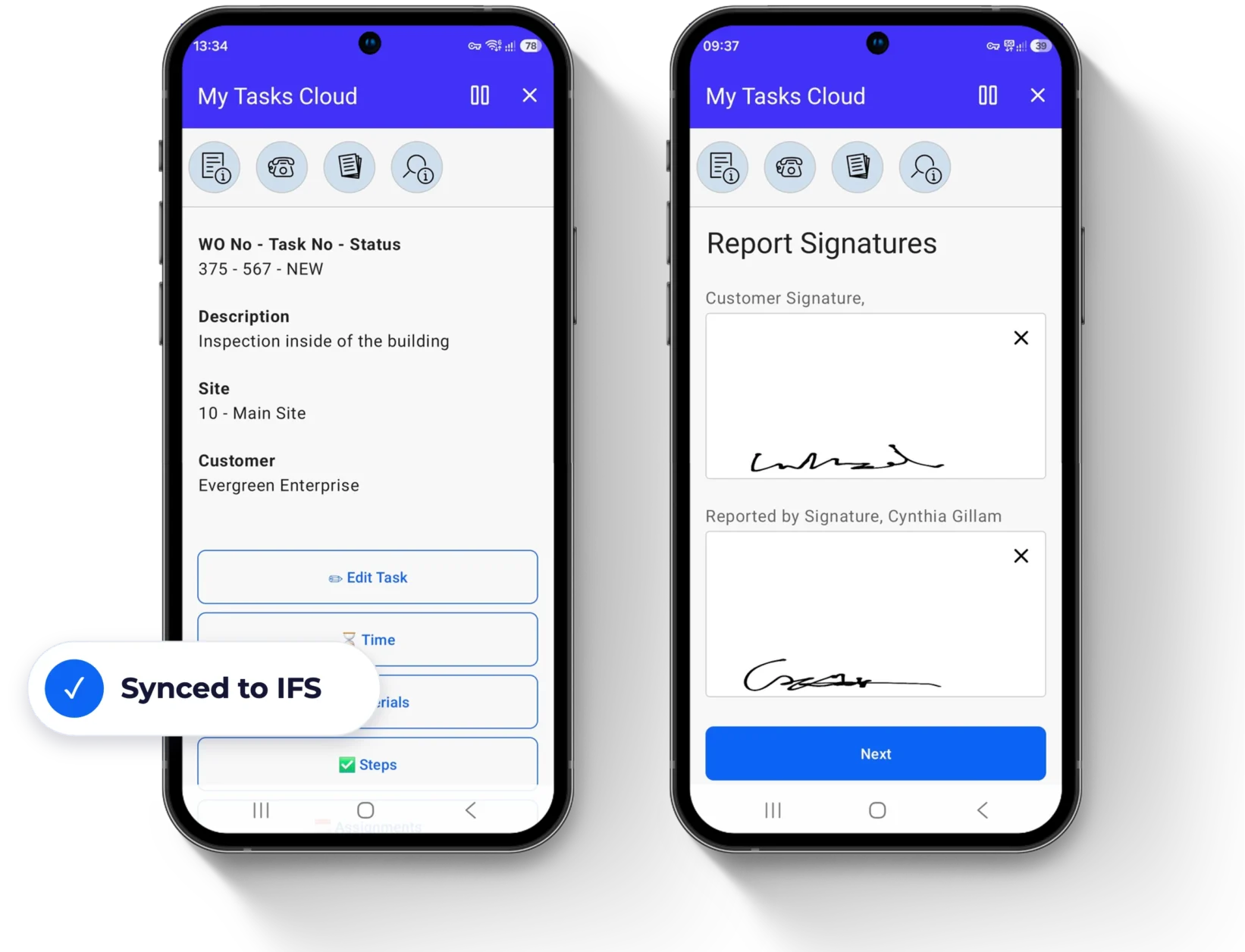
Field service in IFS Cloud is evolving
New possibilities in IFS. The same need for a simple technician day:What the change means for your field service?
IFS is moving customer service in IFS Cloud from Work Order-based Service Management to Request Management in Service Lifecycle Management, and is investing in industrial AI through IFS Nexus Black. It's a clear direction, and it raises practical questions for the teams who run the field every day:
- Does the change affect us, or only part of our business?
- How much do our service processes need to change, and when should we start?
- How do we keep the technician's day simple while the platform moves forward?
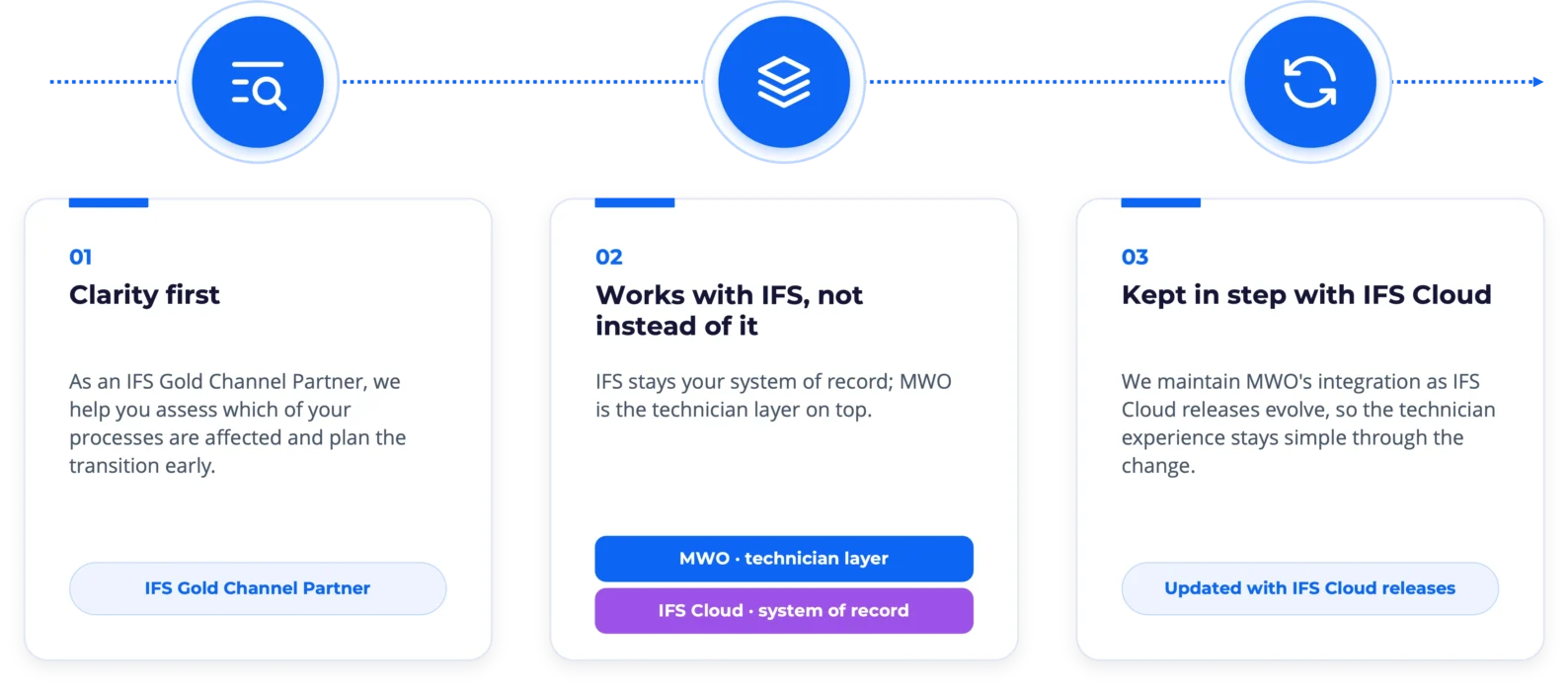
Who is affected
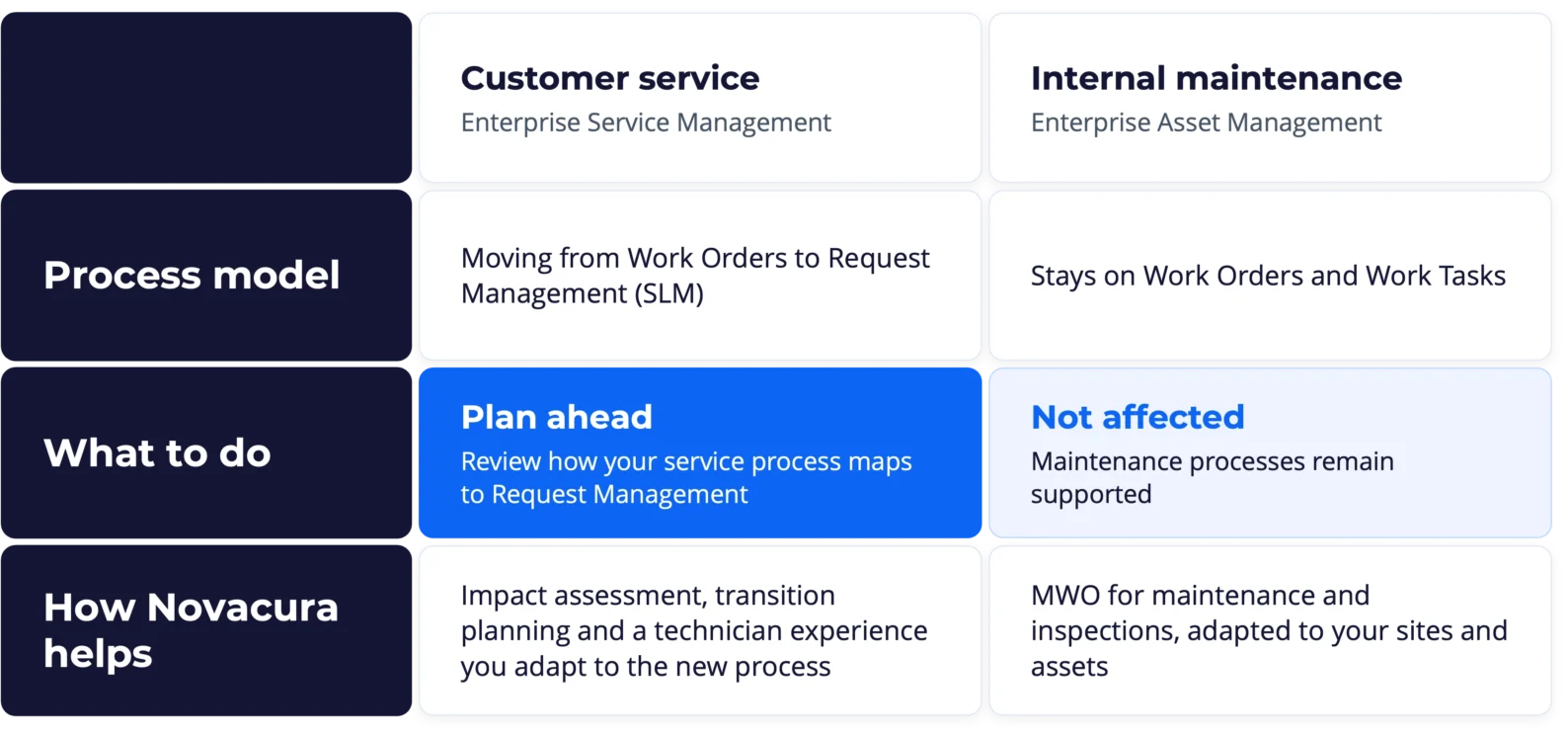
Know what changes, and what stays the same.
The move to Request Management applies to customer service processes in Enterprise Service Management. Internal maintenance in Enterprise Asset Management stays on Work Orders and Work Tasks, so your maintenance teams can carry on as they work today.
For service teams, the best time to look at the change is before it becomes urgent. Mapping your current service process to Request Management early gives you room to plan the transition, involve the right people and keep technicians productive throughout.
01
Work Assignment
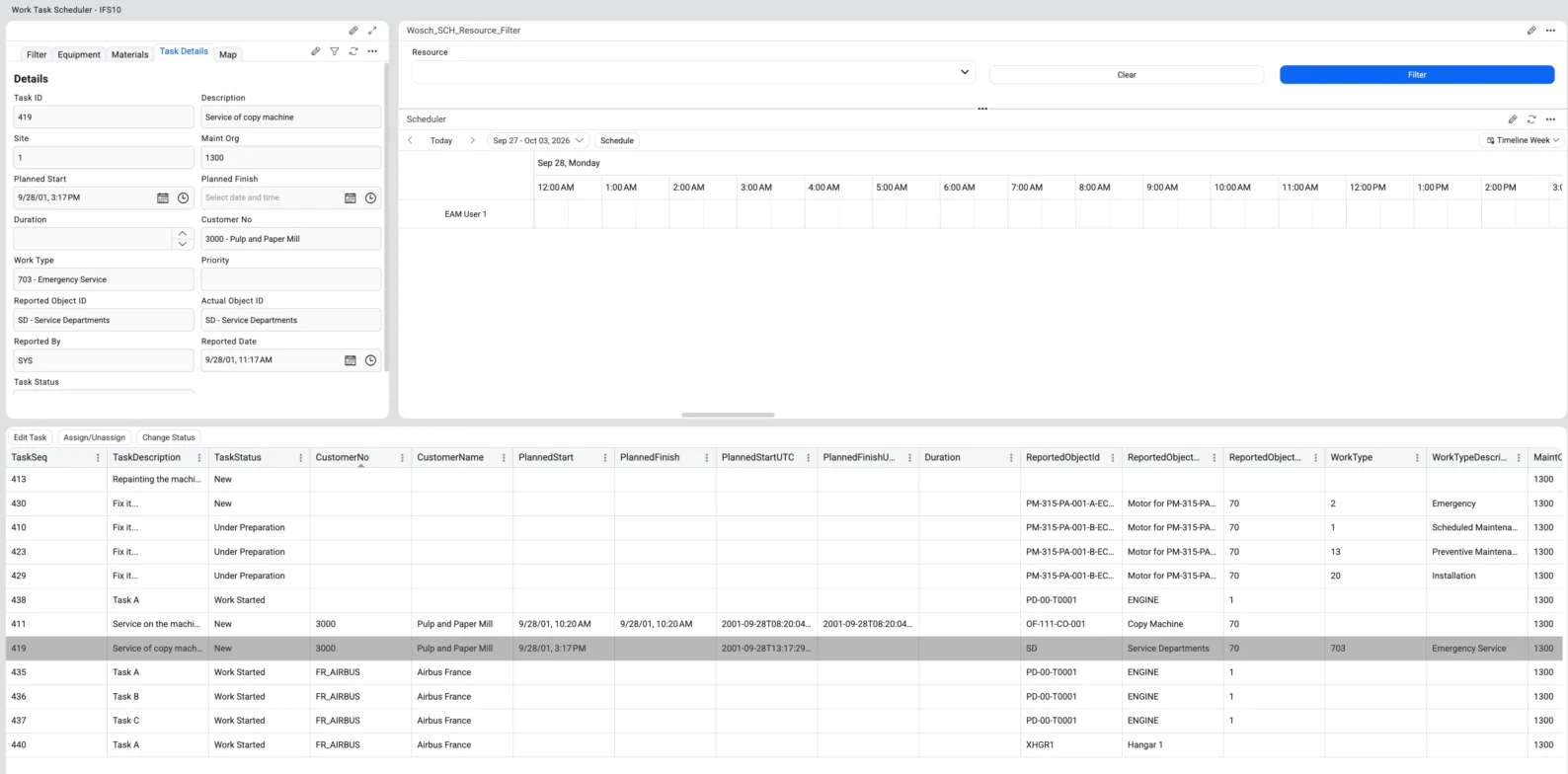
Decide who does the work, using the IFS Work Task and Assignment model rather than a separate allocation structure.
- Named technician. Assign a Work Task to a specific person.
- Work Leader and team. Connect a Work Leader and additional technicians to jobs that need several people.
- Competence pools. Let qualified technicians pick up available work instead of central assignment.
- Technician acceptance. Ask the technician to confirm the Assignment where your process needs it.
Keep advanced planning and optimization in IFS, including PSO, or map available resources to unassigned Work Tasks in a simple Flow Portal scheduler.
02
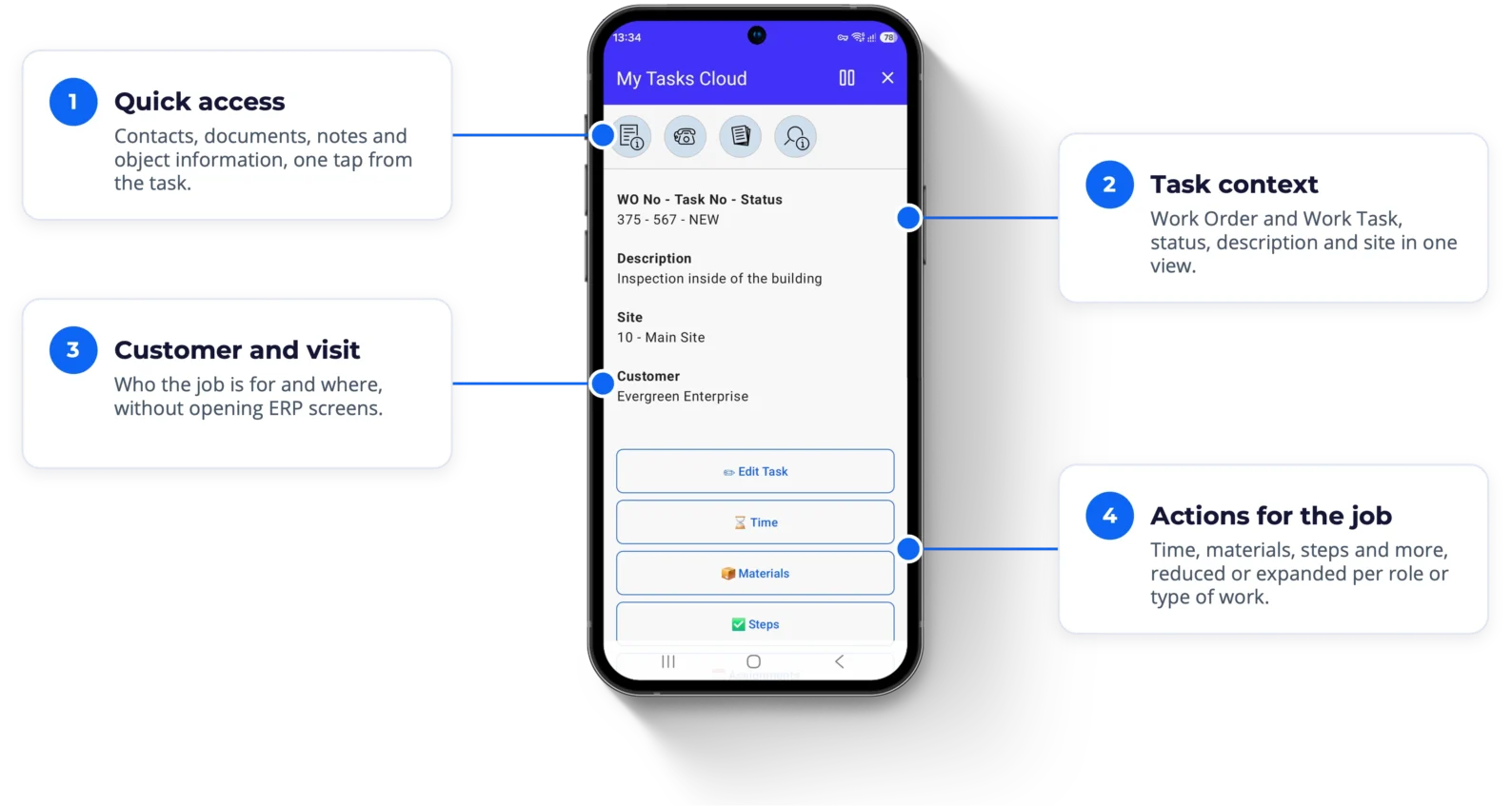
Centralized Work Context
Everything the technician needs to understand the job, in one workspace instead of scattered across ERP screens.
- Task context. Work Order and Work Task, description, status, work type and planned dates.
- Customer and visit. Customer, site, contact person, phone, e-mail and visit address.
- Maintained object. Equipment, its hierarchy, notes and technical information.
- Documentation and evidence. Attachments, documents and pictures in the same process.
A technician who needs six actions shouldn't have to scroll through sixteen. The workspace can be reduced or expanded per role, customer or type of work.
03
Work Execution
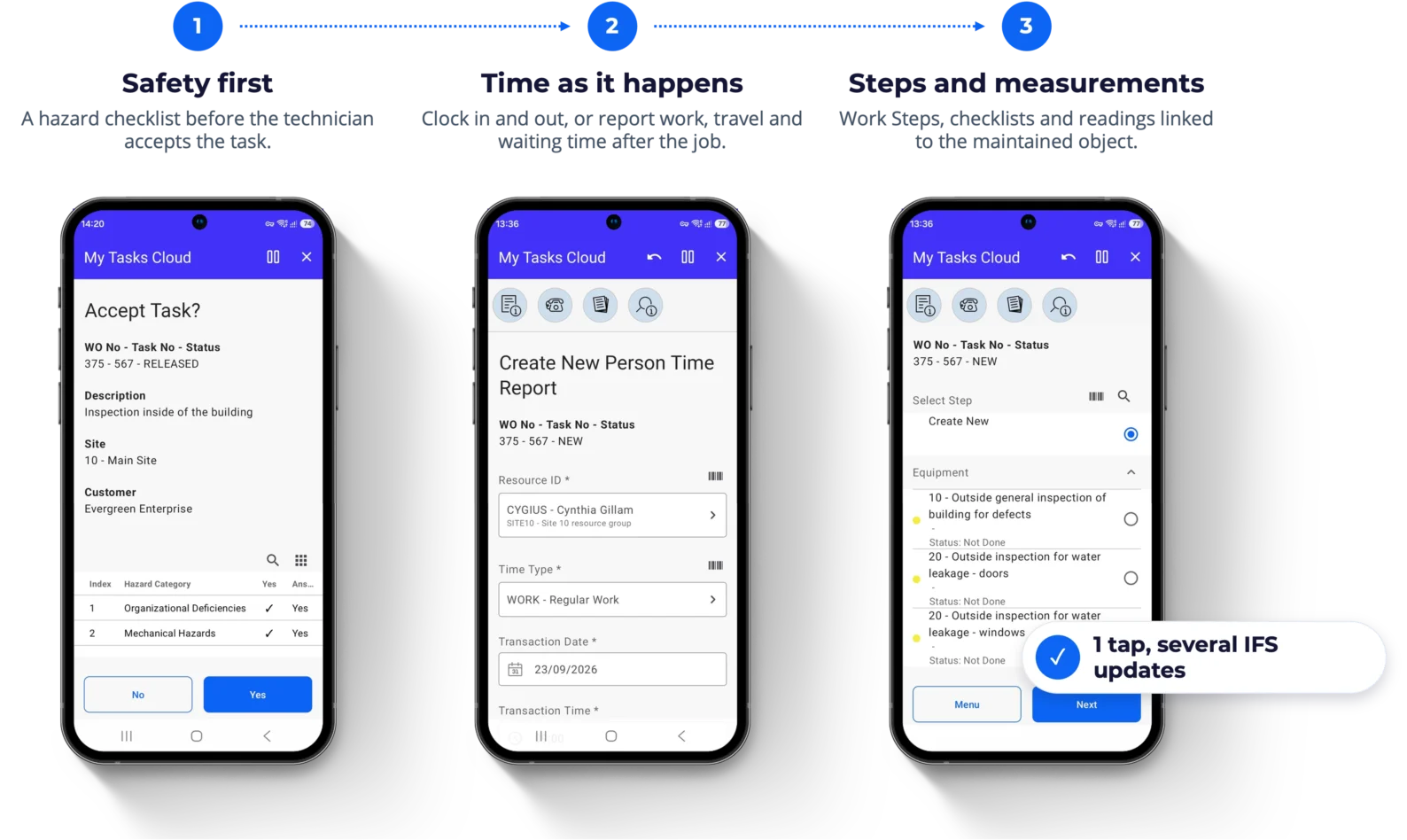
The process reminds the technician what to report, at the moment it matters, so complete ERP data is a by-product of doing the job.
- Process-oriented reporting. Ask for a measurement when a Work Step is completed, or a checklist before a status change.
- Several ERP actions behind one tap. One mobile interaction can create or update multiple IFS transactions.
- Flexible time reporting. Clock In / Clock Out or report after the job, with work, travel, waiting and preparation time.
- Work Steps, checklists and measurements. Safety checks, operating hours, temperatures, photos, linked to the maintained object.
04
Materials & Logistics
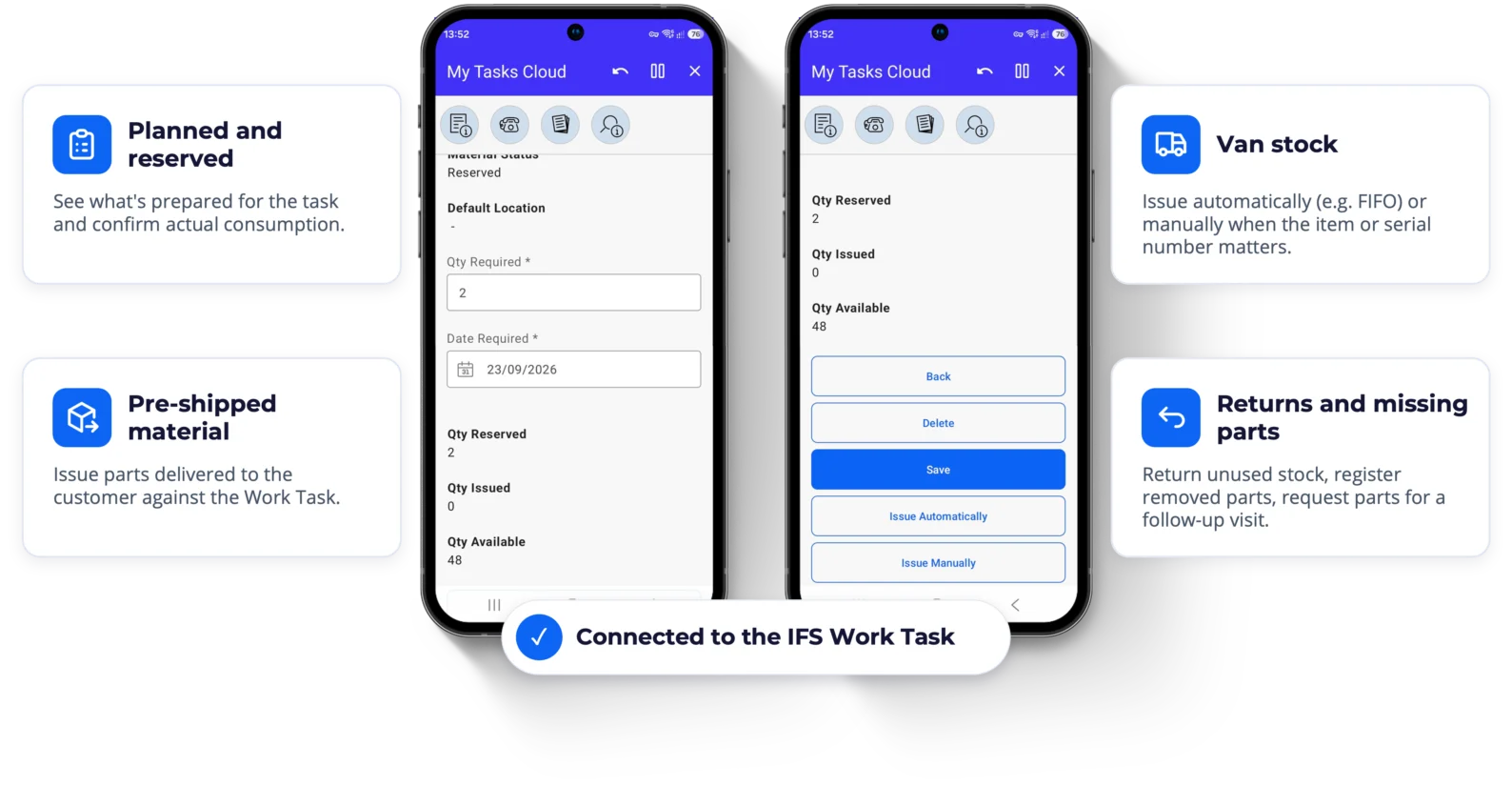
Not the whole warehouse on a phone: exactly the material transactions that belong in the field, connected to the Work Task in IFS.
- Planned and reserved material. See what's prepared for the task and confirm actual consumption.
- Van stock. Issue automatically (e.g. FIFO) or manually when the exact item or serial number matters.
- Pre-shipped material. Issue parts delivered to the customer against the Work Task, keeping cost and warranty connected.
- Returns, removed parts and missing parts. Return unused stock, register removed components, and raise a purchase requisition for a follow-up visit.
05
Work Completion & Final Report
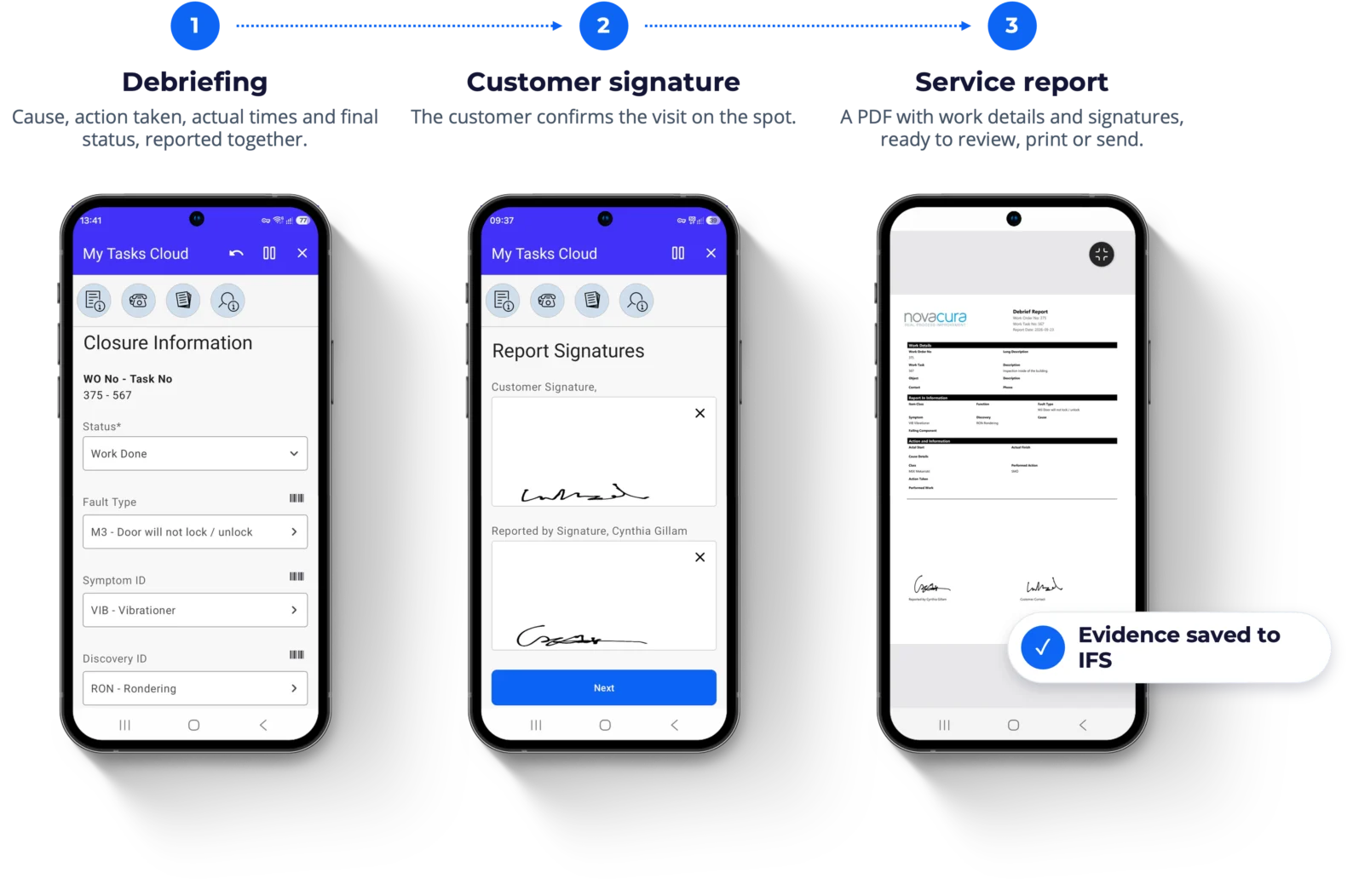
End the visit with the evidence already connected to IFS, instead of the back office reconstructing the story later.
- Debriefing. Work description, cause, action taken, actual times and final status, together.
- Final evidence. Measurements, attachments and photos before closing the work.
- Customer signature. The customer confirms the visit on the spot.
- Service report. A PDF report with the work details and signatures, ready to review, print or send.
06
Financial Settlement
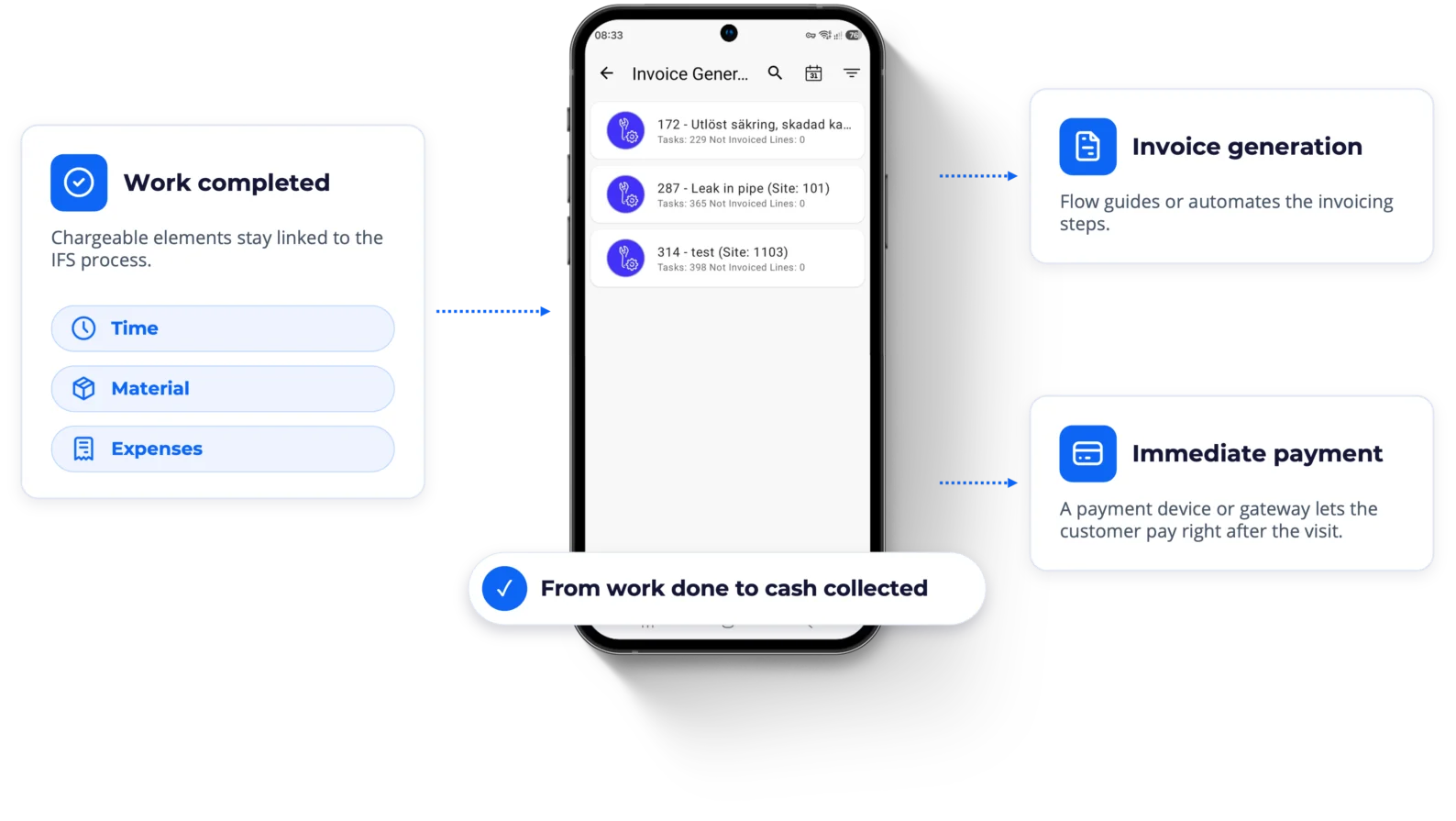
Move straight from technical completion to commercial settlement, instead of treating invoicing as a separate back-office task.
- Ready for invoicing. Completed work appears in an invoicing queue as soon as the visit is done.
- Chargeable elements stay connected. Time, material and expenses remain linked to the IFS process.
- Invoice generation. A broader Flow solution can guide or automate the invoicing steps.
- Immediate payment. Integrate a payment device or gateway so the customer can pay right after the visit.
Connecting the visit to payment shortens the time between work done and cash collected.
The key difference
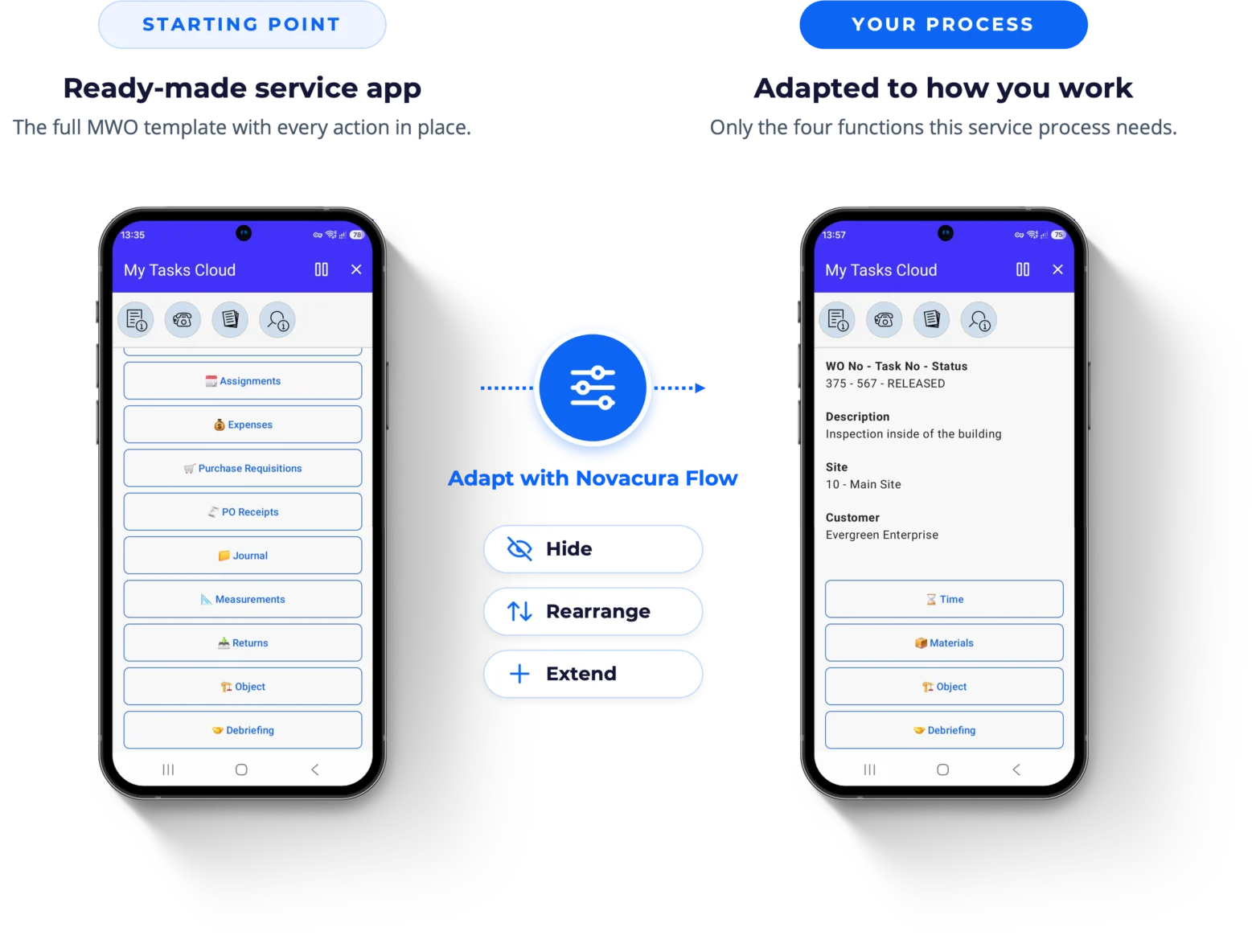
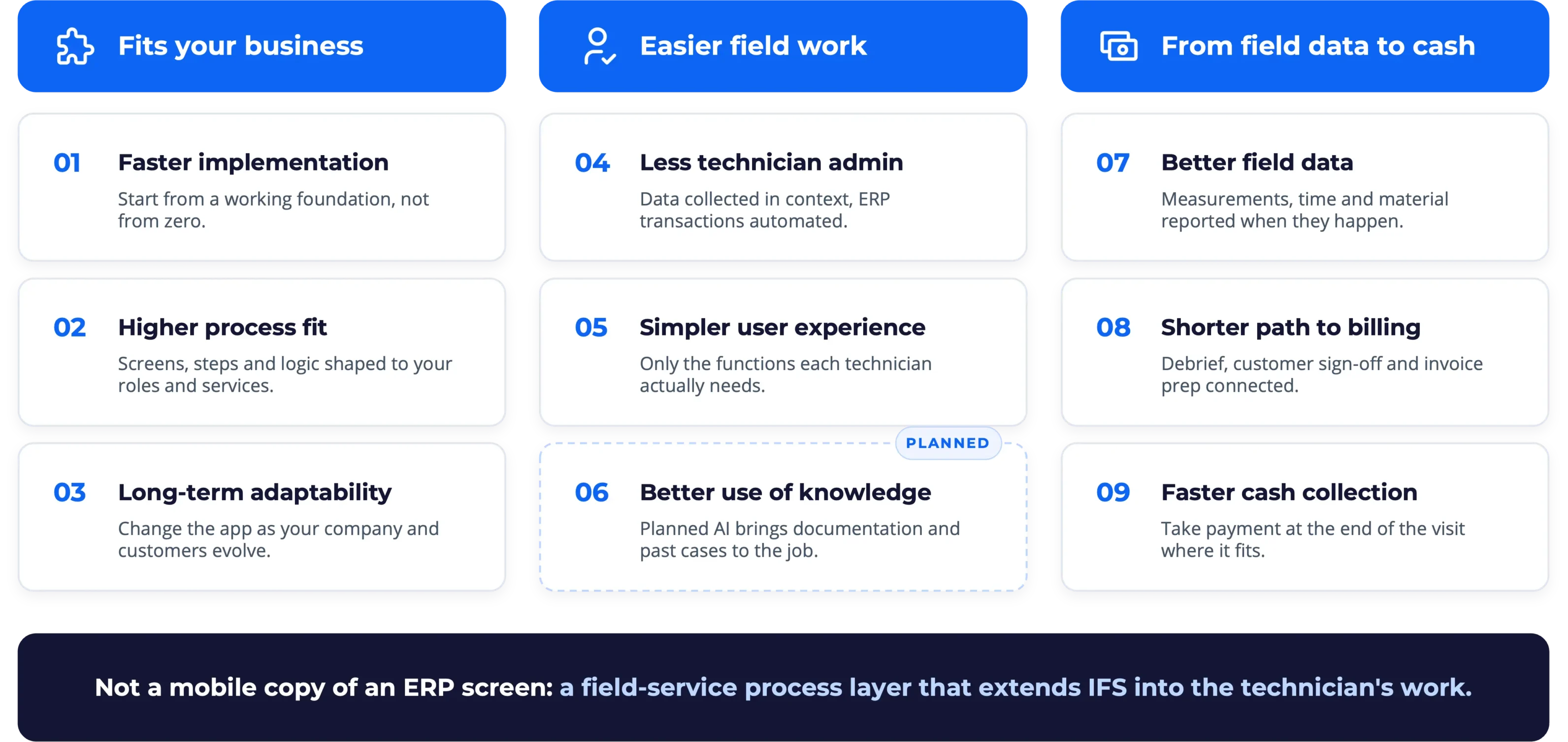
A starting point, not a fixed system:Every service organization works differently, so the best process is an adapted one. MWO combines a ready-made app with the adaptability of Novacura Flow, so you never have to choose between speed and fit.
- Use only what technicians need: Hide screens, fields and actions that add no value. Run a simple and an advanced variant on the same foundation.
- Adapt the process, not only the screen: Choose how time is captured, how detailed Work Steps are, and how material is handled, per business line or customer group.
- Connect to the wider process: Continue into inventory, purchase requisitions, expenses, returns, PO receipts and invoicing when they belong in the technician's day.
- Add customer-specific capabilities: Mobile printing, payment devices, BLE and IoT readings, GPS, camera and document handling, where they help.
Start from a proven service app. Adapt it to the real process. Keep adapting it as the business changes.
Built for field work
Works where your technicians work:Away from stable connectivity, a desk and the back office, the app keeps supporting the process.






AI-assisted field service
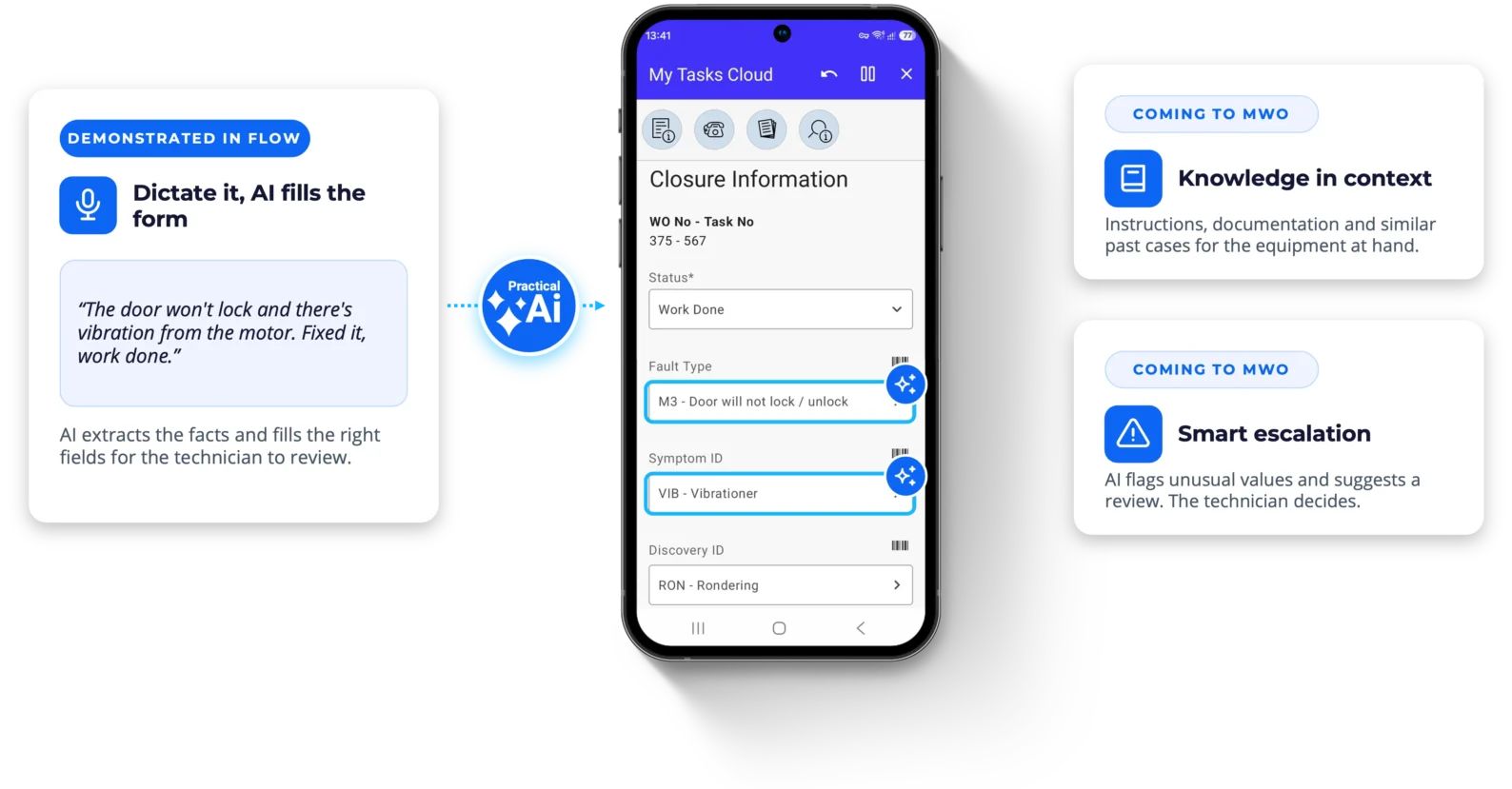
Less admin for technicians. More knowledge at their fingertips:AI is being built into the MWO process itself, not added as a separate chat window, to remove friction during the visit.
Dictate it, AI fills the form
The technician speaks or types a natural description. AI extracts the facts, classifies them and fills the right fields for review.
- Less navigation between fields
- Structured ERP data from natural input
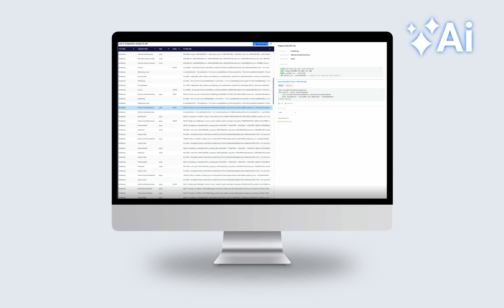
Technical knowledge in context
Relevant instructions, documentation and similar past cases, shown for the equipment the technician is working on.
- Indexed technical documentation
- History of similar service cases
Smart escalation
AI flags unusual values or symptom combinations and suggests a review. The technician stays in control of the decision.
- Detects patterns that need attention
- Recommends escalation, never forces it
Built on Novacura Flow
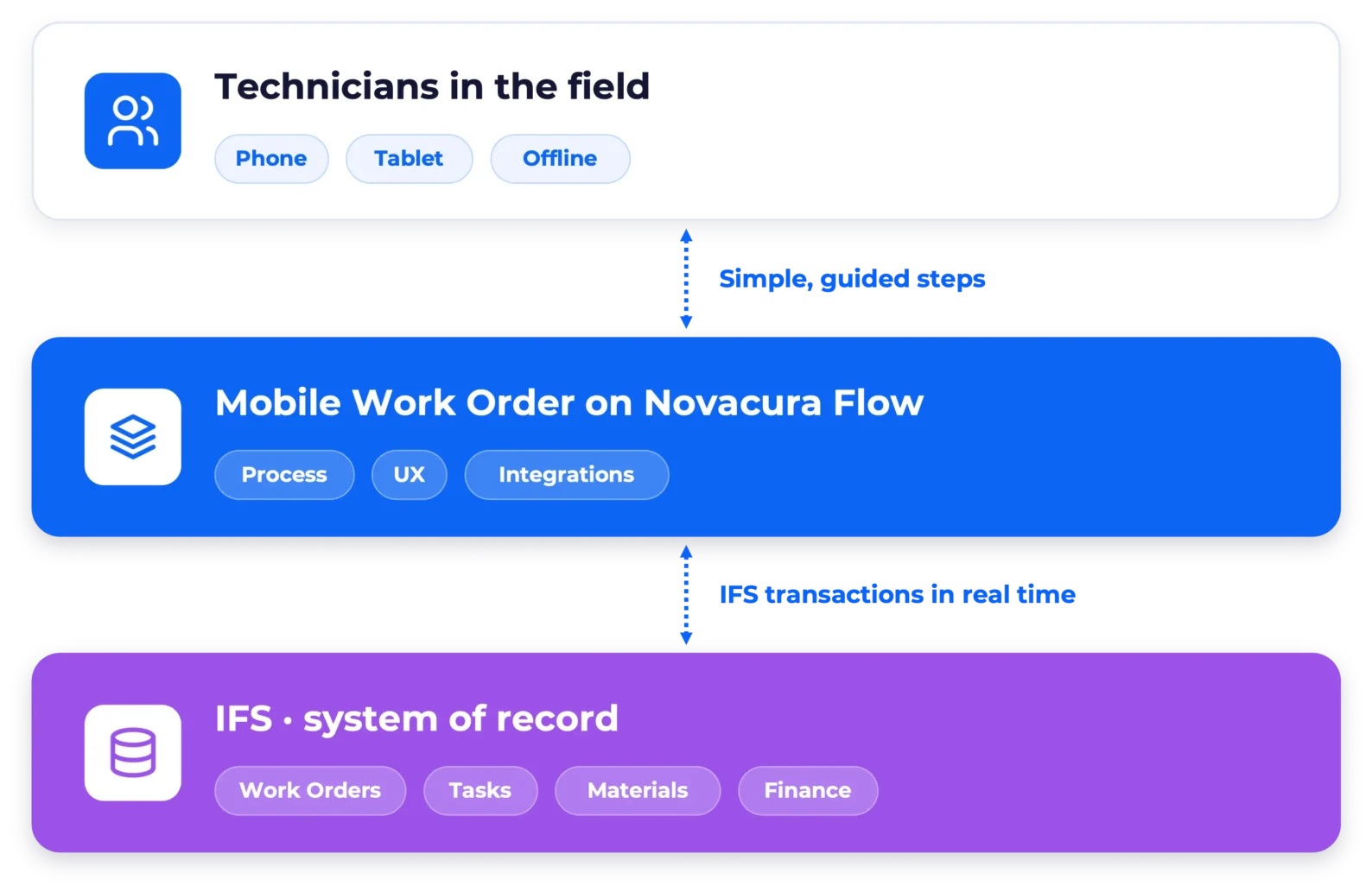
Extends IFS. Never competes with it:MWO doesn't create a second field-service database next to your ERP.
IFS stays the system of record; Flow adds the technician experience and process layer on top.
- IFS objects stay central. Work Orders, Work Tasks, Assignments, maintained objects, materials and financials.
- Field actions become IFS transactions, through supported integration mechanisms, not a disconnected copy.
- Keep standard IFS where it fits, such as planning and administration, and use MWO where a tailored field experience adds value.
- Go beyond the ERP by connecting devices, external services and other business systems in the same Flow layer.
MWO is continuously developed and its IFS integration maintained as IFS Cloud releases change APIs and platform behavior.
FAQ: Questions service teams ask us
IFS is moving service to Request Management. What does that mean for MWO?

Does MWO replace IFS field service functionality?
Do we need Novacura Flow to run MWO?
Do we have to use every function?
Does it work without mobile coverage?
Can we keep IFS PSO for planning?
What happens when IFS Cloud releases a new version?



Contact our expert:
Looking for personalized advice? Feel free to ask Aksel about how Novacura can tailor solutions to your business. Fill out the form, and we’ll get back to you shortly!
Prefer email? Contact us here: info@novacura.com