
 November 9, 2021
  5 min to read
Related articles
:

It feels like every month, there’s a new story about a company dealing with major ERP failure and implementation problems. The latest edition comes from candy maker Haribo, who had troubles getting their famous gummy bears out to suppliers in late 2018 because of problems stemming from their latest ERP integration. Haribo expected to have a few issues during implementation. But, by their own admission, the supply chain issues they faced after deployment were much larger than anticipated. For Haribo, the problems eventually sorted themselves out. But other companies haven’t been so fortunate. Let’s take a look at a few other examples of failed ERP implementations and the key causes of their failure: Woolworths Australia, 2015 After 6 years of planning, Woolworths Australia (or “Woolies”) went live with their new ERP in 2015. They had problems almost immediately, the biggest of which was empty shelves in many stores. What caused the problem? A glitch in the new system prevented Woolworths from placing orders with their suppliers. Suppliers were frustrated and furious… and Woolworths lost millions of dollars in sales. But that wasn’t the only problem with the new ERP system. From the Australian Financial Review (AFR): One of the key problems and failings that occurred at Woolies during the SAP implementation process was the lack of attention given to documenting processes used by staff in the day-to-day running of the business. Too much of the intellectual property of what was then the best-performing supermarket group in Australia was left in the heads of people who worked at Woolies. This carried lots of risks because when people left they took with them key pieces of information. Loss of corporate memory is often referred to as a key risk in companies but it is only when something as critical as a new merchandising system is jeopardised that senior management learn its importance. What can we learn from this? Companies need to map all their business processes prior to ERP implementation. This practical information is essential when designing the new ERP system. Every company should have a plan for employee knowledge transfer so that information doesn’t disappear when an employee leaves the company. Above all: test everything before you go live with a new ERP system. Oriola Finland, 2017 Almost every ERP implementation will have a few hiccups when the new system goes live. But what do you do when a small hiccup in the supply chain can mean the difference between life and death? This was the problem Oriola Finland was facing in September 2017, when they launched their new ERP. Oriola is one of Finland’s largest pharmaceutical suppliers. They deliver thousands of medications to pharmacists around the country, including insulin, cancer medications and anti-psychotics. Any disruption to the supply chain doesn’t just cause lost sales: it can cause great damage to people’s health. It sounds like Oriola didn’t anticipate any supply chain disruption as they switched over to their new ERP. But in reality, their ordering system was shut down for days. This led to widespread confusion and frustration as pharmacists all over […]
The OData programming model enables extensive product integration and improved data exchange performance. When building OData in an IFS Cloud environment, users can accelerate the entire innovative approach to optimize performance. But OData might be not the only alternative for IFS Cloud. In our previous article, we discussed several cases of how to replicate database transactions in OData. Now we will focus on finding an alternative to OData in IFS Cloud. Novacura has been exploring the topic of OData for years and, as an experienced partner of IFS, has gained practical knowledge on how to create specific solutions for IFS Cloud. With the deep understanding of our experts, we are sharing our knowledge to increase awareness and confidence among our customers. Novacura had the opportunity to speak with our expert Albin Lundberg, Novacura Manager Flow Solution and IFS Certified Practitioner – Supply Chain Consultant (IFS Cloud) – 2022. In this article we will generally present some cases that can be seen as an alternative to OData in IFS Cloud. Is IFS Cloud is still based on its previous functional resources? In a sense, yes. The Oracle database is still there underneath the FndODataProvider. So, the logical units, views and packages are still there, but in IFS Cloud, the business logic is instead accessed via the OData API. IFS Aurena Architecture – The most important key components. Does the PL/SQL API that refers to the .NET access Provider still exist in IFS Cloud? No. Referring to the data shared on the official IFS Community forum, it is possible to write new reporting plug-ins to meet the needs of third-party system providers, and IFS also provides some standard options for customers. How can third-party systems continue to access the IFS Cloud and avoid the problems that can arise from the lack of functionality of the OData APIs? The .NET Access Provider connectors won’t work in the IFS cloud; they are deprecated. There are still options to use IFS connect, External File Interface, and Data Migration. The legacy integration options are most commonly used for “system of records” related data such as invoices, payment files, etc. Other than that, external BI tools, that have complex queries and handles large datasets, can fetch data directly from the database or via Information Sources in IFS. But that topic needs its own blog post. Can official IFS Partners, such as Novacura, access APIs by implementing IFS customizations? Yes, it is possible to expose any package or view via customization and custom OData protections. In custom utility packages, you can write your own PL/SQL packages and expose them via OData. However, you need to have the proper skills and certifications to develop and deploy customizations. When IFS Cloud is installed on-premises in the customer’s data center, the company can access all the objects also available as PL/SQL API. Is there any risk in using them? In IFS cloud the end users doesn’t have Oracle accounts, they are maintained in the IFS IAM (Identity and Access Manager). It’s possible to configure a direct […]

What is a Low-Code Platform? A low-code platform is a software tool that lets you create applications with minimal coding. Instead of writing complex code, users can use simple drag-and-drop features, visual interfaces, and pre-built templates to build apps quickly. Low-code platforms are great for businesses because they allow people without advanced programming skills to create, modify, or improve software. This makes it faster and easier to develop solutions that fit specific needs while saving time and reducing costs. Challenges Related to ERP Systems At Novacura, we have over 15 years of experience in implementing and enhancing various ERP systems, leveraging our low-code integration platform. Throughout our work, we’ve noticed that regardless of the ERP system a company utilizes, there are common challenges that many organizations encounter. In this article, we summarize the key challenges related to ERP systems that our customers often face. Complexity for Users ERP systems are advanced and encompass numerous modules that provide hundreds of capabilities. However, they also introduce a degree of complexity, which can present challenges with ERP implementation. The wide range of available functions gives users flexibility but does not guide them in following the correct path to accomplish their tasks. As a result, seemingly simple tasks (such as creating a new customer in the system) may require several additional steps to be completed by the user before they can finalize the task. Users must be aware of these additional steps; otherwise, they will be unable to complete their work successfully. Limited Integration Capabilities Complexity is not the only drawback of ERP solutions. These platforms are primarily designed to serve as central points within the IT landscape. Other applications need to integrate with ERP solutions to communicate effectively. However, ERP systems typically do not provide ready-to-use connectors for third-party software. Instead, they offer APIs, leaving the integration to the other applications. As a result, connecting an ERP solution with a new third-party tool is not straightforward; customers cannot simply select a connector from the ERP marketplace, establish a connection, and start using it. Limited Customization Another issue with ERP systems is that they are designed for multiple companies across different industries within the same version. Although they offer a wide range of configuration parameters, they cannot be perfectly tailored to the specific needs of each organization. This creates a gap between the actual processes within a company and the fragmented processes supported by the ERP system. As a result, employees often resort to workarounds and begin operating outside the ERP by using Excel sheets, emails, and paper documents. Expensive Modifications To address the issue of relatively limited customizations, ERP vendors allow customers to create modifications to the software. However, these modifications often lead to complications and contribute to ERP implementation challenges. Since they are not separate from the ERP core, the entire architecture becomes more complex, making it difficult to identify and track all modifications. This is especially crucial during upgrades, as all altered components of the previous ERP version must be identified, documented, and typically rewritten in the new version. Mobility Modern ERP solutions, such […]
Legacy systems implemented in old technologies can cause serious problems when integrating with cloud systems. In this chapter, we discuss the obstacles that might appear in the context of legacy systems when migrating to IFS Cloud and switching to OData API. To provide you with a wider perspective, we interviewed Paul Phillips, Vice President of Product Management at Novacura. What is OData API? OData (Open Data Protocol) API is a standardized protocol for building and consuming RESTful APIs, which allows applications to interact with data over the internet in a consistent and interoperable way. Developed by Microsoft and approved as an OASIS standard, OData enables the creation, reading, updating, and deletion (CRUD) of data through a uniform and predictable interface, making it especially useful for data-centric applications and services. The new IFS OData API is a revolution especially for all the legacy systems integrated with previous IFS versions (that currently use PL/SQL API). Could we start with briefly defining the areas in which the problems might appear? The problem is definitely much wider, and it is not just limited to replacing the integration logic and calling the new set of API objects and methods instead of the old ones. For the legacy systems, there might be additional technical or organizational barriers, such as: No support for OData protocol: The technology used in many legacy ERP systems doesn’t support the OData protocol, which complicates integration with legacy systems. No state-less philosophy in the legacy system Synchronous communication expectation Technical Limitations: For successful integration with legacy systems, compatibility with HTTP(s) protocols, connectivity, and security requirements must be addressed. Some legacy systems may require additional support for cloud-based operations. Organizational Challenges: Legacy system management is further complicated by limited documentation, lack of source code, and a shortage of resources knowledgeable in how to integrate legacy systems with modern platforms. These barriers are common when organizations seek to connect legacy systems to new cloud infrastructures. All the topics mentioned above sound serious, and definitely require additional clarification. Let’s focus on them all one by one. Could you start from the beginning and tell us a bit more about the lack of support for OData in the legacy system’s technology? When we think about legacy systems, we usually think about old systems built 10-20 years ago as hard-coded software programs, written in C / C++, Visual Basic or even more specific technologies (eg. when we think about specific machinery integrations). These systems were designed before the cloud computing concept has been introduced and the OData standard was defined. It might mean that there is no ready-made OData library for the technology used to implement the legacy system. All the common OData foundations (that reside below the business layer added by IFS) must then be implemented manually, which is a large additional cost of adjusting the legacy system. Keep in mind, that even if the OData support libraries exist for the language used to implement the legacy system (eg. C++), this library might be incompatible with the particular framework used to build the legacy system, […]
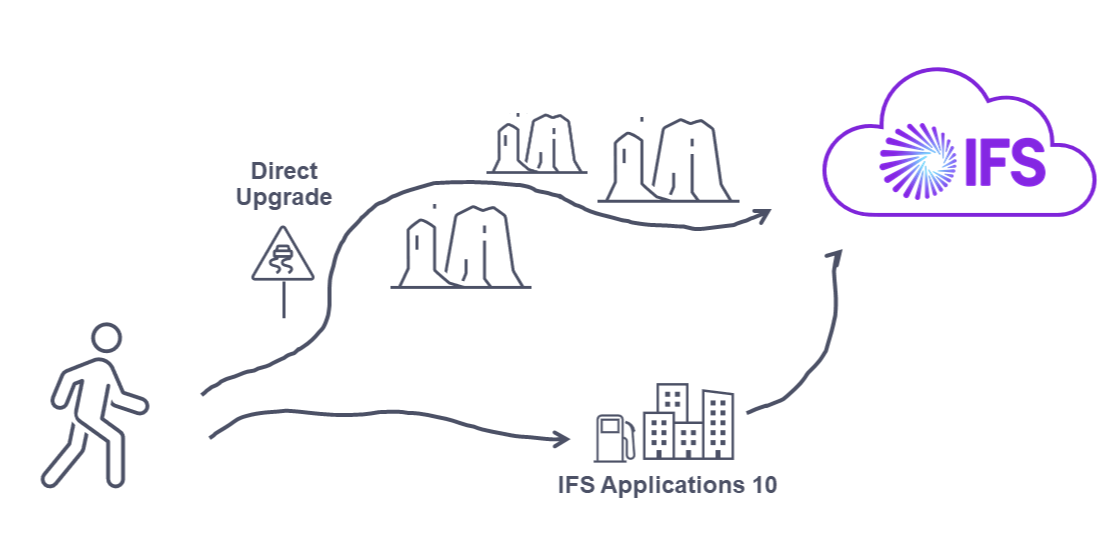
Most ERP users who are not already in the Cloud are likely considering migration. We’ve consulted our top experts to understand why upgrading is worth it, what the best strategies are, and how to plan the entire project. In our new series of webinars, we focus on upgrading to IFS Cloud, aiming to highlight all the pros and cons of the process. Join us and embark on a journey of IFS cloud upgrade! Subscribe to IFS Cloud Upgrade Webinars IS NOW THE RIGHT TIME TO UPGRADE? In the webinar series, we explore the landscape of major ERP players. The cloud has become the primary focus, with SAP, IFS, Microsoft, and others adopting cloud solutions. In this opening episode, our experts Łukasz Majer, Lars Steen and Östen Westman dive deep into the world of ERP, sharing invaluable insights on the benefits of migrating to IFS Cloud, market trends, and the compelling reasons for cloud adoption. Drawing on over 50 IFS projects, we highlight the evolution of ERP systems into the cloud era, emphasizing that it’s not just a trend but a strategic shift embraced by the industry. But the journey to the cloud isn’t a one-size-fits-all narrative. We learn that IFS entered the cloud realm in 2021, a strategic move occurring five years after some of its competitors. However, this timing offers IFS a unique advantage – the ability to learn from early adopters and fine-tune their approach. As the conversation deepens, our experts address the origins of the cloud revolution, acknowledging pioneers like Salesforce and NetSuite, and elaborat on why ERP systems, despite being more complex, have been latecomers to the cloud journey. So, if you’re contemplating an ERP cloud upgrade or just keen on understanding the dynamics of this transformative shift, join us in this series as we navigate the cloud landscape! It’s not just about technology; it’s about a strategic move that could reshape the way your business operates in the digital era. IFS CLOUD UPGRADE UPCOMING WEBINARS Novacura is thrilled to present a series of five insightful webinars designed for clients interested in an IFS Cloud upgrade project. The series will consist of 5 webinars, where our experts are going to take you through the entire upgrade process. You will learn: Why is it worth upgrading?… What are the possible upgrade strategies? What are observed challenges and proposed solutions? (Technical) What are observed challenges and proposed solutions? (Organizational) How to plan the IFS Upgrade project? Join us for the webinar series! Don’t miss this unique opportunity to enhance your understanding of the IFS Cloud upgrade process. REGISTER TODAY AND GAIN ACCESS TO ALL EPISODES OF THE IFS CLOUD UPGRADE SERIES
Custom actions added in OData allow the implementation of non-standard procedures with extended interfaces. Customizations in the OData processing code create pipeline-exposed events through which users can implement other customization and extension code logic. To create a customized model in OData, queries are processed by other code logic injected into the actual query provider. In the real case, we can apply more complex code logic to change the default update/modification behavior to the target entity sets to create more sophisticated business solutions for different industries. Novacura is exploring custom models in OData for the IFS environment. We had the opportunity to talk to Irshad Hassan, developer at Novacura R&D, who works extensively with IFS OData implementations. Together with our expert, we talk about the OData protocol and programming models that extend OData standards with customizations. Can we individually write our own projections and endpoints to make our custom Cloud logic available to external systems? Yes, this is possible. You can choose to extend an existing projection, or you can write a custom projection from scratch to handle your own custom logic. In order to these customizations, you need the usual custom development setup with IFS developer studio. Also the usual customization rules and best practices apply for development. Is there any method to automate each customization to present it as a projection and avoid manual work? As far as I’m aware there is no automated process for this. Because the customizations vary in size and complexity. There is no one-to-one mapping between PLSQL packages and Projections. What about existing customizations created in versions previous to IFS Cloud? How to make them available via API (previously there was a PLSQL API)? This depends on the type and complexity of the customization. The first thing would be to consider if the customization is simple enough to be implemented as configurations by extending the existing data model in IFS Cloud. If its not then these customizations need to be moved into IFS Cloud via custom projections/custom clients depending on the implementation. Most customizations contains both server-side logic and client-side logic. In client-side logic heavy customizations it might be the case that some of this logic might need to be moved server-side. The IFS Aurena client is a thin client and not designed to handle complex custom logic like IFS Enterprise Explorer client. Free whitepaper: 48 Essential Questions About IFS Cloud Integration Answered! Click here to download Looking at the subject from another angle, let’s assume that the customer had an Oracle Enterprise license and wrote some PLSQL packages that performed custom logic, calling previous IFS PLSQL API functions. How to convert this logic now? In IFS Cloud there is no database access from the outside. But if you have a development setup for IFS cloud you can deploy your custom plsql packages to the database. To expose the custom PL/SQL logic to the outside world (client/integrations) you need to create custom projections that in turn call your custom PLSQL packages. The category of the new custom projection depends on […]