

Real-Time Inventory Tracking
Mobile Warehouse App
Replenishment & Reorder Control
Integrated Shipping Management
Analytics & Dashboards
IFS Integration — Out of the Box
Improve data-entry efficiency with barcodes and RFID
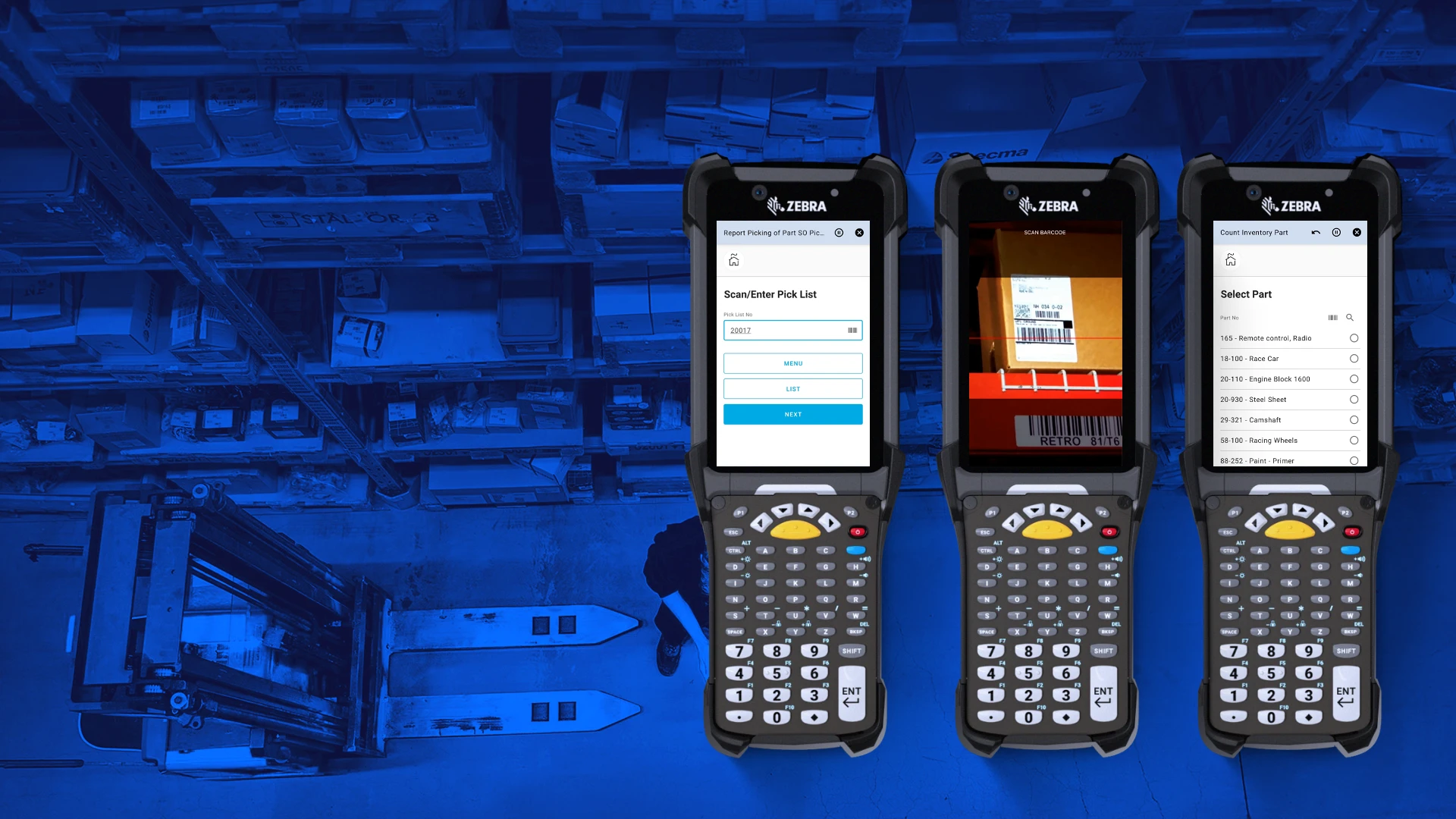
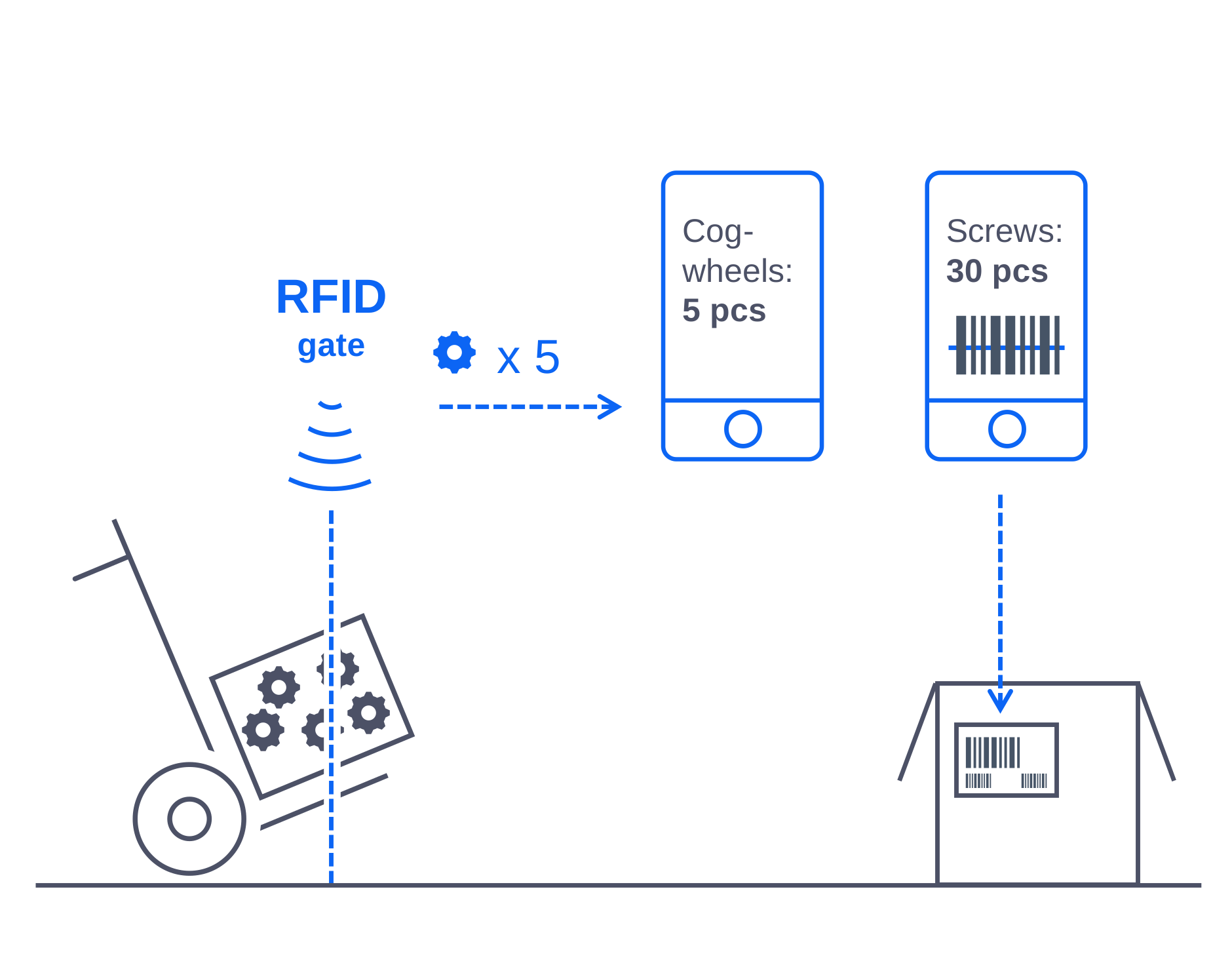
Novacura WMS Package supports two industrial standards especially important in logistics and manufacturing. Users can scan barcodes from any package, asset, or location. This ability is available automatically - each input field in the mobile application offers the possibility to scan the data instead of typing it by using the keyboard. The application can also be integrated with RFID gates and automatically track information about parts and finished goods moved inside the inventory.These features work seamlessly on handhelds and tablets, functioning as a single, standardized warehouse management app across all your locations.
As part of our wms capabilities barcode and RFID data is validated in real time and posted directly to your ERP, ensuring accuracy and eliminating the need for manual data entry.
Print, scan and manage labels directly from the ERP application
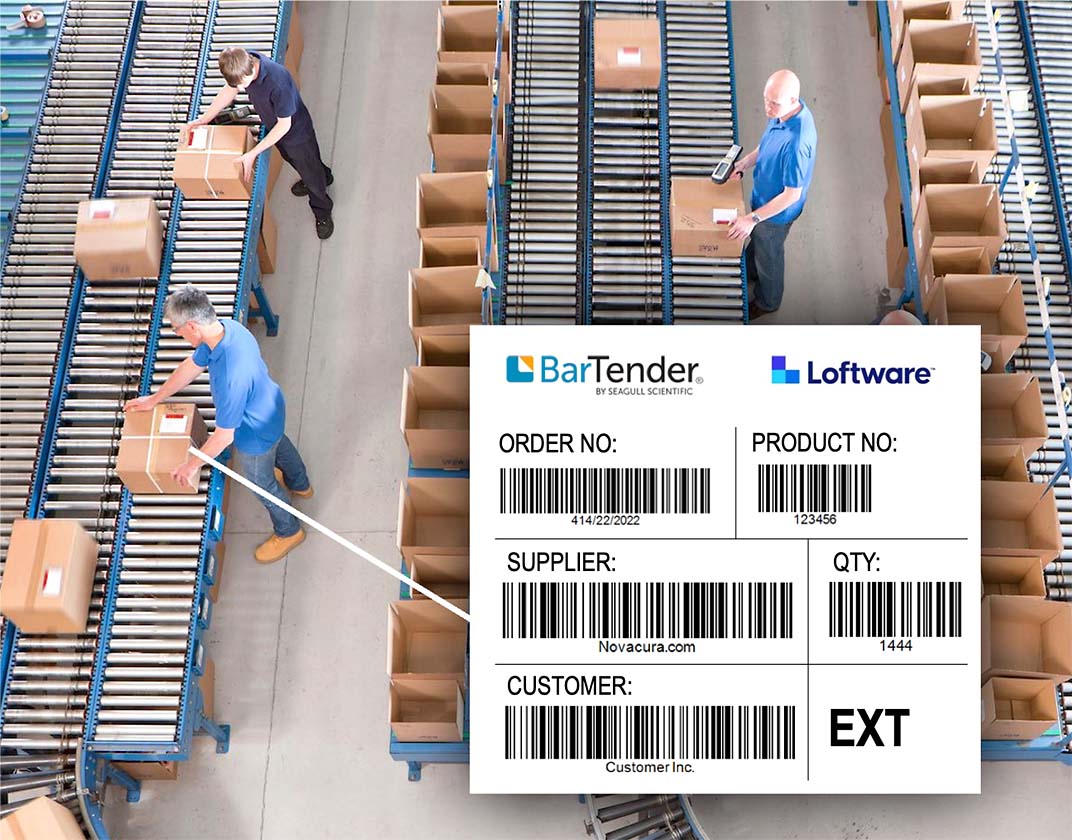
Our WMS package is integrated with the labeling systems – Loftware (previously NiceLabel) and BarTender. Our mobile applications can initiate the label printing process and feed the label system with all necessary data. This operation can be done as one of the regular process steps meaning the user doesn't have to care about labels in a separate tool. This integration is bi-directional, which means that the warehouse solution understands all the information encoded on labels. Labeling is built directly into our WMS system, so operators trigger Loftware or BarTender jobs within the process and get status updates back in ERP. As part of our warehouse software solutions, template control and bi-directional label data keep formats consistent and compliant across sites.
Use handling units
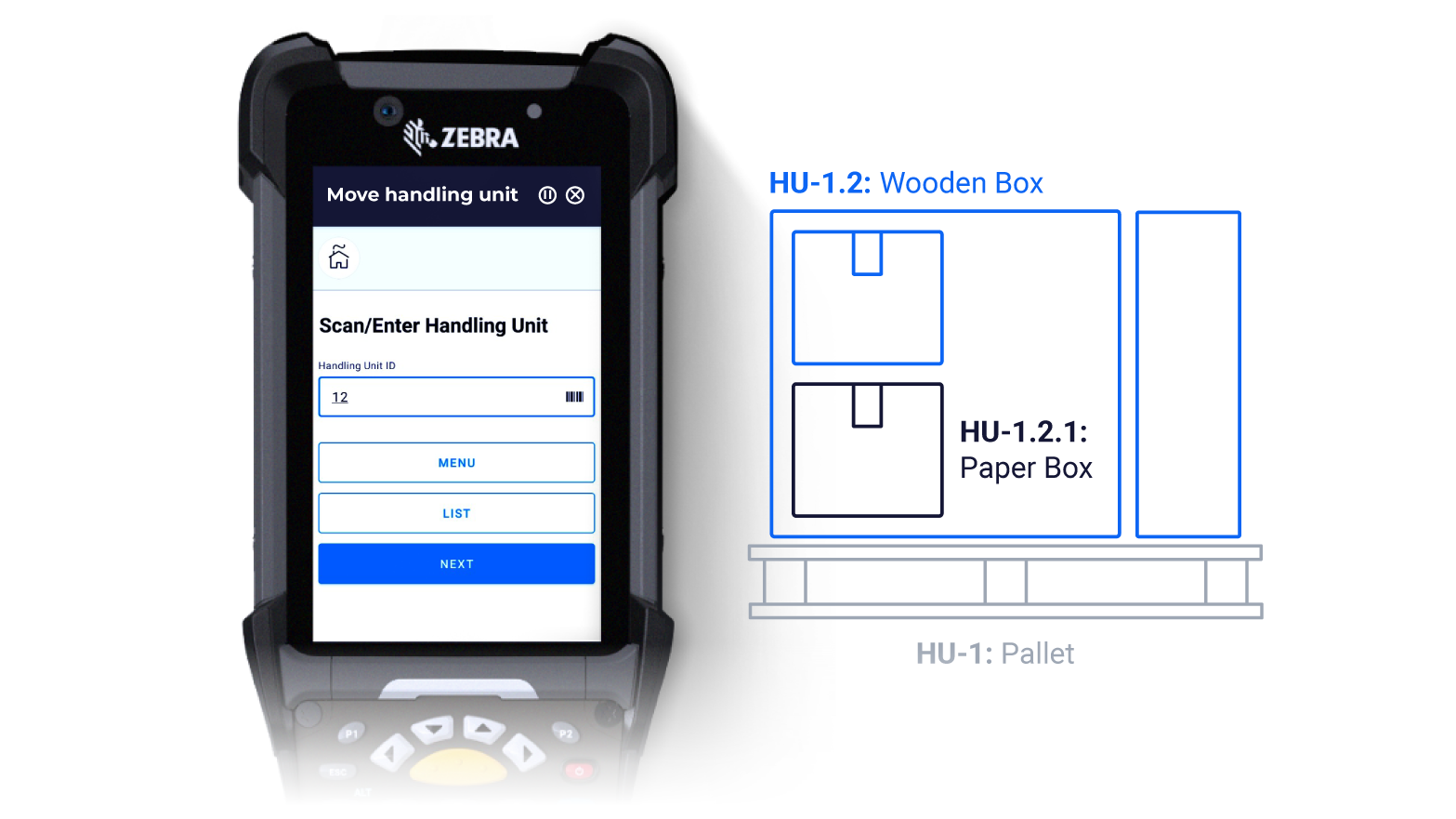
Our solution provides a flexible way to organize materials, components, and parts into packages called handling units. These units can form a hierarchy - example, a small package can be placed in a larger one, which in turn can be stored on a pallet. Handling units make it easy to move entire groups of items at once, whether to another location, the shop floor, or the shipping zone. Instead of moving single items, operators transfer whole packages, significantly increasing warehouse efficiency. The warehouse inventory app fully supports handling units, allowing staff to move packages with just one scan and a single ERP posting.
Optimize picking paths
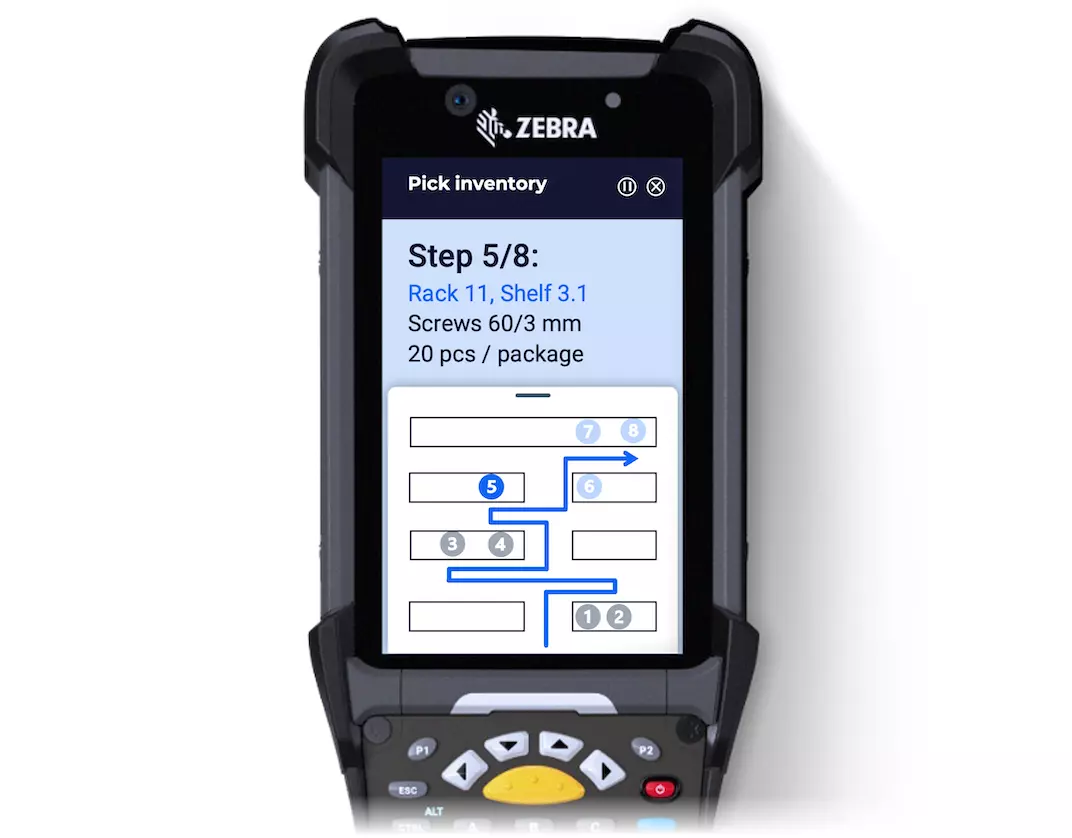
Picking different materials and components for production might be complicated – warehouse operators have to gather different elements spread out across the entire inventory. And since they operate in a “JIT” environment, they are under time pressure.
Our solution optimizes the picking path based on the location, weight, further unloading sequence, or even expiration date of particular goods. This means that the warehouseman doesn’t have to go “back and forth” to complete the picking list. This dynamic pathing capability eliminates unnecessary travel for warehouse operators, cutting down on walking distance and significantly boosting picks-per-hour. Dynamic pathing is part of our wms solutions for high-throughput sites, cutting walking distance and boosting picks-per-hour. In practice, this showcases the benefits of warehouse management system for JIT operations—less backtracking, faster fulfillment, and fewer errors.
Integrate with the inventory equipment (with iIoT)
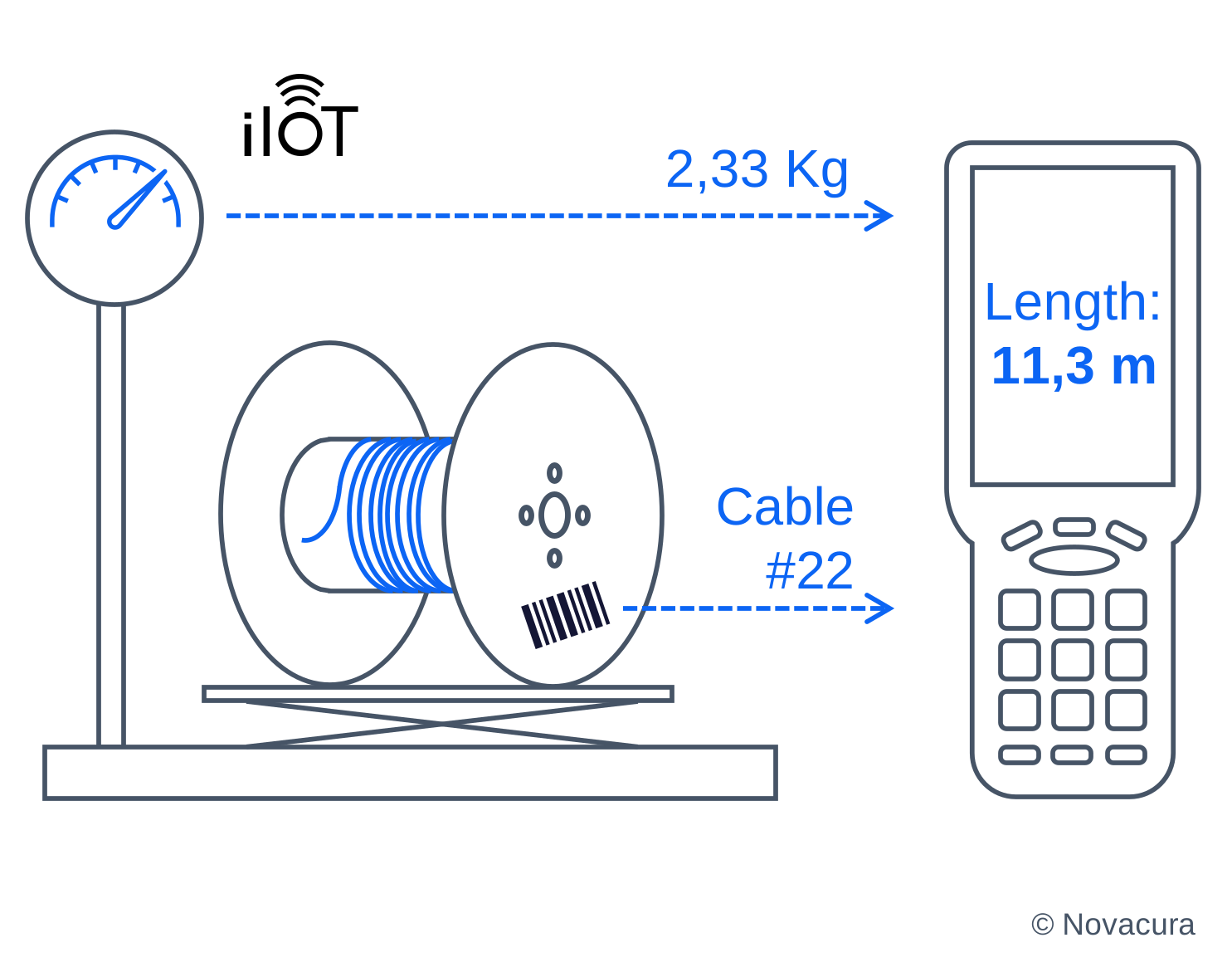
Novacura WMS package (powered by Novacura Flow technology) can be integrated with iIoT machinery, equipment and other devices that operate in a warehouse. A typical example where this connectivity may be used is the integration with industrial scales. The weight information can be used to double-check the delivered package, to count materials that return from the shop floor (i.e. the length of the cable), or to verify the contents of the package prepared for shipment. This weight can be automatically read from the scale and the number of goods (or its size) can be then automatically determined. With iIoT connectors, scale readings and device signals flow directly into ERP and the mobile app. This is one of the wms functions that reduces manual entry and errors, and it’s included among our warehouse management system features for faster, more reliable counts.
Pick by voice
Novacura WMS package can be integrated with the “pick-by-voice” technology. With that solution, the warehouseman can listen to the instructions in his headset, having free hands to perform physical operations (which has a huge impact on efficiency). Then, when the requested operation is completed, the warehouseman can confirm it using his natural voice (thanks to the microphone and voice recognition technology). This capability can also be used to perform inventory counting or report anomalies. The same hands-free workflow, which is a key feature of our easy to use warehouse management software, runs in cloud warehouse management systems, enabling operators to follow spoken instructions and confirm steps without breaking pace. This provides centralized setup and reporting across all sites.

Manage your deliveries and shipments
Novacura WMS package is not only limited to supporting the core inventory operations. It also offers support for supplies/delivery management and is used to manage the shipment of goods to customers.
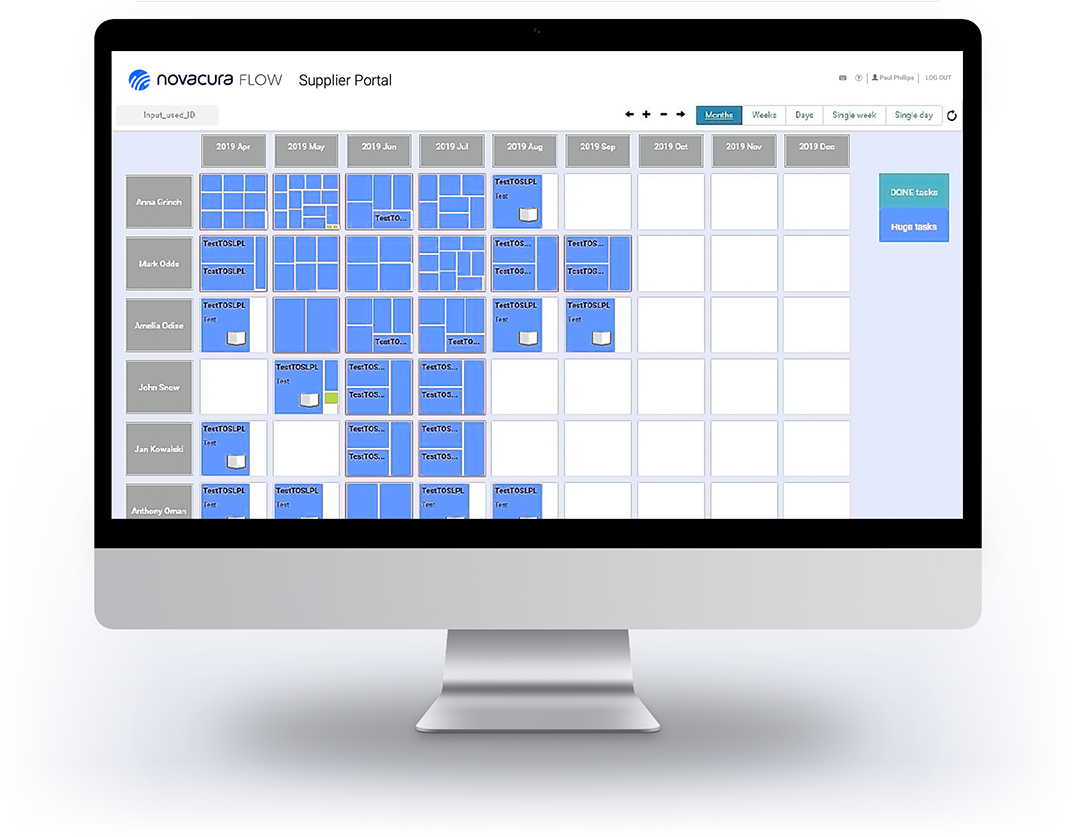
You can use B2B Portal to confirm the delivery schedule with your suppliers and book a suitable time-slot and a free ramp for unloading! It can also be integrated with external transportation exchange systems (like PaceJet) and helps you find an optimal transport method for your shipment. These workflows are part of our warehousing and distribution solutions, linking carrier APIs, dock scheduling, and your ERP in a single place for end-to-end visibility. For omnichannel teams, they also serve as a powerful warehouse management software for ecommerce, handling every step from ASN confirmation to rate shopping and last-mile dispatch.
Recognize your supplier’s codification
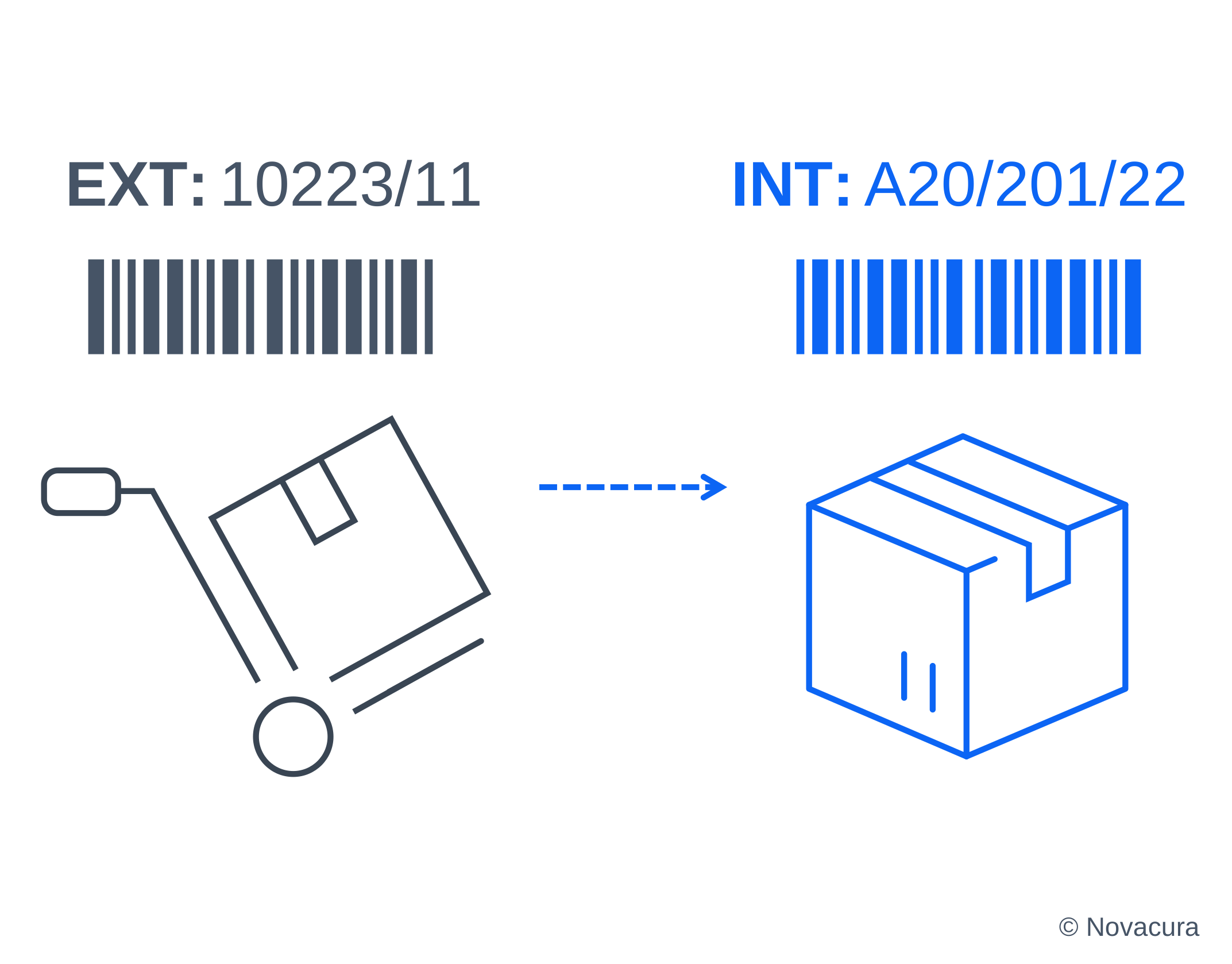
Typically, when delivery comes from a supplier, delivered goods are identified by codes according to the supplier’s codification system. These codes must be mapped on the internal coding system that is used within a company for all the goods. Our solution can support multiple codifications for the same goods and can automatically recognize foreign codes and map it onto internal codes.
Integrate with other departments
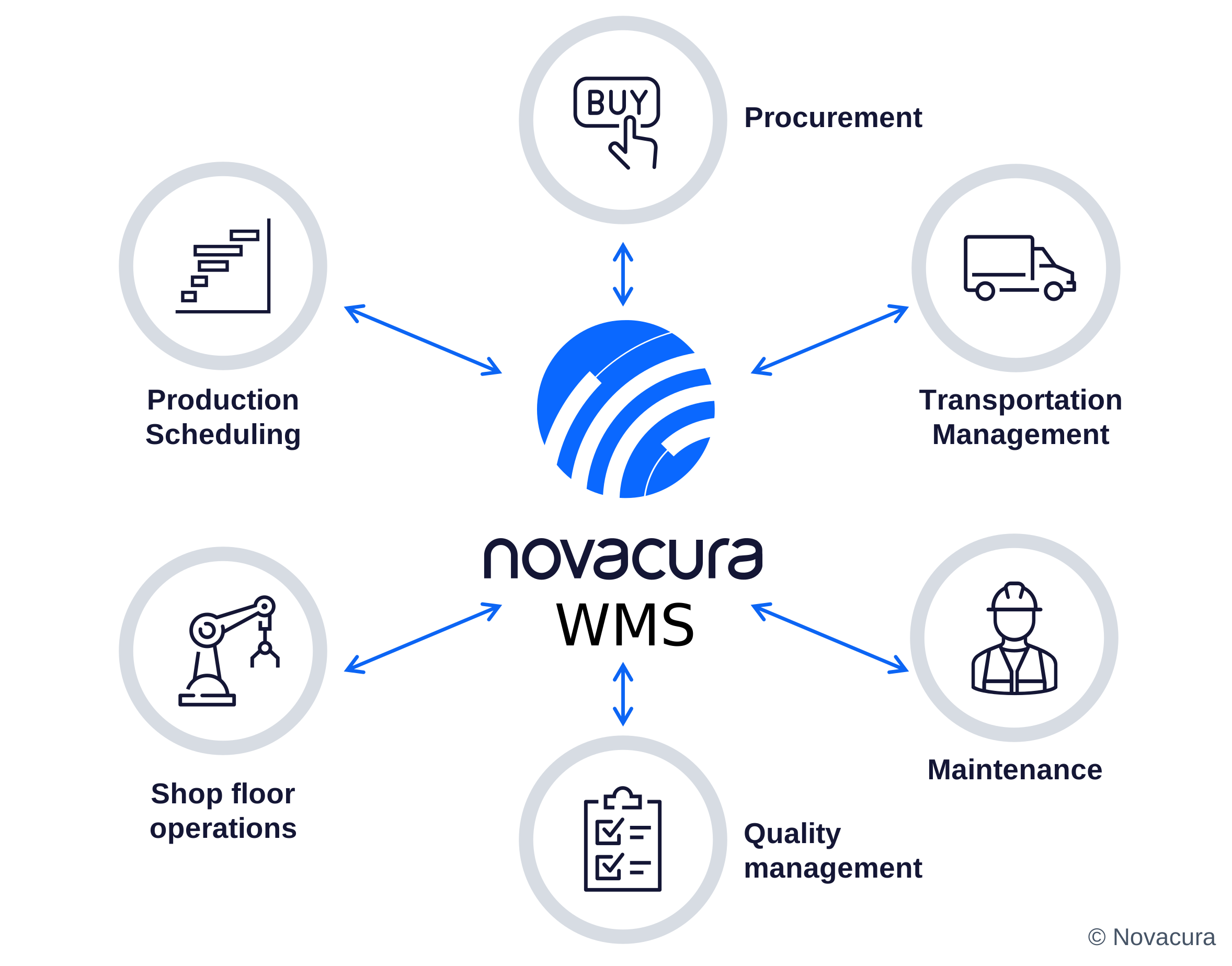
The ultimate benefit of using our WMS package is that this can be connected with other packages, that support other divisions in the company – quality inspection, production, procurement, maintenance and more. Thanks to that, a warehouseman can pick materials based on the material request issued by the production planning specialist that uses another element of the Novacura package. Or, broken components reported by the shop floor operator can immediately invoke additional internal transportation that will bring the correct components right to the work center. This cross-functional handoff is a core part of the warehouse management system process, connecting quality, production, and maintenance tasks directly to inventory moves. These key functions of a warehouse management system ensure that interdepartmental requests automatically trigger guided workflows, reservations, and confirmations in a single, seamless flow.
Industries We Serve:
Warehouse challenges vary across sectors — but the need for accurate IFS inventory data, fast fulfilment, and reliable shop floor supply is universal. Novacura WMS helps IFS customers across the following industries take full control of their warehouse operations.
01

Manufacturing
02
Logistics Providers
03
Distributors & Wholesalers
04
Commerce & eCommerce
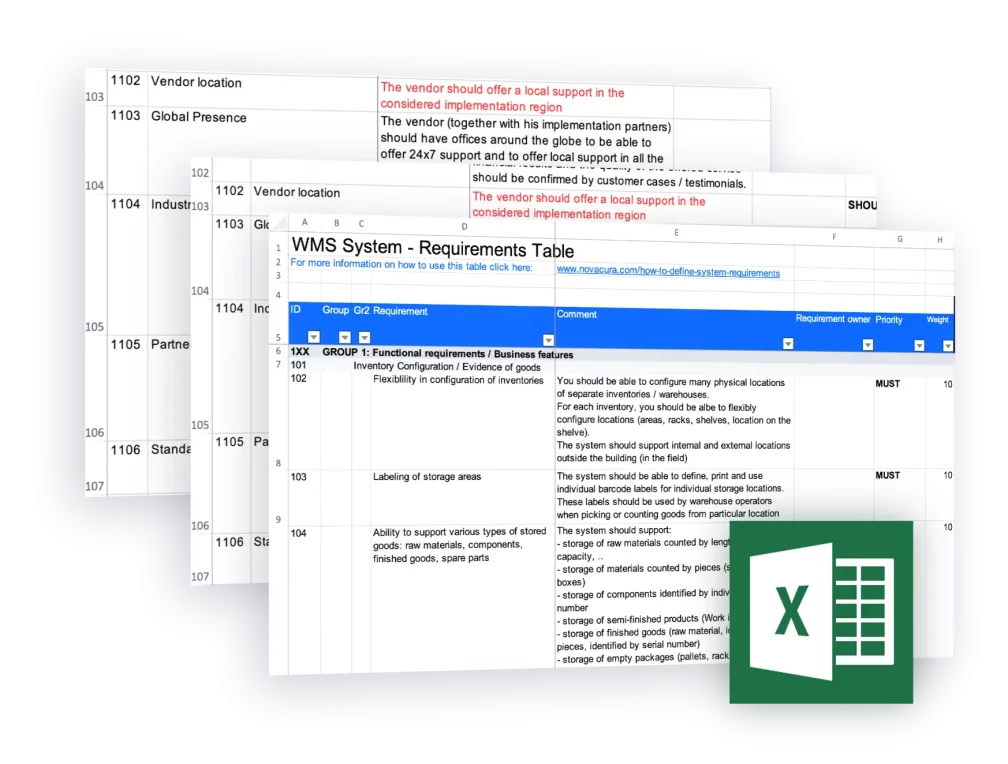
166 Requirements For Evaluating Warehouse Management Software (WMS)
82 Functional + 84 Non-Functional WMS Requirements, directly connected with the warehouse processes in large and medium business. Adapt for your needs, evaluate vendors & more. Novacura – Trusted by 220+ Companies.





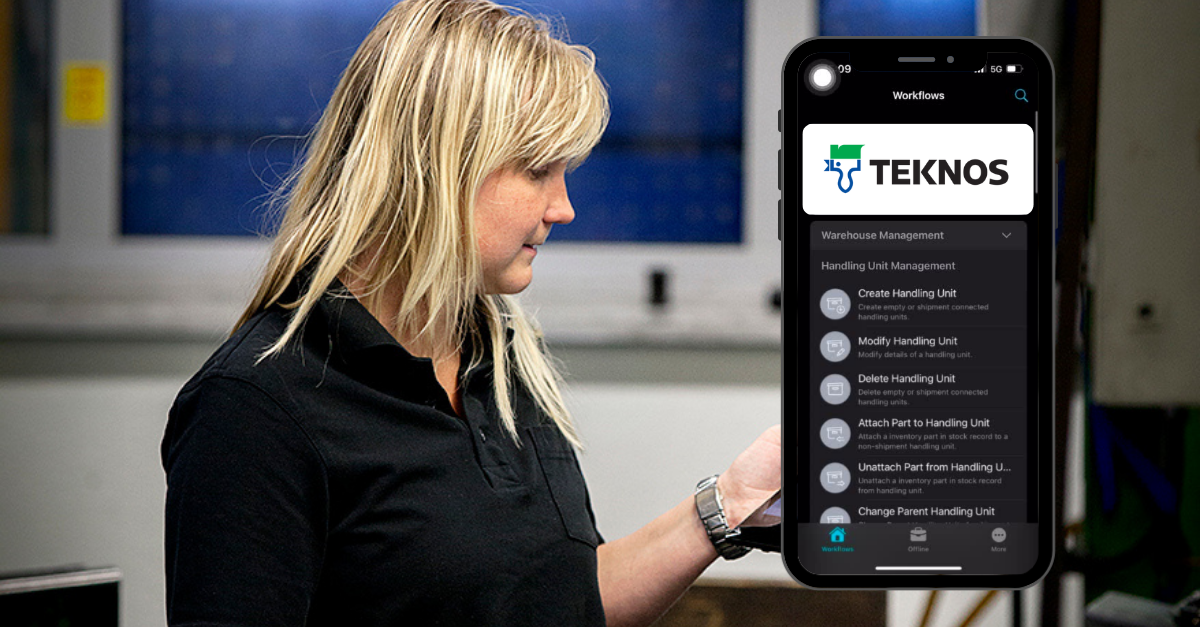

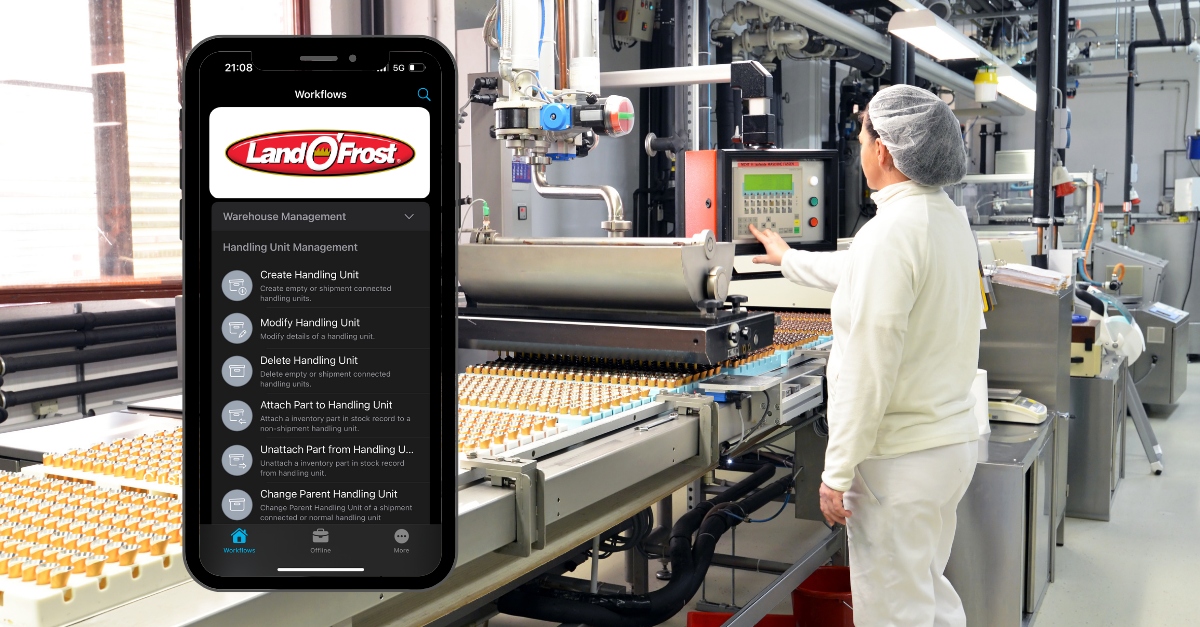

TECHNOLOGY: THE IFS-NATIVE FOUNDATION OF OUR WMS:
ERP extensions — active immediately, invisible to IFS users
Novacura WMS for IFS is built as a package of ERP extensions that sit directly on top of IFS Cloud or IFS Applications without modifying them. Integration runs through IFS REST OData and IFS Connect — the same standard connectivity layer IFS itself uses — so there is nothing to rebuild when IFS Cloud Evergreen delivers its next update, and no risk to your IFS core when you expand the warehouse functionality.
The key operational point: every action performed in Novacura posts to IFS in real time. Finance reviewing inventory value, production planners checking part availability, customer service tracking an outbound shipment — they all see accurate, current data in IFS Aurena, exactly as they did before Novacura was introduced. The warehouse gets a dedicated mobile application; the rest of the business sees no change in how they use IFS.
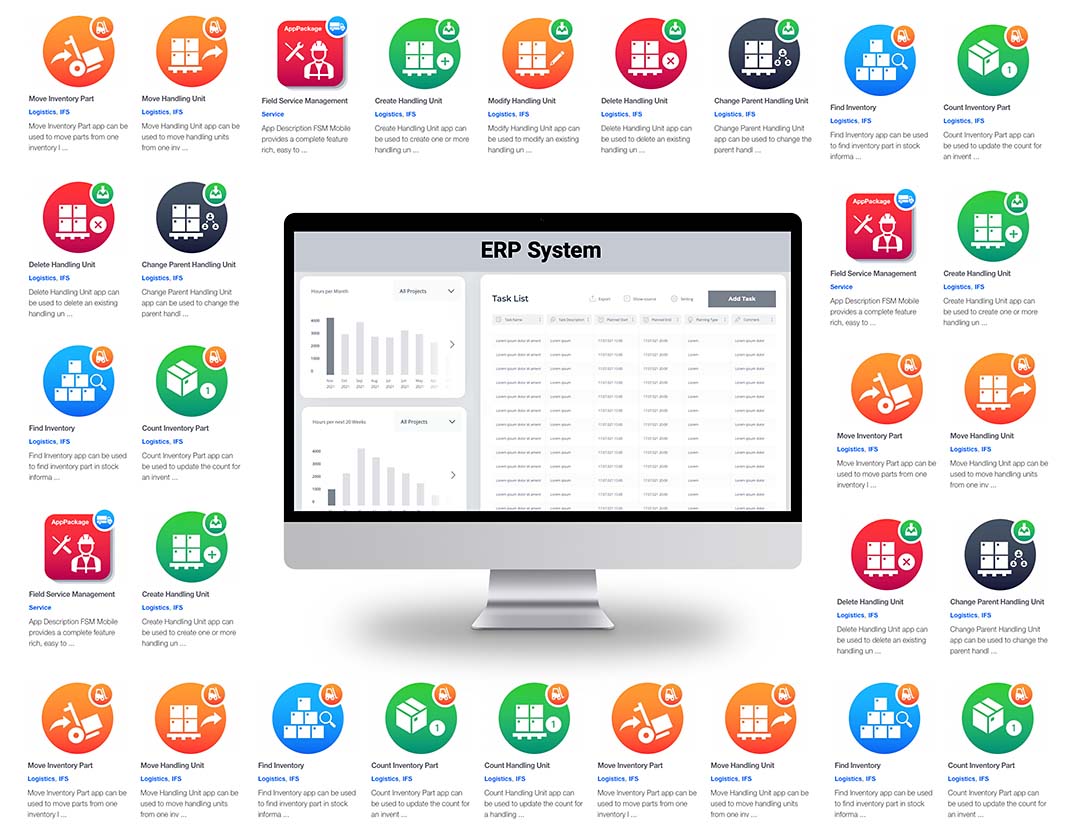
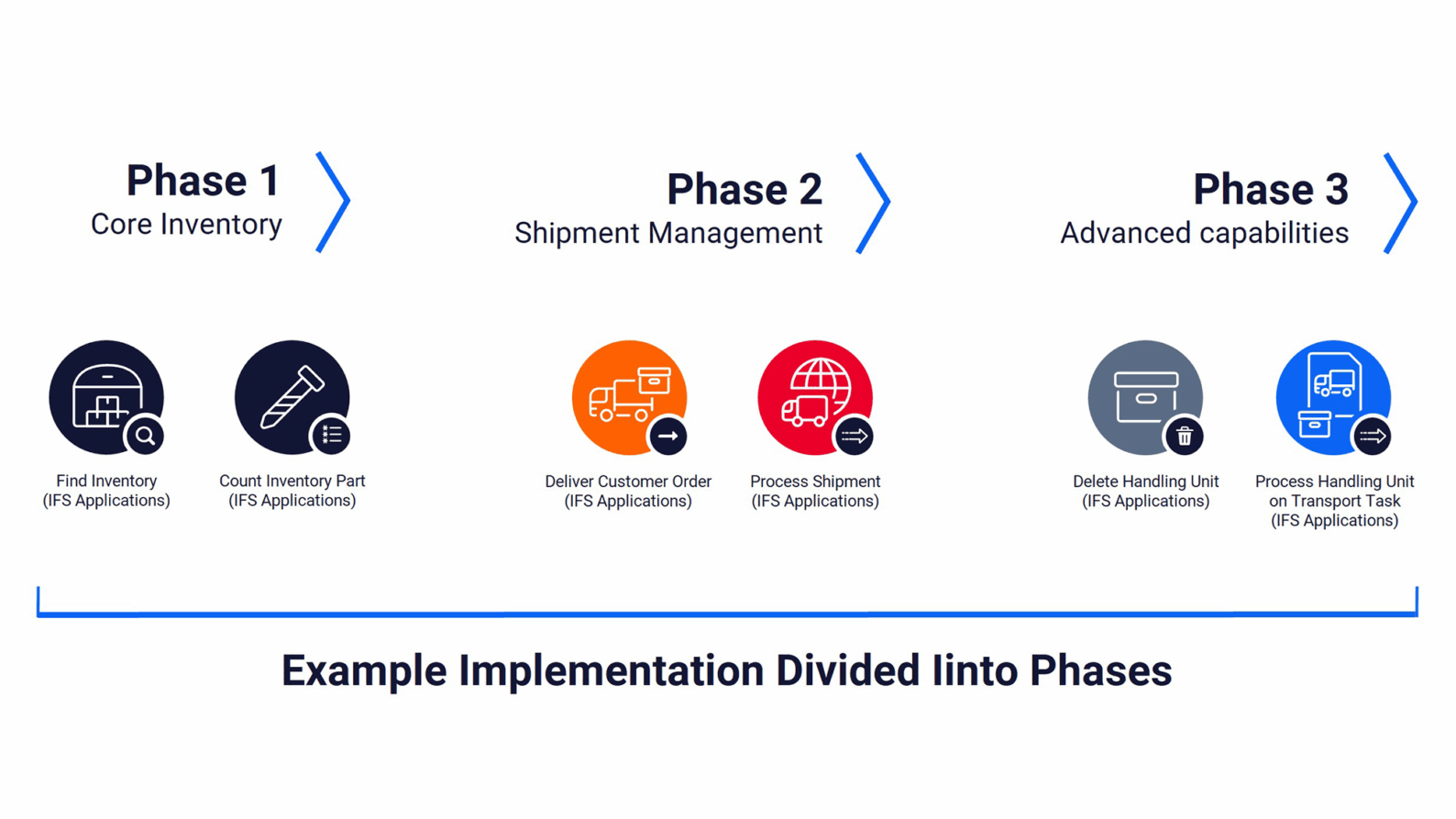
An incremental approach — start with one process, scale from there
Because every application in the Novacura WMS package reads from and writes to the same IFS database, you do not need to implement the full package at once. Start with the processes that have the highest pain — goods receiving against IFS purchase orders, or pick optimisation for shop orders — and use standard IFS functionality everywhere else in the interim.
As your team adopts the first wave, the next application is ready to activate. No data migration, no parallel running period, no cutover risk. This approach also means you can evaluate the impact of each change before committing to the next, which matters in IFS environments where a large number of users and departments depend on inventory accuracy.
Ready for what comes next — low-code at the core
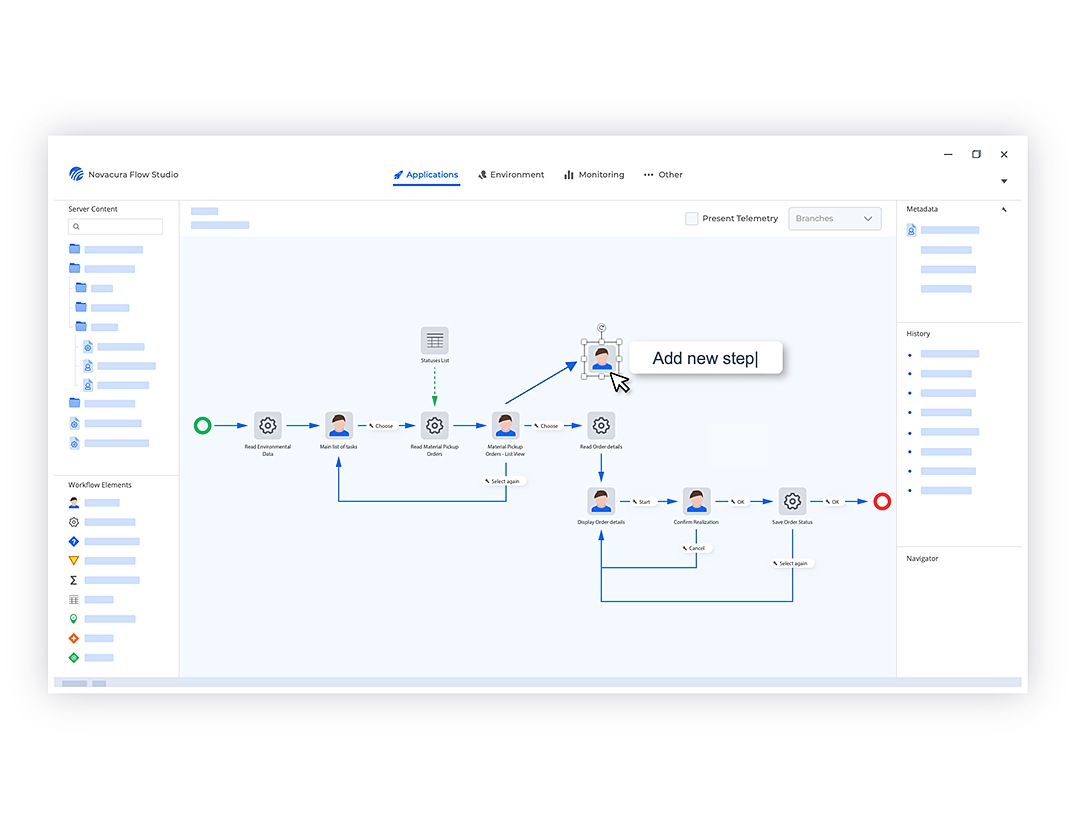
Every company running IFS has processes that are specific to their operations. Novacura WMS is built on the Novacura Flow low-code platform, which means no application in the package is hard-coded. Your team — or ours — can modify existing workflows, clone them for site-specific variants, or build entirely new applications using a visual process designer that works like drawing a business flowchart. When IFS introduces new Cloud functionality, or your business adds a new distribution channel or site, you adapt the warehouse layer to match — without a development project, without touching IFS, and without waiting for a software release cycle.
The Simplified Implementation Process:
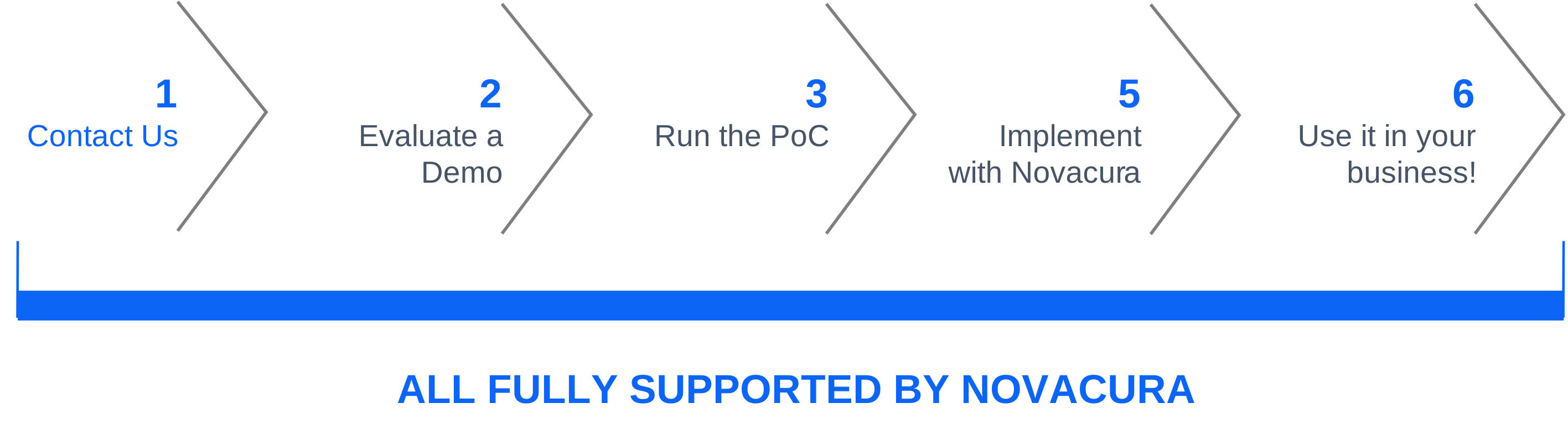
The implementation process takes less time than usual. We have a flexible solution that can be easily integrated with existing systems.
1. Mature methodology
We have a mature implementation methodology divided into stages (like initial requirements workshop, feasibility study, etc.) — that way the whole project is predictable and can be fully controlled and coordinated by us.
2. Years of experience
We have 17+ years of experience in logistics. There is a library of ready-to-use applications that can be
presented to the customer and customized according to his needs. And the library is available on the Novacura Flow Marketplace.
3. Low-code platform
Novacura Flow is a low-code platform – so we can implement everything our customer wants, and every element can be adjusted to specific customers’ needs.
4. Industrial connectors
We have a solid base of industrial connectors – the technology is no longer a problem.
Contact Us:
Please fill out the form. Our team will respond within 1 business day.
Prefer email? Contact us here: info@novacura.com