

Publications
:
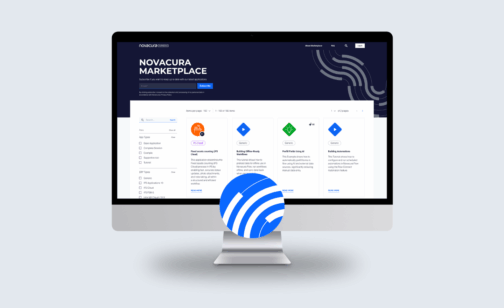
On December 5th, 2025, Novacura hosted its Q4 Quarterly News webinar to wrap up a year of significant transformation for the Novacura Flow Platform. This session provided users with a transparent view of the final 2025 updates, focusing on flow connect stability, AI-powered automation and the official launch of the new Marketplace Belów, we break down the main themes covered during the Q4 webinar, highlighting, how we’ve turned the promises of earlier quarters into reality, and what new key features our users can expect in 2026. Q4 Product release: Powering the Future with AI-driven insights and a new Marketplace experience Closing the year with a major leap forward, our Q4 update positions Flow Connect as a modern environment, delivering enhanced automation and an improved user experience: Seamless Offline and Async OperationsBuilding on the “Async” capabilities introduced the past, the Q4 update finalizes the offline client capabilities. The demo showcased a sophisticated logistics scenario where data preloading and background synchronization now happen with zero latency for the end-user. This ensures that Novacura Flow Connect is the premier choice for low-connectivity environments like remote sites or deep-storage warehouses. New Map PortletThe Map Portlet has been officially introduced to the Portal. This allows for advanced geographic data visualization directly within Custom Content Portals. Users can now view real-time asset locations or service routes on interactive maps and take action directly from the dashboard. Phrasebook: Centralized Translation ManagementThe Translation Management System (Phrasebook) is now fully operational Supporting ICU formatting, this feature allows developers to translate a statement once and reference it across all applications. This eliminates the need to translate the same phrase multiple times, ensuring a consistent, multilingual user experience globally. Marketplace: the new Platform is LIVE! The most anticipated update of Q4 was the official transition to the new Novacura Marketplace Platform: The Public Portal Features significantly better filtering by ERP system, a clear distinction between “Examples” and “Full Application Packages”. One Click Enabling The Transactional Part of the marketplace now allows for “one-click” app activation, deploying solutions directly into the environment. AI Powered Search Users can now find relevant applications among over 200 listings using natural language prompts (e.g., “Show me apps for mobile maintenance in IFS Cloud”). New Strategic Packages We officially released the Supplier Invoice Automation and Time Reporting for Regular Employees packages. The AI frontier: Flow Connect Co-Pilot The AI-Powered Flow Connect Co-Pilot is now available to help users with development questions through real-time chat. Whether you need help writing a specific Flow Script or understanding an error message, the Co-Pilot acts as an expert assistant built directly into the Workflow Designer, making onboarding to Flow Connect faster than ever. Automation: Intelligence at scale Novacura continues to streamline workflow modernization and migration capabilities: AI-Driven Automation Insights The Automation Analytics Dashboard introduced in Q2 has evolved. It now features the Data Analysis AI Copilot, which provides automated summaries of server-side runs. Instead of just monitoring success or failure, the AI now identifies performance trends and suggests optimizations for individual workflow steps. Security and ProvisioningTo support large-scale enterprise deployments, we have introduces […]

If you work in manufacturing, you’re probably familiar with the challenge of avoiding defective products. A defect as small as a missing or unidentifiable barcode can result in downtime and disappointed customers. To limit the number of defective products, manufacturing companies struggle to manage these visual quality inspections. This article will introduce how to improve these inspections through computer vision for quality control – a field of artificial intelligence that trains computers to interpret and understand the visual world. Problem – the cost of quality inspections Every company in manufacturing has the challenge of reducing the number of defective products. Quality inspection in manufacturing is a must; otherwise, faulty products will appear one way or another. Defective products can cause damage and result in unexpected expenses, leading to customer complaints, downtime, labor costs, and scrapped products. Therefore, dedicated people are often used as the quality checkpoint, visually looking at the production line – which costs time and money. The quality check is critical, but manual visual quality inspection slows down the production phase since you must ensure the inspector can keep up with the production line. Is it worth it? Well, it’s necessary to ensure high-quality products – even though it’s a costly expense for the company. In some cases, where risk is high, the cost of letting defective products slip through is considered worse. E.g., delivering faulty products to a client/customer could result in lost contracts/agreements. Therefore, it’s essential to avoid these scenarios and reduce errors, even if that often means having a lot of resources in place and a slower production phase. A well-designed systematic quality inspection will have a positive effect on: Downtime Defective product Loss of revenue Lost customers Wasted time Wasted resources & man-hours Wasted money Decreased OEE / utilization And more.. In most cases, posting a person on the production line at each point of quality inspection is often too expensive – so let’s talk about alternatives using new technologies and solutions like computer vision. Solution – reducing defects and human errors by using computer vision analysis The solution is to install relatively inexpensive cameras in locations where you typically place, or would like to place, a person for visual inspections. By using digital images and video from these cameras, we can train computer vision models to perform analysis. These models enable the cameras to accurately identify and classify objects during production line inspections. An edge computing device processes each frame, performs the analysis, and ultimately outputs the result that the model was trained to generate. With these frames from a video, the model can be trained within a few hours to identify defects in real-time wherever you have repetitive quality inspections. We can then use this data to react to what the camera “sees.” Example 1: Best by dates on packaging Implementing object detection and quality control with computer vision on a packaging production line to detect valid printed Best By dates on packaging. This will allow the detection of misprinted, invalid, or missing Best By codes to be removed from production before being boxed and sent […]
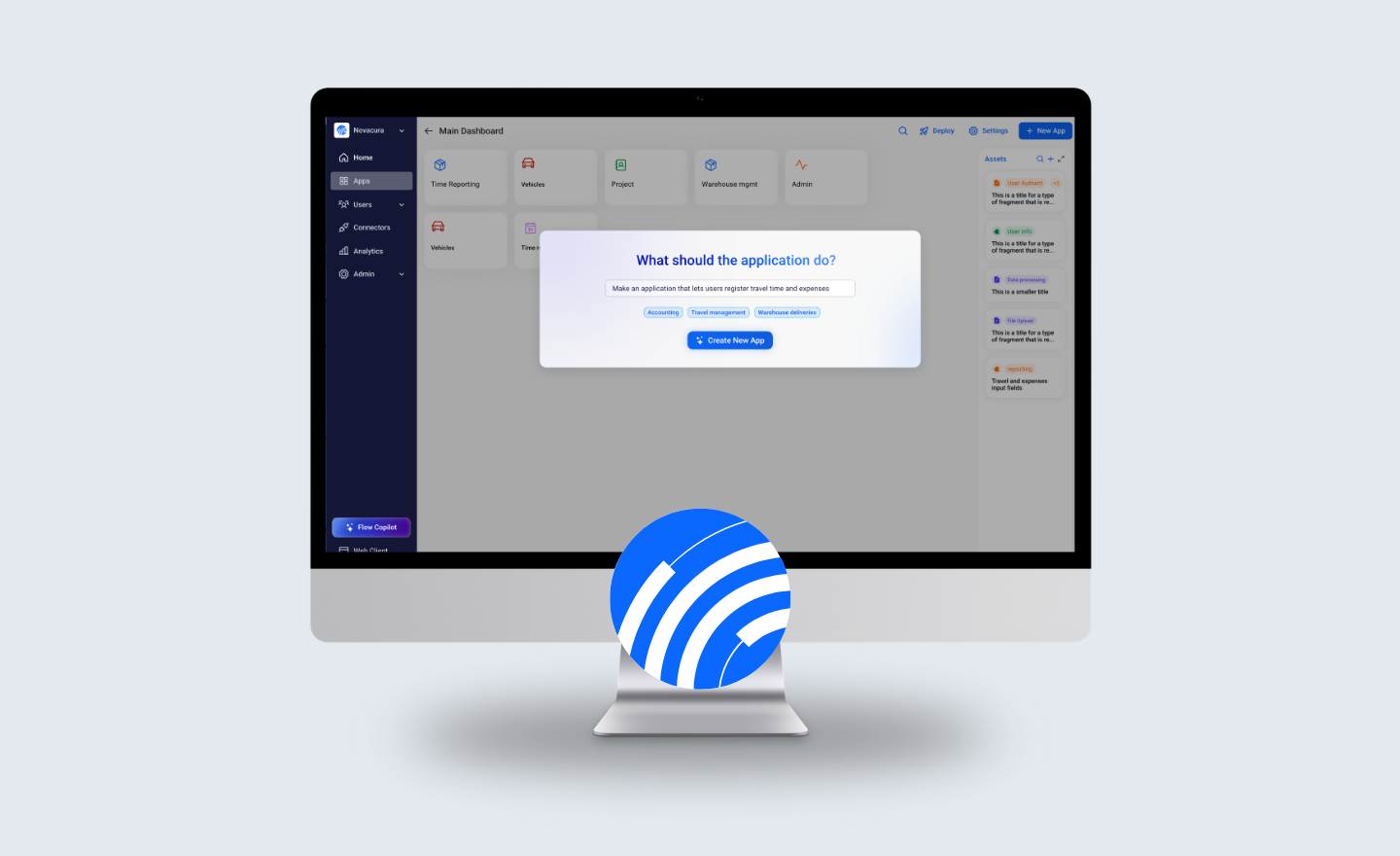
1. INTRO The utilization of AI technology is one of Novacura’s strategic themes. We are a high-technology company delivering advanced software products, so we can’t imagine ourselves without AI. We aim to build an affordable bridge to AI for our customers and transform an unfamiliar expert tool into a daily companion. We had the opportunity to speak with our CEO, Johan Melander, who explained Novacura’s approach and strategy in this area. This is a part of the interview that was performed during the Novacura Flow User Conference on 2024-09-18, between: Johan Melander (JM) CEO of Novacura, and Łukasz Majer (LM), Business Solutions & Marketing Director at Novacura (the host). 2. Where AI Can Help Us: Key Areas of Application LM: Johan, we’ve had many opportunities to discuss the role of AI in today’s technological landscape. You mentioned that AI has become somewhat of a buzzword these days. I would like to explore this area further so it doesn’t remain an “empty” slogan. When I think about AI utilization in the context of Flow, I can imagine its support in the following areas: Flow developer co-pilot, helping developers build apps End-user co-pilot – guiding users through the process and automating certain steps for them Process optimization co-pilot – a tool that consumes telemetry data (process stats), helps detect anomalies (fraud), and identifies bottlenecks in processes Now, where do you see the biggest potential? Which of these directions will be Novacura’s priority – what’s on our roadmap? JM: Well, all these areas are actually on our radar, and we address them in our roadmap. Of course, not everything will be available from day one, but you’ve touched on all important aspects of AI utilization in our platform and solutions. We are currently developing the developer co-pilot as part of Flow Studio. We also have some AI-based automations embedded in our apps (like invoice recognition, receipt analysis, and computer vision object detection). 2.1. AI USE CASES: FOR FLOW DEVELOPERS LM: Could you then quickly explain what AI could provide in relation to these three categories of AI companions? Let’s start with the developer companion, perhaps? JM: Sure, but I want to clarify that I’m now presenting our strategic vision, not necessarily the elements you’ll see in one of the next releases. I can imagine AI helping Flow developers in the following areas: Flow Script creation – You say something in natural language, and AI creates a Flow script program; Data import companion – You show your Excel/CSV/XML file, and the AI tool prepares the import script, maps objects to your internal data structures, etc.; Data layer creation – You type something like, “I need objects to store my invoices with details” and AI creates objects for the invoice header and invoice lines, establishing all relations with other existing objects like Customer, Supplier, or Project. Importantly, it already knows which properties are required to represent this object type properly; User interface creator – You describe your needs for the UI, and the tool builds it for you. You may also point to a data object […]
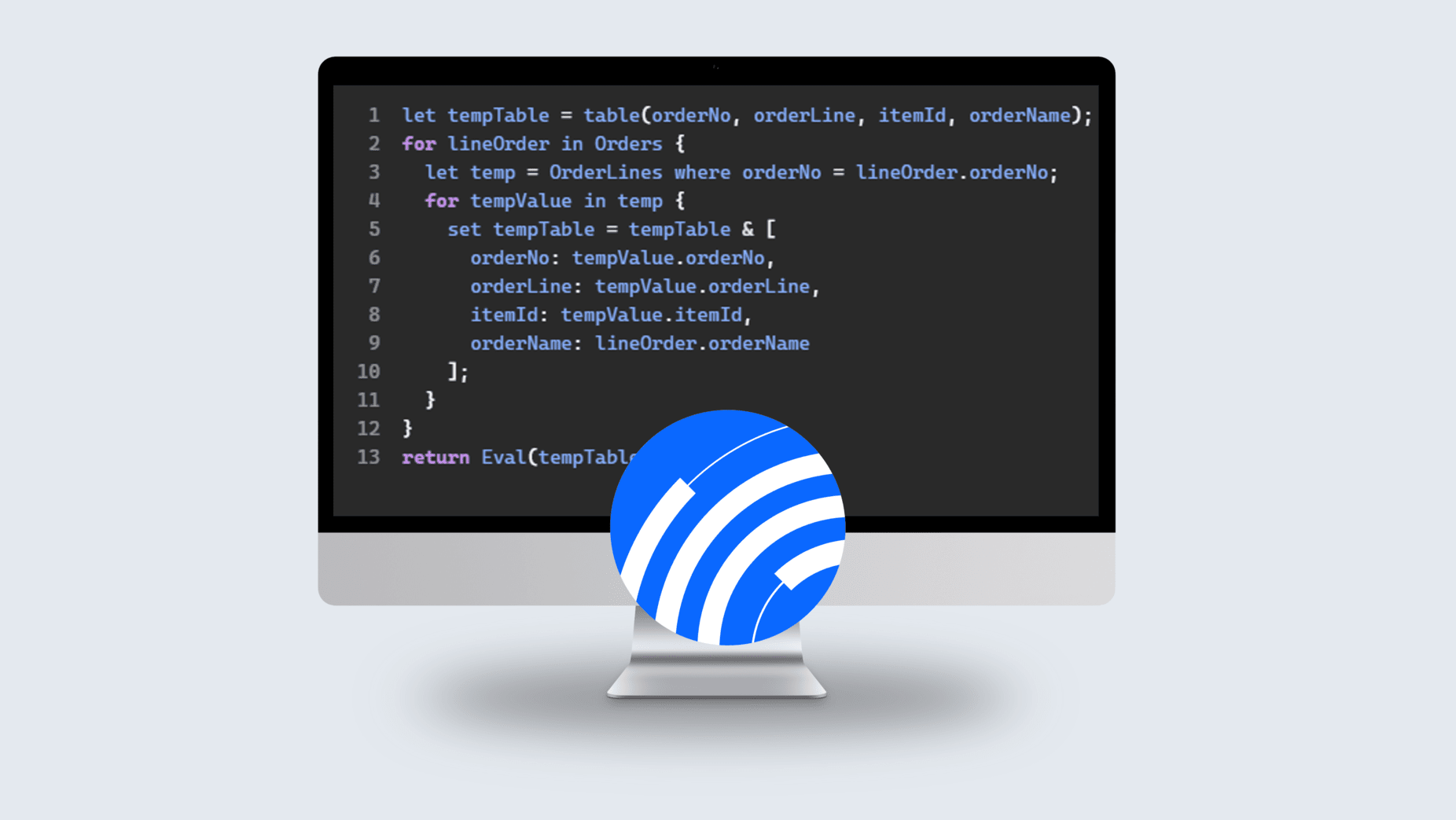
INTRODUCTION Novacura Flow is a low-code platform that expands ERP systems and allows customers to build their own ERP applications. It offers deep ERP integration and a set of connectors that make this integration with ERPs easy for low-code application developers. We constantly develop our product by regularly developing fully new versions offering a lot of new capabilities and functional improvements. The latest version – Flow 6.15 – not only brings new functional capabilities but also offers a significant improvement in the performance (efficiency) area. Below we present these performance improvements divided into 2 categories: those that are visible in “runtime” (for the end-users), and those, that are visible for Novacura Flow developers when they develop applications. RUNTIME PERFORMANCE IMPROVEMENTS BETTER MEMORY MANAGEMENT ON THE SERVER SIDE Flow 6.15 utilizes the full potential of 64-bit architecture for memory management. The Flow server can now allocate and assign more memory to all components operating on the server side. All database connectors and drivers have been updated to the 64-bit versions. This change in the internal architecture has a significant impact on the performance in the most complex cases, where the server must face many concurrent sessions (very many users) and a heavy load of workflow executions performed in parallel. In such demanding cases, all users will notice a significant improvement in daily efficiency. At the same time, the server resources will be less utilized, so there will still be some space for a higher load. According to the tests we performed, the load on the Flow Server is roughly 30-40% lower in benchmarks, while in parallel providing a higher throughput! Server CPU usage measured for 6.14 and 6.15 for the same transaction load EXECUTION OF THE FLOW ENVIRONMENT CONNECTOR The new way of managing server memory has a visible impact on the execution of connectors responsible for communication with other systems (like ERP). But in the Flow 6.15 version, we specifically improved one connector: the Flow Environment Connector. This connector allows the Flow application to access Flow Server’s configuration and also get some operational information from the server (such as application users, and their roles, but also information about the running workflows). In the Flow 6.15 version, this Flow Environment Connector has been optimized. It now uses a more streamlined way of communicating with the internal Flow Server database, which has a tremendous impact on the runtime efficiency. Below we present the same sequence of Flow Environment Connector calls, executed in Flow 6.14 and 6.15 versions. Example Execution for Flow 6.14 Example Execution for Flow 6.15 FLOW SCRIPT IMPROVEMENTS The runtime efficiency improvements don’t end with machine steps execution. The Flow 6.15 version also expands the potential of our internal programming language called “Flow Script”. With the Flow script, customers can embed more complicated logic into their workflow applications. It is usually used to manipulate sets of data that have been retrieved from external systems or databases. The new Flow Script allows developers to use “Inner joins” to connect 2 data sources when querying them. Previously, when the application had to compare […]
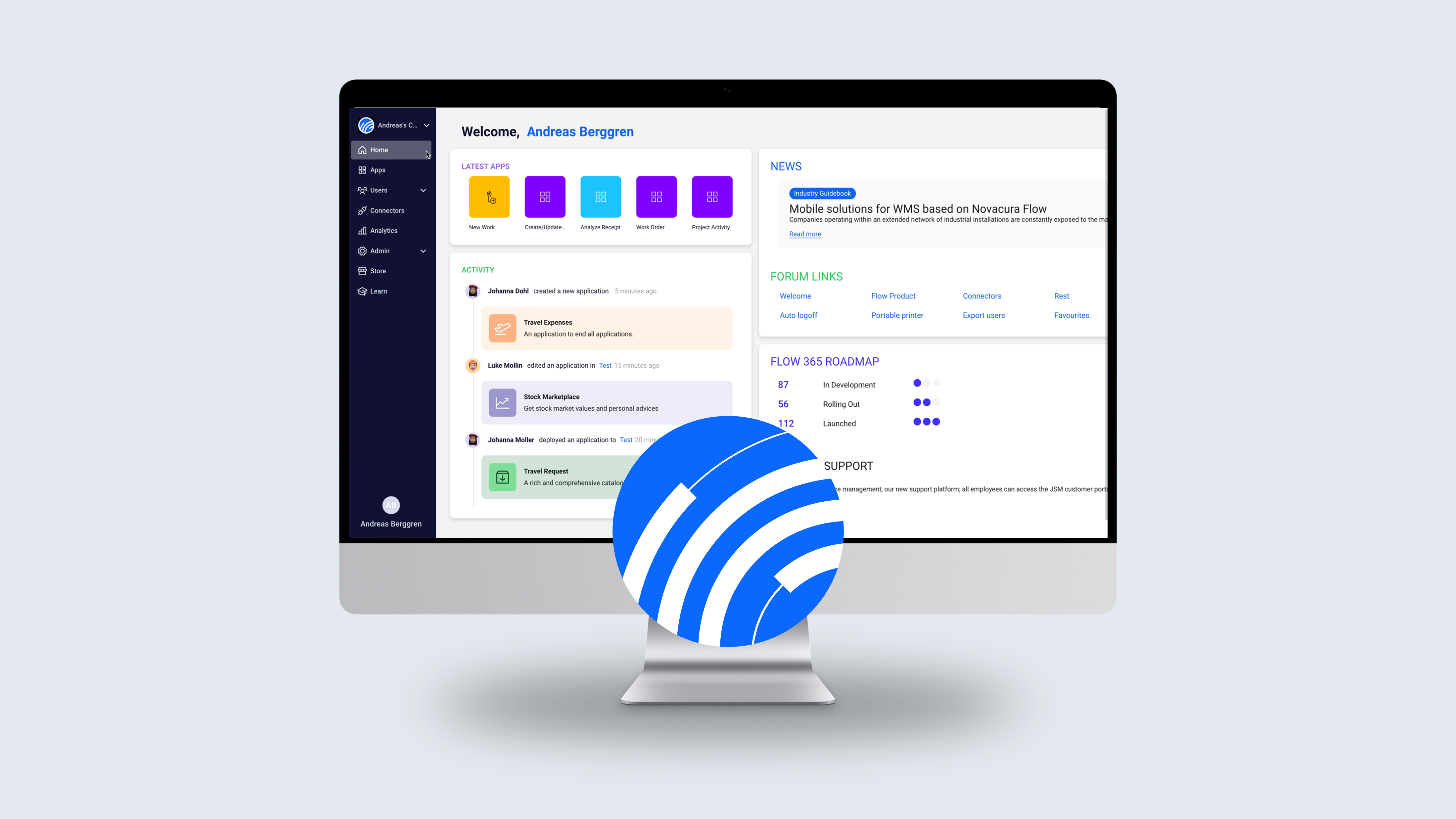
Novacura Flow is bridging gaps between various ERPs and end-user needs since 2009. Since then we have been assisting more than 150 thousand users and continuously developing Novacura Flow and Portal. Now, it’s time to introduce a new product, Novacura Flow Connect. In contrast to Flow Classic (version 6.14, 6.15, and Portal 2), Flow Connect will be our flagship product in the rapidly growing industry of cloud services (e.g., platform-as-a-service), keeping most important funcionalities of on-premise software. First customer on Flow Connect is up and running! We are proud to announce that for the past three months, we have been utilizing Flow Connect within Novacura and testing it as an early adopter. The system is operational, stable, and has been tested by more than 150 active users. We have already observed initial outcomes, leading us to believe that it will bring about a significant change in the Flow ecosystem. In this blog post, we will outline the upcoming changes that come with Flow Connect and explain how you will benefit from this upgrade. Six Key Foundations for Flow Connect Novacura is committed to supporting our clients in transitioning to cloud computing. Our focus is on leveraging the cloud’s capabilities to provide practical, efficient, and cost-effective solutions. Therefore, the future of Novacura Flow is intrinsically tied to the cloud through a new product – Flow Connect. By embracing this shift, we can unlock new levels of efficiency, agility, and scalability. Our apporche is based on six foundations: Accessibility: Flow Connect can be accessed from anywhere at any time, providing users the flexibility they need. Seamless integration: Flow Connect is designed to integrate smoothly with other software and platforms, enhancing its utility and ease of use. With continuous updates, customers will always have access to the latest features and security measures. Enhanced security: Flow Connect employs advanced security measures and data protection, ensuring the safety of user data. Scalability: Flow Connect is highly scalable, allowing businesses to grow and expand without worrying about software limitations. Collaborate: Flow Connect fosters a multi-tenant design-time promoting seamless collaboration. It allows teams to work together in real-time, increasing productivity irrespective of their geographical locations. Time to value: Flow Connect is designed to expedite innovation. It significantly reduces ‘time to value’, allowing for quicker development and deployment of solutions on our platform, keeping your business agile and ahead of the curve. Key distinctions between Flow Connect and Flow 6.x 1. More efficient The solutions we provide for Novacura Flow 6x are single-tenant solutions. Novacura Flow Connect is a multi-tenant version, consistently updated and maintained by our development team. Customers gain access to multiple environments within the Flow Connect environment, and there is no separate installation required for any customer.Thanks to fully utilizing a cloud architecture, the solution is scalable in terms of performance. It allows for allocating additional server resources when the platform is under heavier load. With our SaaS solution, we offer Flow Connect as an all-inclusive service. Novacura has a Cloud Ops team that manages the environments, taking care of everything, including: All […]
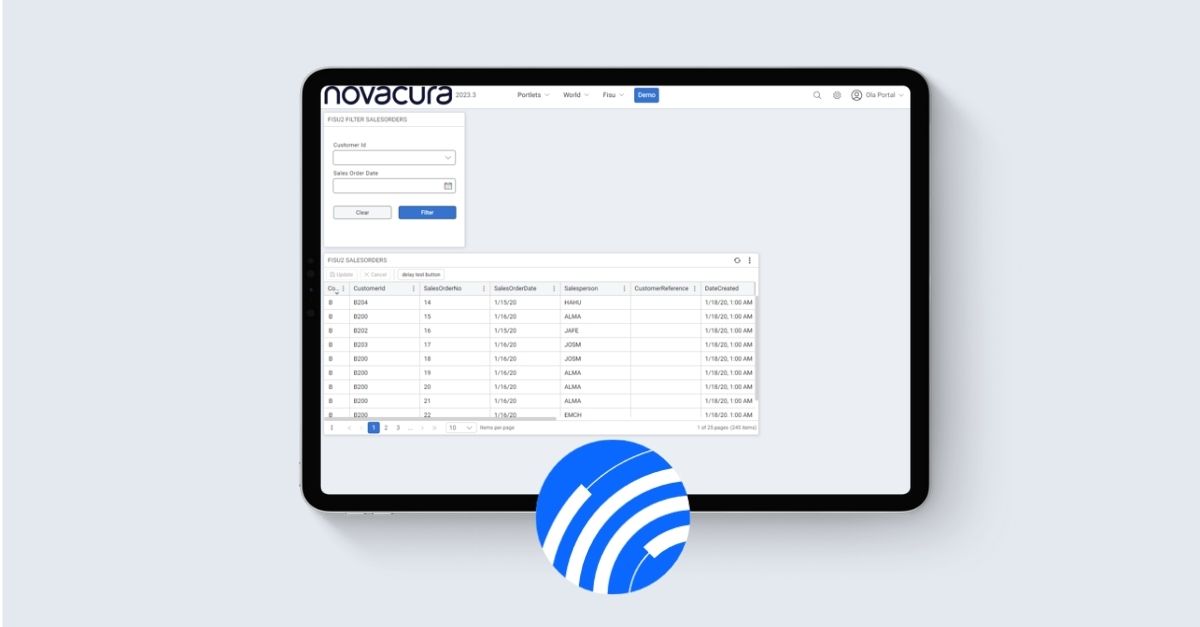
Recently, we achieved significant milestones with the release of our latest version, Flow v.6.15 and a new version of the Flow Portal 2023.3. Novacura Flow version 6.15 puts major emphasis on mobile scanning functions. Automatic forwarding simplifies user interaction with their workflows and processes. This version represents a significant step towards user-centered development
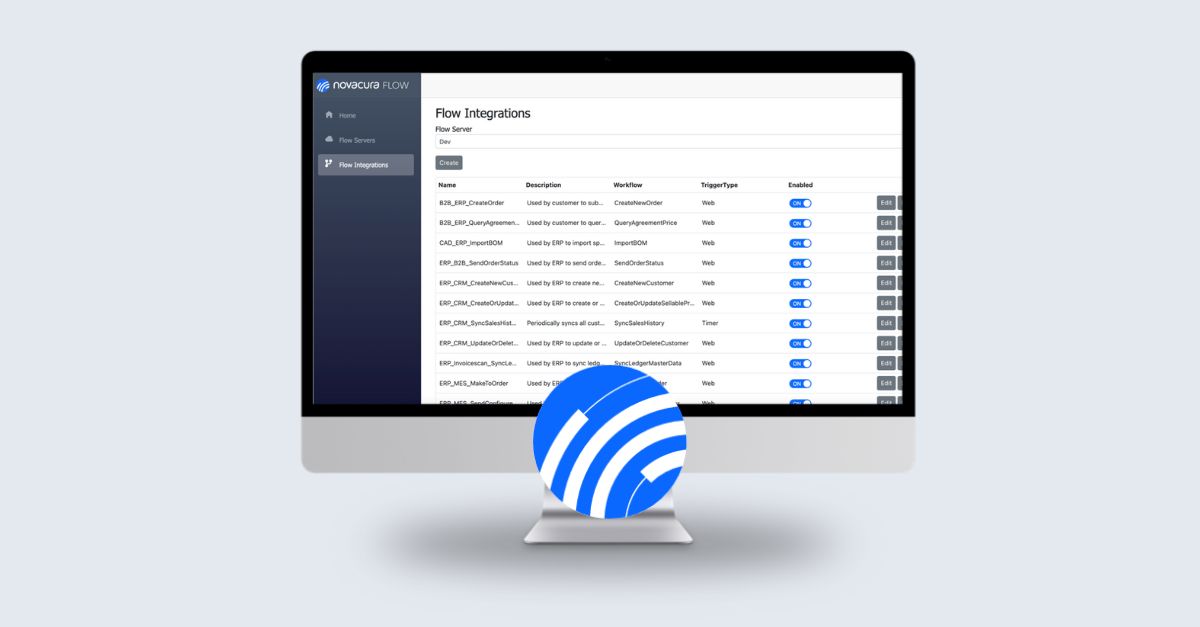
At the most recent Novacura Flow User Conference in Gothenburg, Sweden, Andreas Crona introduced our business partners to an innovative solution that is set to enhance the role of integration administrators by seamlessly integrating over 50 connectors from a wide array of systems and technologies into Novacura Flow. We proudly introduce the Integration Engine! The Novacura Flow Integration Engine is a new module of our low-code platform designed to seamlessly integrate with the existing Novacura Flow product suite. The new module elevates the existing features of system integration of Novacura Flow to a whole new level, offering improved integration management, supervision, control, visibility, and traceability. It is designed for integration administrators and introduces a variety of new features for overseeing the performance of the entire low-code platform, including load balancing and timeout control, among others. THE GOALS AND ROLE OF INTEGRATION ENGINE The goals In the world of modern business, the Integration Engine plays a pivotal role in achieving both short-term and long-term objectives. It serves as the bridge connecting disparate systems, facilitating a seamless flow of information and enabling businesses to thrive in an interconnected digital landscape. The role Acts as a front-end interface for the ERP system, allowing the creation of high-level business services that encompass all the intricacies within the ERP API. Enable the ERP system to connect with various business systems, services, and equipment using pre-built connectors. Additionally, it has the capacity to integrate with systems beyond the ERP domain. Contributes to the development of a “Service-oriented architecture” by integrating diverse systems within the organization through a centralized service bus. Performs scheduled data exchanges between systems within your organization or with external entities. Effectively oversees and manages all integration operations. Offers IT administrators a clear view of all executed integrations for enhanced visibility and control. Open to many systems The Novacura Integration Engine collaborates with more than 50 connectors to various systems and technologies. KEY CAPABILITIES OF THE NEW INTEGRATION ENGINE One of the immediate advantages of the Integration Engine is its ability to connect and propagate events and activities across business systems. It simplifies the integration of master data, enabling real-time synchronization. Additionally, it offers the flexibility to automate complex cross-system processes, making it a valuable asset for your organization’s long-term strategy. Among the key advantages of the system, we developed as follow: Administration: all in one place – the Integration Engine simplifies integration management through its web-based administration console. Easy Integration Services creation – the integration routine editor adheres to a low-code philosophy, ensuring that it’s user-friendly and doesn’t demand advanced technical expertise for effortless creation. Triggered or scheduled integrations – when it comes to scheduled integrations, administrators have the flexibility to determine integration call frequencies and configure “Input parameters” for automated workflows. Timeout control – the manages timeout for each integration service call. Performance monitoring – administrators receive detailed alerts for integration errors, with customizable rules for filtering out specific errors. The system also provides performance reports to optimize workflows. Measurements & optimization -administrators can easily access the performance history of individual […]
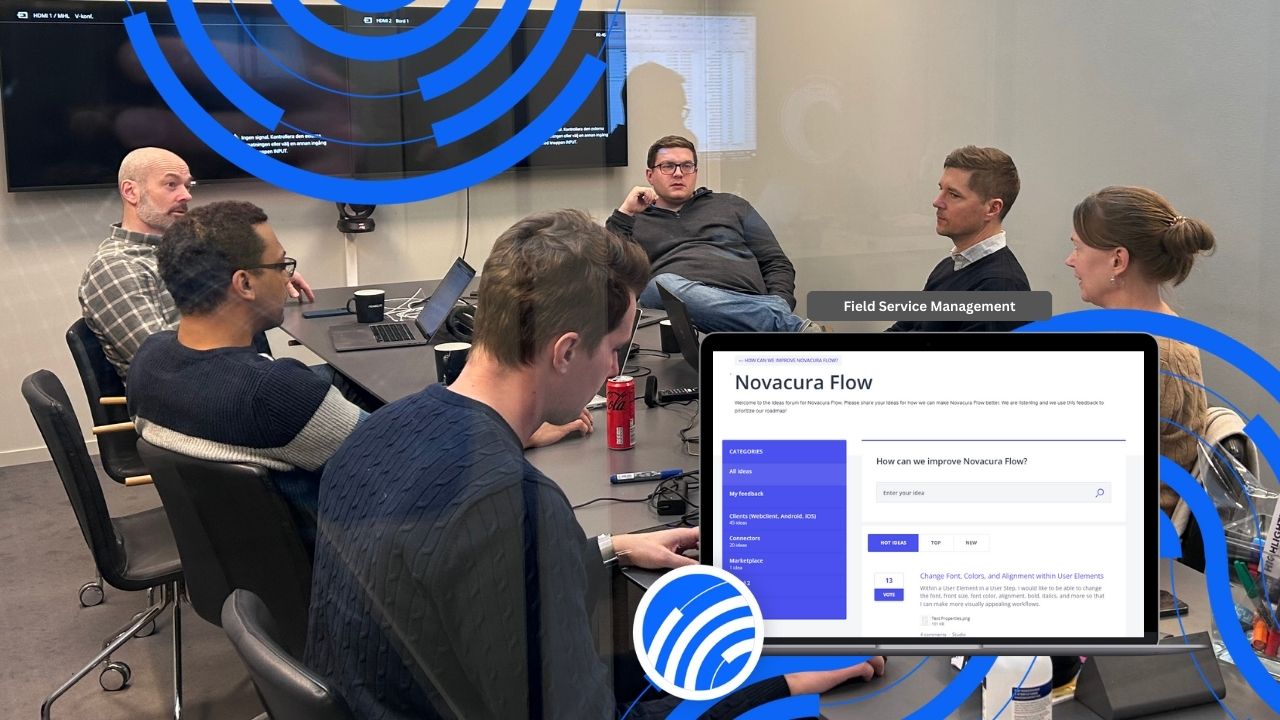
Business processes in various industries require continuous improvement, which can only be handled effectively with indirect customer support. This way, companies that operate with outside assistance can continuously increase their operability and improve business performance along with cost-effective management. Novacura provides its users with solutions based on a collaborative approach supported by high-quality software development techniques. We adopt our mature software development processes and offer our customers automated software development with the ability to reuse existing software solutions for specific industry requirements (see Novacura Marketplace). It enables our customers to minimize the risks arising from a new solution designed without comprehensive knowledge of system development and integration. In today’s dynamic business environment, the need for continuous improvement and innovation is ever-present. One way to drive this change is through direct and open customer collaboration. It’s this belief that underpins our approach at Novacura. To facilitate this, we’re excited to introduce UserVoice, our new feature request platform for Novacura Flow. UserVoice isn’t just a platform; it’s your opportunity to directly shape the future of Novacura Flow. It´s more than just an ideas forum – it’s a powerful tool that puts you at the heart of our development process. How can we improve Novacura Flow? We want to help achieve our customers’ goals through the best procedures and practices throughout development. A few reasons why you’d want to join UserVoice and contribute your innovative ideas: Direct influence: With UserVoice, your ideas can shape the future of Novacura Flow. Your feature requests directly influence our roadmap, ensuring that we create a product that addresses your real needs and challenges. You become not just a user, but a co-creator. Community collaboration: UserVoice is not just a suggestion box; it is a vibrant community. Exchange ideas, discuss solutions, and build relationships with other Novacura Flow users. This collaborative environment helps to refine ideas, uncover new perspectives and strengthen the overall product. Transparency: We believe in the power of open communication. Track the progress of your feature requests, observe their impact and see how your input is valued and taken into account. Your voice matters, and with UserVoice, it is heard loud and clear. Efficiency: UserVoice enables us to identify and respond to common requests or issues quickly. This results in a faster, more focused development process, turning your ideas into tangible features that enhance your experience. Empowerment: UserVoice is a platform where every user, regardless of their technical expertise, can contribute to Novacura Flow’s evolution. It’s an empowering space where your ideas have a real impact. Enhanced User Experience: By using UserVoice, you help shape a better user experience. Your feedback guides us in refining existing features and introducing new ones that meet your needs. You’re not just improving your own experience; you’re enhancing it for the entire Novacura community. Change Management with Novacura Flow The Ideas Forum by Novacura will help our customers stay ahead of the competition. Continuous product improvement enables our customers to outline Change Management. That means that Novacura will be able to reinforce the Admin workflow. Here are examples of some benefits for customers with the […]
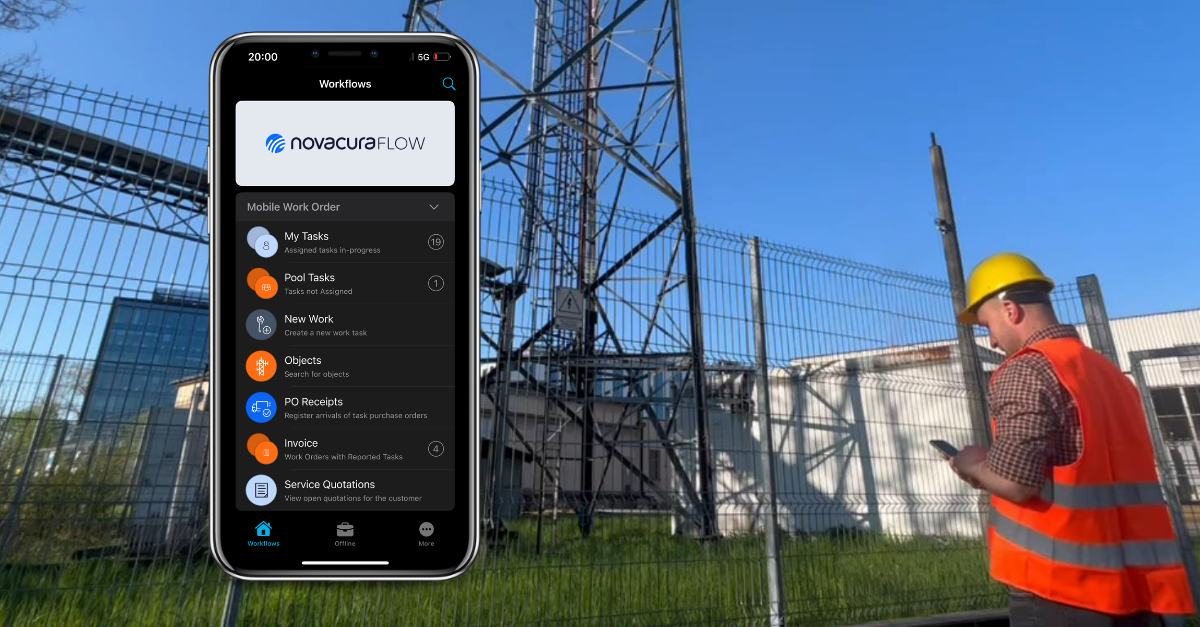
The maintenance role in various industries focuses on a management approach that predominantly relies on time-driven scheduling or repetitive tasks such as inspection of equipment, monitoring of plant conditions, or in some cases, lubrication of mechanical components. The oil and gas, refining and distribution, transportation, construction, and building development industries require continuous field service and maintenance to prevent catastrophic failure modes. The maintenance should provide periodic adjustments to maintain the required levels of reliability and availability. The complexity of today’s field service management cannot be handled simply and cost-effectively without the support of FSM software, which brings definitive advances to the business when it comes to personnel management, failure detection and preventive action, data analysis, forecasting, and even inventory management. The implementation of FSM software guarantees efficient operations through sustainable methodologies and field service management techniques. The only software that can provide maximum flexibility with configurable features will be the most suitable to cover an organization’s functional requirements for field services. Why use field service management software? Companies should consider implementing FSM software for several reasons. Here are the main factors that drive the need to implement FSM software: Intensifying energy efficiency – maintenance can prevent uncontrolled energy consumption, as well as eliminate increased energy consumption by inefficient electrical equipment or installations that may need to be replaced with modern technology. In this way, companies can use less energy but also take advantage of various asset management models that are important for site management and generally towards building efficiency, which among others, can help reduce water consumption, etc. Standardise procedures, time, and costs – companies use maintenance to reduce or prevent the expense of major equipment failures, which tend to be more costly. Companies can also minimize spare parts inventories, reduce the need for backup equipment and increase equipment uptime, which automatically creates maximum production revenue. Systematic strategy – with FSM software, companies can implement various maintenance models, such as preventive, corrective, and predictive maintenance, to help develop a strategy and action plan for planned services and relocation of resources during operational failures caused by plant failure. Companies can also benefit significantly from workforce management by reducing overtime, providing a better workload balance, and managing tasks and contracts. Safety and supporting the energy transition – transport and plant management have an impact on climate change, the maintenance of which can reduce business requirements and plays an important role mainly related to reducing waste, pollution, and carbon emissions. In this case, companies use FSM software to improve safety and pollution control. Continuous optimization – FSM software can help stimulate initial action rather than reaction, indicates support to the user from a continuous improvement perspective, as well as improving equipment reliability over time that ensures consistent quality. FSM software provides both short- and long-term value to corrective actions, which will have a positive impact on ROI. What are the 5 types of service industry? Industrial services for FSM include various installations and equipment at remote locations but also at various stations and plants. Here some of the […]
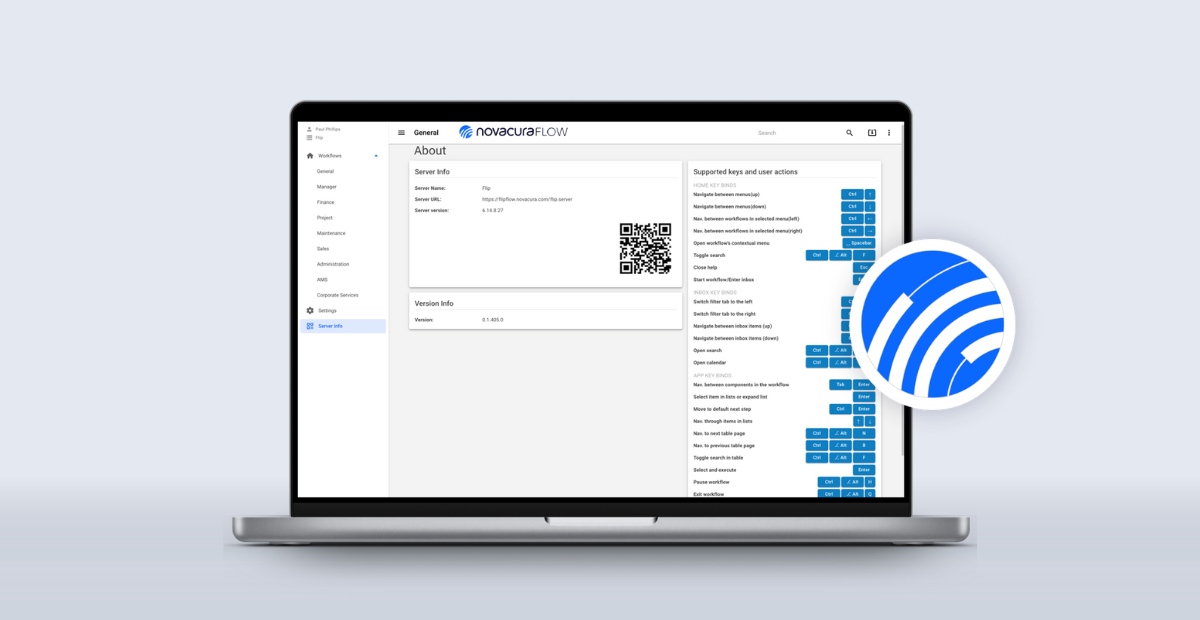
A successful organization continually focuses on collecting customer requests, organizing them, and evaluating their complexity for possible changes to internal systems, delivered products, and services. This approach is needed to assess the customer experience and satisfaction levels. Monitoring the continuous business process for software emerges from the need for continuous improvement to provide customers with the best experience through seamless operations. Novacura, as a software company, gathers all the necessary information about its products and services to ensure continuous integration with customer needs and deliver the best possible software to its users. Using feedback from our customers and relying on the knowledge of our R&D experts, Novacura is constantly deploying new product features and providing software upgrades for existing services. Today we announce the release of the new Novacura Flow web client in a new configuration for our customers. The client is a single-page WebAssembly-based application. It is downloaded to the customer’s web browser before running, and processing is done mostly on the customer’s hardware. NG Web has been built in this way to provide better performance and to prepare for a future feature that allows the web client to run offline. Refreshed look with new Novacura web client (right). Follow up on New Web Client The Novacura Flow web client is used to run workflows created in the Studio. Users and menu access are created and set up in the Studio. If the Web Client is currently running in the user’s browser when the update is made available, the user will be prompted for the update. If the Web Client is not currently running in the user’s browser, the updated version will be automatically installed the next time the Web Client is accessed. NG web will be available for Flow 6.13 and 6.14 (the latest service pack versions). The Web Client is a single-page WebAssembly-based app. It is downloaded to the user’s web browser before running, and processing is done mostly on the user’s hardware. Technical details System information Supported browsers: Google Chrome, or Microsoft Edge browser. The web client requires Flow server version: 6.13.18 6.14.10 or later The client is about 300 MB and requires approximately 5 GB of disk space for runtime data. Download size The new Web Client has a larger disk space footprint than the previous client. This means that initial load times (including updates) may be greater than those of the legacy web client. Installation For new Flow installations where the first installation is done on version 6.13.18 or 6.14.10 (or later), it’s just to click on the web client URL and start using it. For existing Flow installations on versions before 6.13.18 or 6.14.10, a change in the server web config file is required as part of the service pack installation to 6.13.18 or 6.14.10 (or later). Novacura Cloud customers Log a ticket in JSM if you do not already have access to the Web Client. On-premise installations 6.13 Server web config edit: Add the AllowedHeaders key in the “AppSettings” element: <add key=”AllowedHeaders” value=”Origin, X-Requested-With, Content-Type, Accept, device_id, language, session_key, sitting_key, […]

Designing and developing new processes in business operations is a complex and multidisciplinary task. Continuous improvements and adaptations to new processes in all major industries, including warehousing or production optimizations, can only be sufficiently implemented with the proper methods and tools in the hands of managers and developers. In a highly dynamic business environment, companies depend on rapid, unpredictable market changes, and it is crucial to have access to tools that provide employees with quick and simple business solutions. While looking at the current mainstream leading to the complete digitization of business, companies need to be able to redesign their day-to-day processes and integrate them directly with ERP systems. At the same time, there is a high demand for the implementation of mobile solutions used by operational staff across the company network. With mobile solutions installed on the company’s premises, it is possible to create a business structure that generates many benefits inside and outside the organization. Operational problems among industries Regardless of the industry in which a company operates, whether it’s mining, manufacturing, logistics, energy, oil & gas, or construction, they all depend on storage, warehousing, equipment maintenance, production process, supply chain solutions, etc. Here are the problems that can affect all these industries without mobile solutions: Low-quality warehouse management – lack of mobility in the warehouse can cause severe problems in inventory management, cycle counting, picking and packing, receiving goods, and shipping. In the end, goods cannot be delivered to support ongoing operations, and business contracts cannot be fulfilled. Poor business integration – poor integration refers to all systems that are interconnected in a modern company but are not integrated to provide a holistic view for all parties involved. For example, modern manufacturing should be connected to internal logistics, warehousing, and supply chain to ensure seamless production results and mobile-supported delivery. Failure to integrate all departments with software and streamlined processes with mobility creates inefficiencies. No offline mode – industries such as field services, construction, and energy are required to maintain the number of operations at a location unrestricted by network access, so employees still perform many manual tasks using paperwork. The lack of offline mobile solutions can cause many errors in operations and slow down processing, reducing quality. Lack of personnel and task management – personnel who operate extensively in different locations should have constant access to data and should be able to review progress, etc. Regular access to current operations can be provided by mobile devices and software that can share up-to-date information across the organization with the entire personnel. Missing planning and scheduling system – extensive construction, logistics, distribution, and mining operations required a complex planning system linked to various departments and organizations. The lack of a mobile-enabled system limits the availability of employees, e.g., for track & trace deliveries lack of a digital POD to confirm deliveries. Total mobility with Novacura Flow Improvements in the design of structural elements of operational processes are often challenging to implement with ERP modifications. Practically, optimization methods usually force process designers to simplify the problem, resulting in drastic and […]

The rapid development and continuous evolution of mobile operating systems, and smart mobile devices (such as smartphones and tablets), have impacted companies through their increasingly important role in daily work and life. This session kicked off this year with the latest updates dedicated to our customers regarding lunch with the new WebClient (..)

Control in THE supply chain flow Supply chain management (SCM) has been practiced to this day for more than 40 years. The system has become a core element of today’s management approach in industries. The supply chain in manufacturing, chemical production, warehousing and construction focuses on several different areas that are widely spread but closely interdependent. This dependence is driven by the particular need for material management. Connecting a wide network to secure supply will require a series of activities between the diverse areas involved in the entire chain. SCM can include different modules but a specific one is dedicated for traceability of materials. To provide a traceability system an integrated software is required. This one is available from Advanced Planning Systems (APS). Manufacturing management with APS Implementation of APS in the network allow create forecast for supplies. An extensive interconnection plan is needed to create balanced flow between customer demand, materials and personnel availability. Comprehensive manufacturing plan required equipment assessment as machinery and tools on every production phase. Broad planning production and distribution as well as purchasing on the customer side have been carried out sine years in supply chain. The main obstacles in the whole process are caused by insufficient technological and communication capabilities. The various stages of the processes are divided and isolated, what lead to obvious limitations in scope. Considering barriers for production planning and supply chain we can refer to activities performed on daily basis as below: Planning materials for production – recognition for inventory types with material parameters and stock management models; Production stages projection –production runs forecast with usage rates of resource; Supply chain coordination – organizing transport and compunction between several locations; Connect end customers – allow end customers plan their activities on basis of production and delivered outcome; Typical ERP systems don’t provide a possibility to estimate the stages of production, or verify the length of production series along with the efficient rate of use of production resources. Full coordination of these activities can be accomplished by implementing advanced planning systems. APS increases the limited planning functionality of ERP systems. This feature is related mostly to material requirements planning (MRP). Adapt APS in manufacturing and supply chain If a company wants to win customers they need to be professional. Large construction projects require several different links between companies and organizations to provide the flow for the entire project. Information feed can be essential to help developers complete extended stages of the building projects. Construction companies decide on APS software implementation to control the supply chain, but also to be able to forecast project progress. That is a key measure to secure over two-digit million dollars investments. Proper service orientation is not restricted to the end customer but includes any business unit that receives a product from the supplier. The situation will be similar for an oil company that focuses its business on oil refining. Determining what oil to buy to meet demand while taking into account existing bottlenecks at owned refineries is a very difficult task. Companies that implement modules from APS software can create supply plans from refinery vendors to model production parameters. In oil production specifics are close […]

While IFS Cloud is still a new technology for many companies, we at Novacura are proud to announce that we just published our first application for it! It’s an all-in-one worksite field reporting solution covering Crew and Time Management for projects and work orders in collaboration with IFS Cloud. All about the application Worksite Field Reporting is an app collection that caters to a wide range of users like Crew Owners, Supervisors, and Crew Members, enabling them to report, analyze and collaborate in real-time. This app package runs on IFS Cloud. New features like clock in/clock out, copying day timesheets, reports with document attachments, user-friendly startup screens, and colored indicators will save a lot of user interaction time, increasing the workforce efficiency. The following are the main benefits for the users: Increase Productivity – Quick Reporting / Flexibility of reporting anywhere, anytime Risk Management – Error Reduction / Increased Transparency Better Resource Utilization – Crew Management / Crew Reporting Worksite Field Reporting App List: Select Default Project Crew Management Crew Time Report Related articles : A worksite field reporting application that runs on IFS Cloud learn more

Today, computers have the capability of recognizing text in a high-quality manner. It’s a widespread use case where someone takes a paper document, such as a receipt, and moves it into a digital format to do travel and expense reports. For us at Novacura, it only makes sense to use AI and let the computer do that work for you. Therefore, we created an application in our Novacura Marketplace for that specific need. What’s the problem with travel and expense reporting? The fact is that it takes time to have information on paper and convert it to text. As you probably know, many organizations have people who only work with this type of administration. This manual work has obvious downsides such as: Inefficiency Cost money Risk of poor data quality in the system (Human errors / ”Fat finger” data) Of course, that’s not an optimal business process. Solution – automatically process your receipt image with AI Paul Phillips, Director of Product Management Labs at Novacura, described the technology behind Form recognition in our previous article. Today we want to introduce a solution based on the same technology, that is meant to improve your business process – our Travel and Expense application. Instead of taking a receipt and manually typing in the information you already have on paper, you take a photo and add the information to your system in just a few clicks. The artificial intelligence (AI) only uses the fields relevant to this report, such as Receipt Type, Transaction Date, Total, Subtotal, Tax, Tip, etc. Benefits of having an application with form recognition for travel and expense Optimized time – instead of typing it all in, you snap a photo and check if everything looks the same, and you only act if there is a deviation. Fewer errors – this tool is even more accurate than manual retyping. Especially because sometimes there are errors in entered data done just by human mistake. Faster information flow – there is no need to wait for manual processing. For those doing invoicing, including billable expenses, this means increased cash flow for your organization. Increased employee satisfaction – This might be one of the most significant benefits. Removing a time-consuming and often frustrating task for employees will make their daily work easier and more efficient. What about my digital receipts? When using Novacura Flow, and our Travel and Expense app, you’re not limited to just snapping a photo of the receipt. Since you often get digital receipts nowadays, you can, e.g., send a hotel receipt in the form of a PDF directly to a specific email where Novacura Flow picks up the email and reads it behind the scenes. A user can send an email to a general inbox (eg. Expenses@mydomain.com) and, from that inbox, run it through Artificial Intelligence to read and parse the information on the pdf. Our benefit is that we have a more extensive landscape of applications that we offer. It’s not the value of one specific application but how you can improve your business process with the whole package, especially with […]

Novacura Flow is a low-code platform and BPM platform that extends the capabilities of popular ERP systems. For many years, Novacura Flow has been equipped with a dedicated SAP connector that enables the integration between Novacura Flow and the SAP systems family. In the autumn of 2020, Novacura Flow became a Certified Solution for SAP S/4HANA and we’re happy to say that you now can find Novacura Flow on the official SAP Store as a certified extension. Moreover, Novacura AB is also listed on the official SAP Partner Site as an SAP partner, that provides additional solutions and corresponding services for specific industries. How Novacura Flow extends SAP capabilities Novacura Flow makes it easy to get more out of the SAP system through the SAP Connector. With Flow, you can turn your business processes into simple, user-friendly, repeatable applications that interact directly with your SAP system through a BAPI add-on or REST calls. Key Features Put your processes to work Turn your processes and workflows into multi-user applications, run tasks in parallel, use sub-workflows, send push notifications, create components that can be reused, and much more. Your user-friendly Flow apps work on practically every device. Build powerful applications Don’t be limited to just a standard ERP user interface! With Novacura Flow, you can build independent applications. No matter if you need simple mobile apps for technicians who work in a field, or you need complicated dashboards for your managers, or you need portals for your contractors – Novacura Flow can help you create all of them. And you will do it in a rapid way – this is a low-code! Connect everything together Novacura Flow acts as a layer on top of your existing business systems: a layer containing all your business processes, where you can connect your people, processes, and technology exactly how you want to. How to implement it in 4 simple steps Design your processes with Novacura Flow Studio The Flow Studio is where you start to design your processes. Draw your process in the drawing tool, set up both user interaction steps and integration steps to read and modify data in the SAP system. Create processes that work exactly how you want them to with no or minimal coding skills. Connect your processes to your business system(s) Then, through the integration layer, you connect your processes to your SAP system. You can connect your processes to pretty much any business software, from databases to IoT sensors and everything in between. Record data once and use that data wherever you need to use it. Launch your new, powerful process application Finally, test and launch your new process application! You can push out a new app, or changes to existing apps, in just a few minutes. These apps will work on every device, from desktop computers to tablets, cell phones, barcode scanners, IoT devices, whatever you need. You can also choose one of the ready-to-use applications With Novacura Flow, you don’t have to create all applications and ERP extensions from scratch! You can take the advantage of the Application Marketplace and find […]

Most companies, even the most digital ones, have a paper trail embedded in their processes. These pieces of paper can be used in the field by technicians, in the back office, or even at the administrative desks. A large amount of time goes into preparing templates, printing documents, filling in forms, all just to have someone type them back into the system of record – if one exists. We’ve talked to the Director of Product Management Labs at Novacura, Paul Phillips, about his experiences and problems and potential solutions such as Form Recognizer, related to this type of work – relevant for all companies who utilize paper-based processes. Problem Paper trails are cumbersome, costly, and prone to errors no matter which person is executing the work. I’ve seen Job Safety Analysis forms in the field where the same form duplicated for the same job dozens of times. Instead of growing on the knowledge of the field technicians, each time the same job was performed, a brand new JSA was filled out causing loss in efficiency. Another example of this is during the pandemic, COVID vaccinations are required, I’ve seen back-office administration taking days-weeks documenting vaccination records of employees. This manual job can result in: Loss in efficiency Increased cost Poor data in the system of record (“fat finger” of data) All these processes could be digitally transformed to significantly streamline the process. But digitizing a document to enter in a computer screen isn’t the only way to do it. Why does this problem exist? The quickest way to get any new process in place that requires documentation is to have a user fill out a form. The quickest way to get the form out to all the employees is to create a template in Word or Excel and have everyone print out paper copies. It is typically more time-consuming to digitize the process, but as we know this will streamline the data capture downstream. We often try to standardize a process through a document but don’t always take into consideration the amount of data we lose as an implication of not considering the data entry part of every process. How can we measure the problem? The best way to measure the problem is to describe an example and Paul describes: “In one of my old companies, we had just gone live with an ERP system, and we were trying to convert Standard operating procedures (SOPs) to Standard Jobs in our ERP system. To do this, we hired a temporary data admin to help us get the paper processes into a digital system. We brought this person on for 3 months and ended up hiring them full-time to key information in from paper to the ERP because of how time-consuming it was. Arguably we could’ve hired 2 more people to get it done quicker but it wasn’t in the budget. What came out of the process wasn’t the highest quality – due to the admins’ lack of process knowledge, came at a higher-than-expected cost and also had errors – as expected for any person who enters data all day long. At that […]

Let us introduce a new Application Package in Novacura Marketplace! An all-in-one worksite field reporting solution covering major business functions in the Construction Industry collaboration with IFS Application 10. Worksite Field Reporting Worksite Field Reporting is an app collection that caters to a wide range of users like Crew Owners, Supervisors, and Crew Members enabling them to report, analyze, collaborate in real-time. Features like clock in/clock out, Copying Day timesheets, Reports with document attachments, user-friendly startup screens, and Colored Indicators will save a lot of user interaction time increasing the workforce efficiency. Following are the main benefits for the users: Increase Productivity – Quick Reporting / Flexibility of reporting anywhere anytime Data accuracy improvement – Error Reduction / Increased Transparency of reported hours, possibility to report with increased time-reporting resolution Better Resource Utilization – Crew Management / Crew Reporting Shortened path of communication – information from the mobile team member goes to the manager directly and immediately This product suite is developed with a Mobile First approach, but all the following apps equally support web clients. Worksite Field Reporting Application package consists of a set of Flow applications including Crew Management, Crew Time Reporting or Personal Time Reporting. Check dedicated page on the marketplace here. Improve now See our entire collection of applications to streamline your field reporting and much more. Marketplace Related articles : A worksite field reporting application that runs on IFS Cloud learn more Worksite Field Reporting – new application package in Marketplace learn more
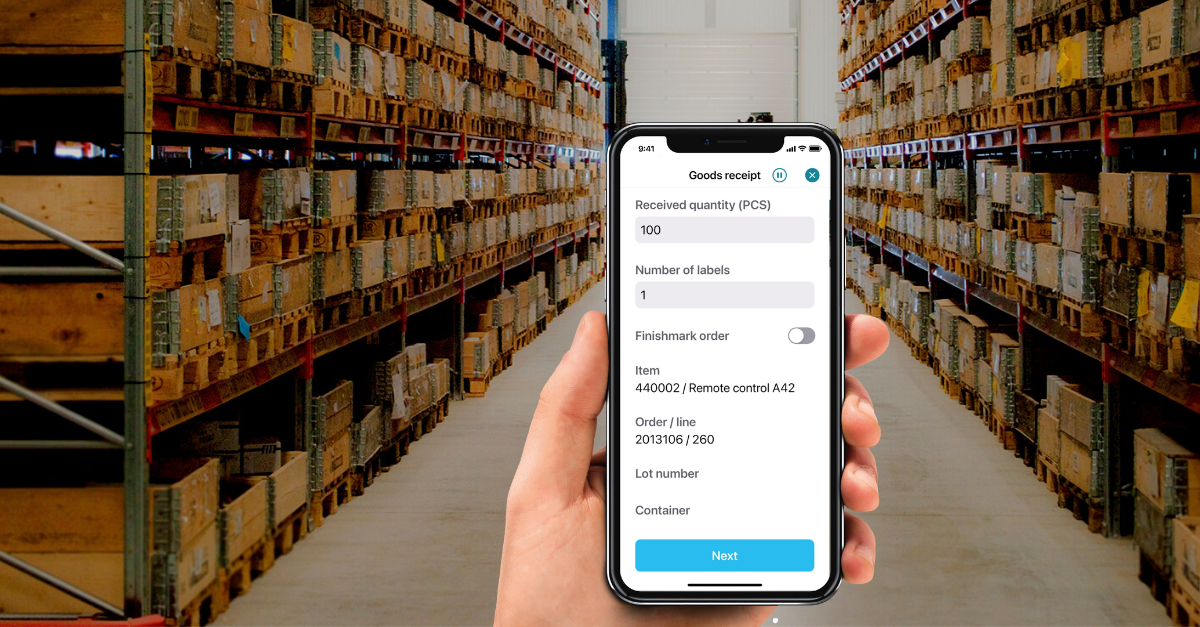
In a warehouse, especially recurring workflows need to be smooth and well organized to optimize the workforce’s time and the utility of the warehouse space. Automating tasks and looped processes will reduce labor costs and lower the risk of errors if multiple people perform the same tasks. The use of automation apps for stock and inventory can, among many other advantages, contribute to having an optimal and more efficient warehouse layout with lower costs. We at Novacura are ongoingly introducing new ready-to-run apps for your ERP in our Marketplace. Since Infor M3 is a market where we want to grow our footprint further, we have an increasing library of apps dedicated to all Infor M3 users. We are happy to present a complete set of apps dedicated to managing a warehouse in a modern way. All our apps are fully mobile, so warehouse operations can be done very efficiently. Warehouse workers can use a barcode reader to scan processed items. All statuses of the operations performed in our mobile warehouse applications are sent to the ERP system and are immediately visible to the other ERP users. Examples of useful apps for day-to-day operations and repeatable tasks currently in the Infor M3 library: Quick inventory – Use the Quick Inventory app to update the stock balance for a single part Goods receipt – Goods receipt for purchase orders or distribution orders Stock movement – Move parts from between stock locations Material requisition issue – A report issued material for manufacturing orders by using the Flow material requisition app Create replenishment order– Monitor the requested replenishment orders and report the picking and delivery in Flow With the use of Flow, you will maximize the usability of M3 Below we present screenshots from some of our warehouse applications for Infor M3: Novacura Flow for Infor M3 in short Flow Warehouse Management makes your Infor M3 WMS or another business system more straightforward, more efficient and interactive. Flow can easily communicate with Infor M3/Movex by using a dedicated connector. Novacura Flow acts as a bearing located on top of Infor M3. No application code needs to be written, and the functions can be run in various user interfaces such as mobile phones, tablets, computers or handheld terminals. Read more about it here. Related articles : Novacura and NLS Announce Strategic Partnership learn more A new set of mobile apps for Infor M3 to improve warehouse operations learn more 4 ERP Implementation Failures with Valuable Lessons learn more

With the latest release of Novacura Flow, version 6.14, the first version of the IFS OData connector was also released. The IFS OData connector, built specifically for IFS Cloud, makes it possible to create workflows using the OData projections from IFS Cloud without writing code. IFS OData Connector The IFS OData connector works with the IFS Cloud OData provider to utilize the RESTful web services that IFS Cloud uses to communicate with their cloud instances. You can add any projection you would like to the IFS OData connector with just a click of a button. We believe that connecting to IFS should be as easy as possible. The OData connector from Novacura Flow takes the guesswork out of connecting to the systems you need – and without the need for code. It eliminates the gaps from using a standard OData connector by presenting a directory of projections & end-points available in IFS Cloud. So, instead of guessing the right projection name, the connector helps developers choose the appropriate one by picking it from a list. Moreover, the connector controls all the parameters required by the API end-points (both inputs and outputs). Thanks to that, developers unfamiliar with the all-new IFS OData API don’t have to review the extensive API documentation. It is very advantageous, especially when IFS Cloud offers over 6,000 projections! As a result, developers can prepare integration steps way faster than if they had to write conventional lines of code. Moreover, the connector controls the proper usage of the end-point (even before the first real test), so the created integration is more stable from the beginning. What are the capabilities of the IFS OData connector? The IFS OData connector, available with Novacura Flow 6.14, makes it easier to perform common OData operations like select, filter, sort, join, count, skip & top. The connector also: Shows a list of values for Enumeration fields Supports CRUD operations in a no-code way Supports IFS Custom Objects Handles Media/Documents (available in an upcoming version) Handles collections inside an entity Supports Authorization code flow and token exchange from IFS IDP Supports Impersonation Handles IFS errors, exceptions in 200 responses Embedded Efficiency Our OData Connector also helps optimize data queries by forcing data filtering conditions (“where” clause). The where clause can be built without code in the “Where” criteria designer. The OData Connector offers some helpful facilitation here. When creating conditions in the “Where” section, a designer can use the “IN” operator to check whether a particular variable exists for the specific list of values. It is also a very practical extension to the standard OData API offered by IFS Cloud, which doesn’t natively support this keyword yet! We developed it because we believe it may improve development efficiency in specific situations. The OData Connector capabilities don’t concentrate only on development efficiency. Our connector also offers some beneficial functions that will dramatically impact the runtime efficiency. When configuring “Read” end-point usage, the developer can decide how many rows should be read per operation. That way, data can be read in portions (i.e., by 100 records) and at the proper time. Moreover, this records amount limit can be treated as […]
The Novacura Flow 6.14 release is here! Improvements were made across the board to give Novacura Flow users the best possible experience, whether working in Flow Studio, Portal 2 or the mobile client. Here’s a look at some of the highlights from the 6.14 release: For a full list of new and updated features, read through the Novacura Flow 6.14 Release Notes. App Development Improvements were made to Flow Studio, making it easier to build apps and providing a better overall user experience. Admin controls were enhanced, search capabilities were improved, and FlowScript functions and workflow elements were added, to name a few. Here’s a closer look at all of the changes made to the Flow Studio: New features FlowScript Enhancements Five new FlowScript functions were added to Flow Studio to improve the development of new applications, including: RGB – Use RGB codes to color an element Select/Distinct -Execute SQL-like queries in FlowScript to select distinct values URLEncode – Handle complex URLs when using Rest services URLDecode – Use to decode URLs Last – Retrieve the last record in a table FlowScript Help has also been updated to better support anyone who uses FlowScript. New Icon Library The icon library in Flow Studio has been updated to provide a fresh new look and is aligned with the style of our mobile apps. It is also possible to search for background and foreground icons in a workflow. Improved UI The new Flow Studio user interface makes working with User Information, User Steps, and Machine Steps easier. For example, in a User Step, all elements now have icons that make them easier to find, along with added search capabilities. It is also now possible to switch between connectors without losing existing code (as long as the connector has the same species as the old one). Increased Role Management Admins have greater control when managing Users and Roles. For example, it is possible to see all users connected to a given Role and assign or unassign users for that Role. It is also easier to move configurations from one environment to the next with export/import capabilities for Roles, Connectors and Properties. New Workflow Elements Three new Workflow elements were added: Event Step Event Step – An Event Step can be set up to handle triggers from Bluetooth Low Energy (BLE) devices or using a timer. When connected to a BLE device, you can receive live updates from the device in a User Step. Alternatively, you can update a User Step manually using a scheduled time interval or swipe down for an immediate update. User Step Refresh In a User Step, it is now possible to enable Reloading. Reloading allows a Machine Step to update data in a User Step (a reload can also be triggered manually by swiping down). When a Sub Task in the User Step is complete, the user is sent back to the User Step. Binary Output for files A Workflow can now have a binary output (a stream) in addition to the standard JSON output to return files from a Workflow. IoT Connectivity Novacura Flow now offers IoT […]

The Novacura Flow Android client has a fresh new look and feel that’ll make your day-to-day tasks even easier. The new release focuses on three key areas: an improved look, quicker response times and an easy-to-use interface. Old frameworks were removed, a stronger core was built and a facelift was given to ensure the ultimate experience. Watch this 1-minute video to find out what’s new: Download the new client today and experience it for yourself! Available on Android. iOS version coming soon!*Ready to use with your existing Flow 6.x servers. Improved Look and Feel The new Novacura Flow Android client makes the user experience as simple and seamless as possible. Everything that you know and love about the Novacura Flow app is still there, now with a clean and modern look. Optimized with you, the user, in mind. Fresh Design A perfect blend of user-centric functionality and minimalist design provides a clean and modern look without sacrificing function. Text Easier to Read Style and structure changes improve the legibility of text and make it easy to differentiate between headers, label headers and static text. Date and time picker Selecting a date or time has never been easier—or more fun—with our enhanced calendar and time picker. New icons Visualize your menus in a new way with modernized icons from our all-new icon library. Quicker Response The new Novacura Flow Android client is optimized to improve efficiency and responsiveness, reducing the number of clicks and eliminating unnecessary processing steps. New search and sorting capabilities also make the content easy to maneuver. Less clicks per operation The new client is optimized to keep clicks and field entries to a minimum without limiting functionality, saving you valuable time with each operation. Turn off workflow animations Improve overall efficiency and responsiveness with the ability to turn off workflow animations. List selection show inline It is now easier to visualize—and sort through—your list options with the use of card and grid views.Sort and search enhanced Easier to Use Interface The new Novacura Flow Android client was built with a focus on usability. The simple, intuitive design guides users through the client, making it easy to learn. Offline capabilities were also enhanced to ensure users can gain access to the information they need from anywhere. Clearer navigation A simple and consistent layout with clear navigation makes it easy to get around the app and reduces the time needed to train new users. Single-step back button Save time and get to your destination with a single-step back button rather than a history view. Offline capabilities enhanced Offline data is now easy to manage with improved error handling, a download all button and banners to display the status of your offline data transfers. Simplified connection configuration A new user or device can be connected to the server through the encoded server details that are available from within the client. Novacua Marketplace See more solutions for your ERP system. Improve now See our entire collection of applications to streamline your operations and […]
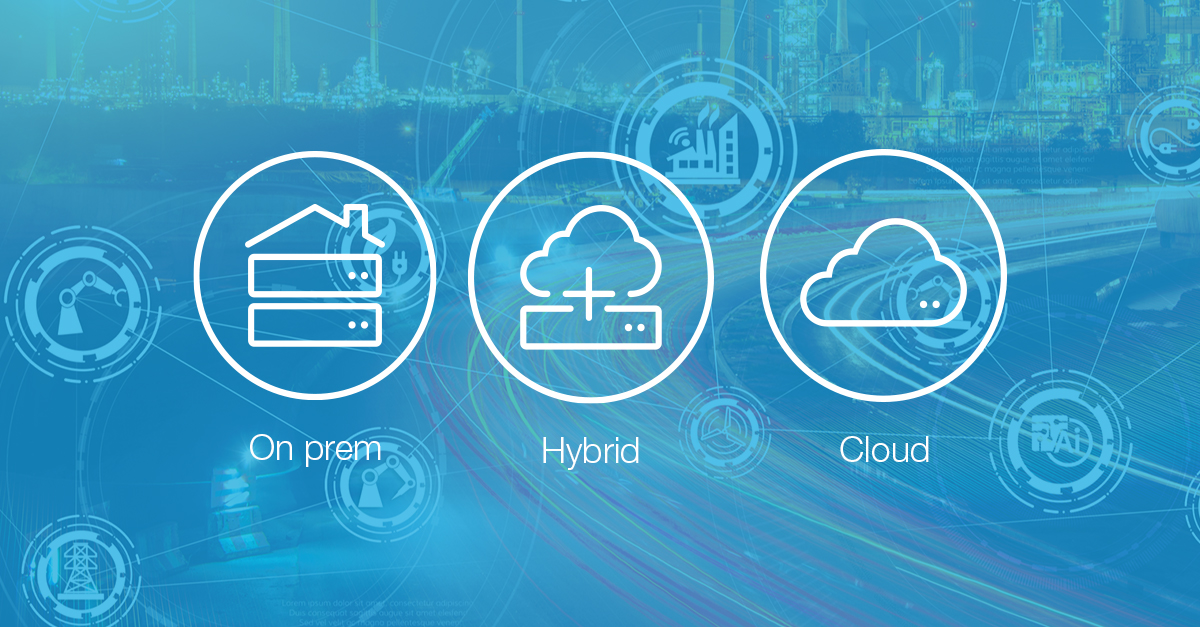
Last week, we told you about the latest updates in Flow 6.12. One of the new features mentioned in the release notes is a thing called Connector as a Service. In short, Connector as a Service allows connectors to be installed separately from the Flow Server, thus creating new possibilities for a more flexible Flow setup. To get more information on this new feature, we talked to Pål Elfström and Marcus Lindholm from Novacura’s product team. So what exactly is Connector as a Service? Connectors are a way for Flow to talk to different systems. We have system connectors and database connectors, which you use to fetch and send data. Previously you were pretty restricted with connectors. You had to install them in the same location as the Flow server. This led to some performance issues as well as a lack of freedom. It was also a problem for cloud installations. Connector as a Service means that Flow connectors are free-range now. You can install them wherever you want them. This makes it easier to scale. Can you give us an example of how Connector as a Service is used? Okay. Let’s say you’re installing Flow on the cloud, but using an on-prem ERP system. Your Flow server is in Azure: great. But Azure can’t access on-prem systems. So with this setup, Flow and the ERP system can’t really communicate. But with Connector as a Service, you can use connectors wherever you need them. This means that you can have your ERP system on-prem, but Flow in Azure, and they can communicate. What is the purpose behind Connector as a Service? Our strategy for Novacura Flow is to move towards the cloud and have Flow connect to Azure while connecting to on-prem services. This is part of a more extensive re-work of the platform to divide things into smaller, more modular services. More agile stuff. What are the benefits of Connector as a Service over the traditional way? For one, it improves performance and scalability because connector services can be installed in different places, where they are best needed and away from the Flow Server. It’s also more stable. Customers will have a more durable product, more frequent updates, and better performance. Because the connectors are more modular, customers only have to upgrade what’s needed. For example, they can upgrade Flow without upgrading the Connector (or the other way around) if they want to. For now, Connector as a Service is being beta tested by a few select customers. We hope to roll out the service to all customers very soon.