We’re going to IFS Unleashed 2026 — as a Gold Sponsor
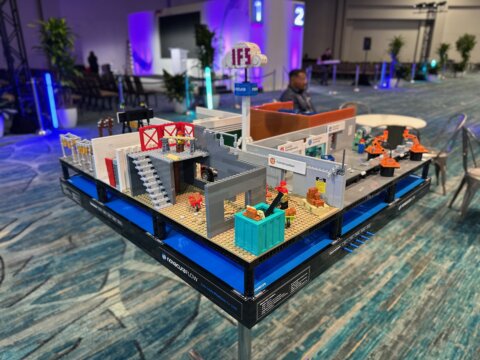
This October, Novacura is heading to Orlando as a Golden Sponsor of IFS Unleashed 2026, running October 12–16 at the Orlando World Center Marriott. It’s IFS’s largest yearly gathering of customers and partners – the one week where the people running IFS day to day, the people architecting where it goes next, and the people building on top of it all end up in the same rooms. For us, that makes it the most useful five days of the year to talk directly to the people who actually live inside IFS. We’re going to introduce AI on Rails and walk through what’s new in Novacura Flow — the same platform we’ve been building since long before IFS Cloud existed, now extended with governed AI that turns plainlanguage requests into working IFS applications. What hasn’t changed is the goal: closing the gap between what your ERP can technically do and what your frontline teams can actually get done in it. What we’re there to talk about If you’re running IFS today, chances are good you’re already dealing with at least one of the following — and if you are, come find us at booth 11, because it’s exactly what we’re built to solve: An efficient mobile warehouse solution, tailored to your actual processes Offline-capable field service apps for technicians, without the connectivity headaches Mobile reporting for shop-floor and production progress Connecting logistics, production, and maintenance into a single flow instead of three disconnected systems AI-assisted master data cleansing, including real-time duplicate detection And plenty more — bring whatever’s actually on your plate We’ll bring something hands-on to talk it through: a LEGO® factory model at our booth, expanded this year with a new production segment and a few basic digital touches that illustrate, in miniature, what digitizing a shop-floor step can look like. It’s a simple, tangible way to start a conversation about your own processes — not a full working replica of a production line — and if you engage with the demo, you’ll walk away with a LEGO® set of your own. The problems we’re actually built to solve Here’s where it gets more specific, because “AI-powered ERP platform” has become a phrase every vendor uses this year, and we’d rather show you what decades of IFS upgrade work actually looks like in practice. Start with a problem a lot of IFS Cloud customers are about to hit: with 26R2, IFS is removing Crystal Reports from the platform entirely. If you’re like most organizations that have been on IFS for a while, there’s a good chance Crystal Reports is quietly doing real work — invoices, pick lists, compliance documents, built up over years into hundreds of layouts nobody wants to touch. With Novacura Flow Connect, you get two ways forward instead of one forced migration. You can keep your existing Crystal Reports — standard and custom — fully integrated with IFS Cloud and triggered manually from a Flow app or automatically from an IFS event, with no layouts to rebuild. Or you can move gradually to Flow’s native reporting toolbox for documents, labels, and portals, report […]
learn more
AI on Rails. A Framework for Trustworthy AI App Development
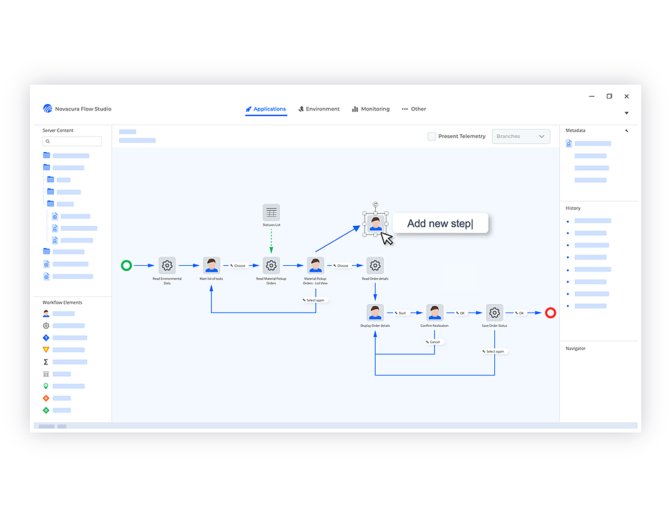
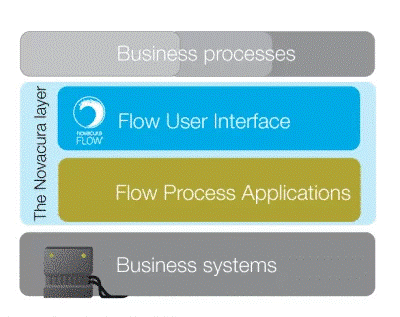
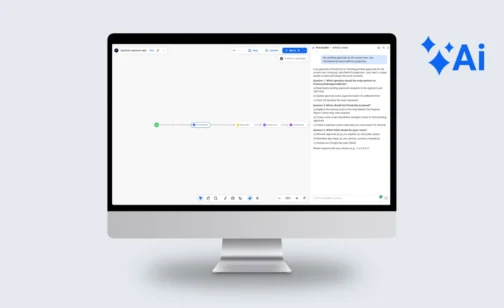
Almost every enterprise IT leader has heard the pitch by now: write down what you want, and AI will build the app for you in minutes. “Vibe coding” – building software by prompting an AI rather than writing code – promises to finally close the gap between what the business needs and what IT can deliver. It’s a compelling promise. But for mid-sized and large enterprises, where applications need to talk to ERP systems, respect data governance, and stay reliable for years, the question isn’t whether AI can generate an app quickly. It’s whether that app can be trusted to run your business. When Vibe Coding Meets Reality The productivity gains from AI-assisted development are real. So are the growing pains. As more AI-generated code lands in production systems, a consistent set of problems keeps surfacing: Security – AI models can confidently generate code that looks correct but contains exploitable flaws, often without any obvious warning sign. Maintainability – Code produced without an underlying architecture tends to become “disposable”: easy to generate, hard to extend, and expensive to fix once it’s live. Compliance – Regulations like the EU AI Act are starting to hold organizations accountable for how AI-generated systems behave, not just how fast they were built. Deployment – Freely generated apps often have no consistent path to production, versioning, or rollback. Transparency – When nobody can explain why an AI-built application does what it does, auditing and troubleshooting become guesswork. None of this means AI-assisted development is a bad idea. It means it needs a framework. What AI On Rails Actually Is Novacura Flow includes an AI application builder – customers describe a workflow in plain language and get back a working, ERP-connected app. That much sounds like every other AI app builder on the market. The difference is what happens underneath. Instead of generating raw, freeform code, the AI in Novacura Flow generates a workflow – a structured sequence of steps assembled from Flow’s own components, connectors, and runtime primitives. It isn’t writing arbitrary source code that could do anything a programming language allows; it’s composing an application out of a fixed, pre-approved vocabulary that the platform already knows how to run safely. That’s also why the “rails” framing holds up rather than being just a marketing label: the AI has real creative latitude in how it sequences and configures those building blocks, but it never gets access to the primitives it would need to step outside them – there’s no raw database connection to write, no custom authentication logic to invent, no unmanaged way to reach an external system. Which is why it stays on rails: not because the AI has been instructed to behave, but because the architecture doesn’t give it anywhere else to go. Every AI-generated app automatically inherits the same runtime engine, the same managed connector pool, the same user and role model, and the same versioning and deployment pipeline as an app built by hand. The AI is never in a position to define its own security model or invent a new way of talking […]
learn more
Bridging the Execution Gap: Transforming Infor M3 Warehouse Logistics into a Real-Time Advantage
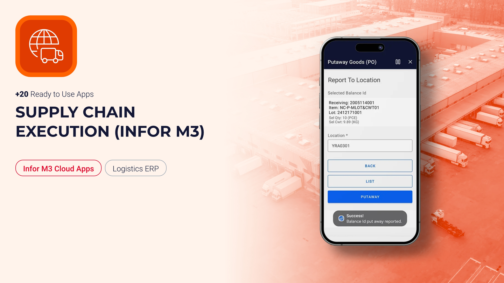
Talk to any warehouse manager running Infor M3 and you’ll hear a version of the same story: the system is right, but it’s the last one to know. A pick gets confirmed on the floor, but it doesn’t hit inventory until someone keys it in from a desk-bound terminal twenty minutes later. A putaway location shows “available” on screen because the physical move hasn’t been logged yet. M3 isn’t wrong — it just hasn’t been told yet. That lag between physical execution and digital record is where operational resilience breaks down, and closing it means rethinking how execution data reaches the ERP in the first place, not rethinking the ERP. What Supply Chain Execution Truly Means Supply Chain Execution (SCE) is not merely about moving inventory from point A to point B; it is the real-time synchronization of physical material movement with your digital record. It represents the precise moment a purchase order becomes a physical item on a shelf, or a sales order changes into a packed container ready for dispatch. For logistics and manufacturing managers, SCE is measured by rigid KPIs: order accuracy, dock-to-stock lead times, cycle-count accuracy, and total throughput velocity. How Infor M3 Manages Execution Infor M3 is an incredibly robust ERP engine designed to handle complex multi-site planning, financial allocations, and deep transactional logic. Infor also offers native mobile options like Factory Track for warehouse transactions — but these are built around fixed, out-of-the-box workflows that rarely match a facility’s exact SOPs without heavy configuration effort. The real problem is data lag. When those native workflows don’t fit and operators fall back on paper pick-lists, manual logs, or desk-bound terminals to input stock updates, a disconnect forms. The physical floor reality moves faster than the ERP data entry, creating downstream discrepancies, misallocated stock, and artificial production bottlenecks. Why Use the Supply Chain Execution App Package? To close this operational gap, Novacura developed a dedicated Supply Chain Execution application package for Infor M3. This pre-built suite covers inbound, inhouse, and outbound warehouse operations with mobile-friendly applications built specifically for M3’s logistics processes. Rather than attempting to replace or heavily customize Infor M3, this package acts as a process-optimizing low-code layer. It translates complex M3 programs into sequential, conditional steps tailored specifically for an operator holding a mobile device or industrial scanner on the floor. Visit Marketplace How Novacura Apps Interact with Infor M3 The architecture is built for direct connectivity and security. The execution suite connects natively to your ERP through the secure Infor M3 REST API. When an operator scans a barcode or confirms a movement, the transaction is processed via the M3 bulk API in real time. There’s no middleware layer and no third-party database replicating your data — M3 remains the single, definitive source of truth, updated instantly at the point of performance. Furthermore, if standard features fall short, these templates can be easily modified inside the Novacura Flow low-code platform to match your exact standard operating procedures (SOPs). End-to-End Warehouse Mastery The application package covers the full warehouse journey, split cleanly across three fundamental operational phases. Phase I: Receiving […]
learn more
Crystal Reports Is Being Removed From IFS Cloud – Here Are Your Options
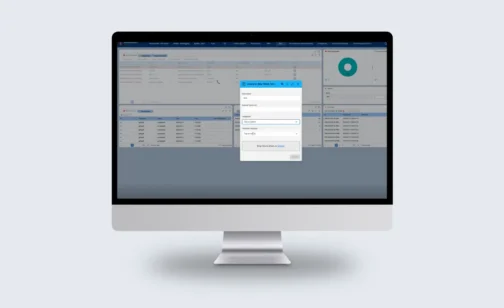
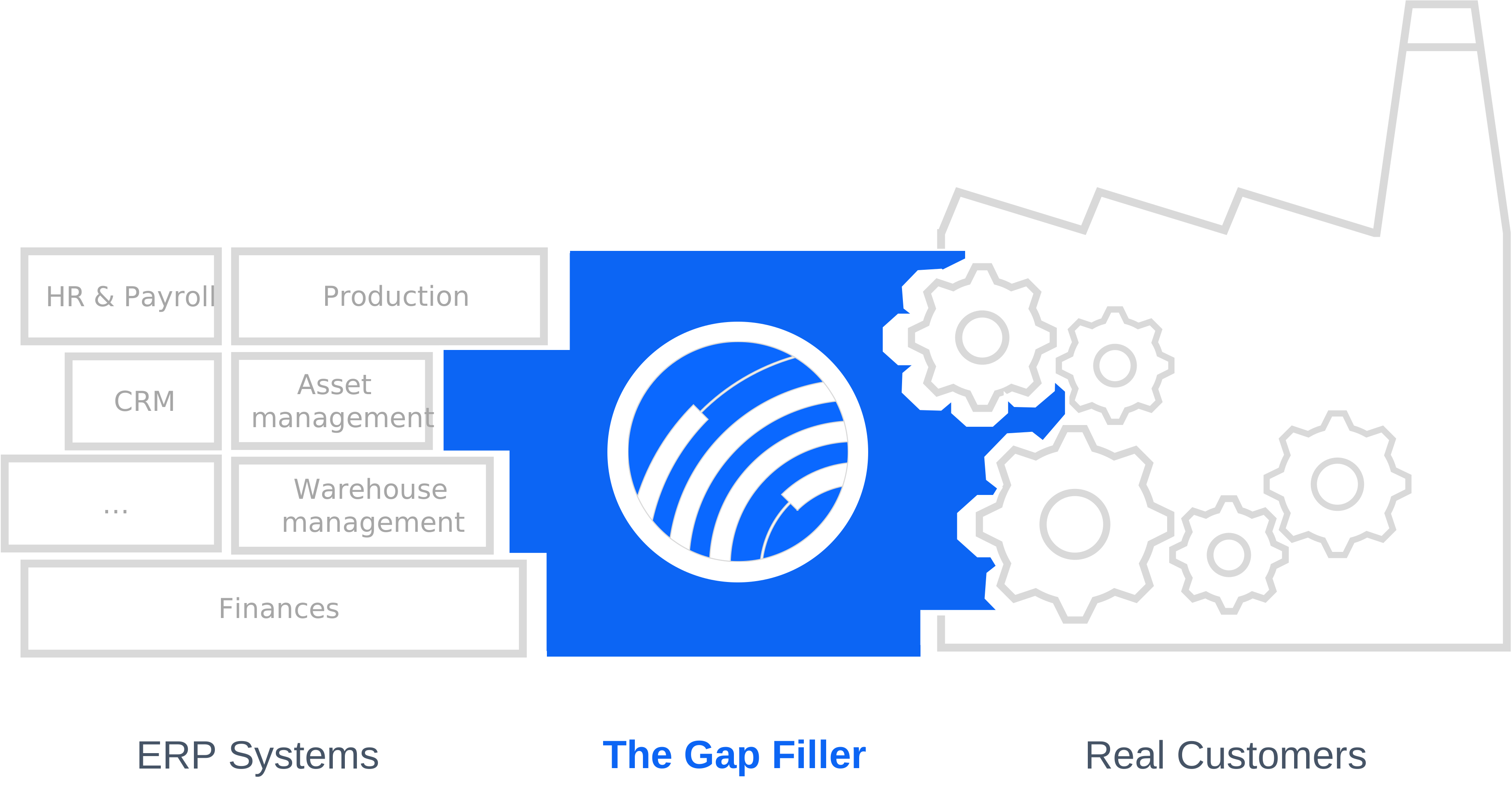
Don’t lose the reports your business runs on. Novacura Flow Connect gives you two ways forward – keep what works, or upgrade to more. Novacura Flow bridges the gap between ERP and operations — with AI-powered workflows, ready-to-deploy industry solutions, and seamless no-touch integrations that connect IFS Cloud to the way your teams actually work. Reporting is just one part of that picture, which is why we’re well placed to help with the change coming to Crystal Reports. What’s Changing? With the release of IFS Cloud 26R2, IFS will no longer support Crystal Reports as its built-in reporting tool. It’s a narrow change — the embedded Crystal Reports plug-in is being retired — not a move away from connected reporting. IFS still exposes report data through its third-party application gateway, which is exactly where solutions like Novacura Flow connect. For most organizations, that’s more than a technical footnote. Crystal Reports sits behind everyday operational documents — invoices, order printouts, delivery schedules — and the ad-hoc reports your teams rely on across finance, operations, and logistics. Those reports need to keep flowing, without disrupting daily business. The good news: you don’t have to start over. Who This Affects? If you’re implementing IFS Cloud now, upgrading from IFS Applications 10, or planning a future move to the Cloud, this change lands on your desk. Teams that have already invested in building Crystal Reports layouts face the prospect of recreating that work — and everyone needs a plan for their existing reports before Crystal Reports is no longer available. Whatever your starting point, the decision comes down to a familiar trade-off: keep what already works, or use the moment to modernise. It’s worth understanding both paths and the trade-offs before you commit. Novacura Flow Connect supports either one. Two Ways Forward Both options run on the same foundation — Novacura Flow Connect, sitting between IFS Cloud and your reports. From there you can go one of two ways. Option 1 — Keep your Crystal Reports Run all your existing Crystal Reports — standard and custom — fully integrated with IFS Cloud through Novacura Flow Connect. Your business data stays in IFS Cloud, Flow Connect initiates and runs the report, Crystal Reports continues to manage the report definitions, and the finished document is returned to IFS Cloud for archiving and printing — or distributed straight from Flow. In practice, it works much like what you have today. Your report layouts don’t need to be rebuilt, so the transition stays low-risk. Reports can be triggered two ways: Manually, from a Flow app — users run any report on demand, on desktop or mobile, or from inside IFS. Automatically, from IFS — an IFS event triggers a Flow Automation that generates the report with live IFS data. On demand for your users, or fully automated in the background. Option 2 — Gradually move to Flow reporting If you’d rather take this moment to modernise, you can gradually replace Crystal Reports with the full reporting toolbox built into Novacura Flow — connected natively to […]
learn more
Bridging the Execution Gap: Bringing Infor M3 shop floor reporting into real time
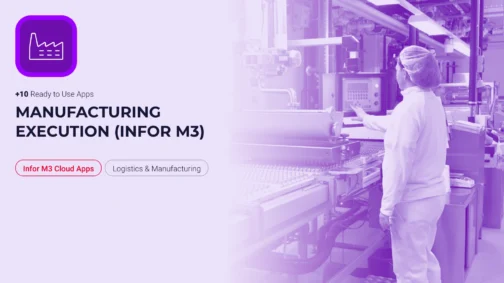
Talk to any production manager running Infor M3 and you’ll hear a version of the same story: the ERP logic is right, but it’s always the last one to know. An operation finishes on the line, but the run time isn’t logged until the operator walks back to a desk-bound terminal an hour later. Material is physically consumed at the workstation, but the digital balance stays untouched because the standard M3 screens are too rigid for one-handed, glove-on entry in a noisy plant. M3 isn’t wrong — it just hasn’t been told yet. That lag between physical execution and digital record is where production efficiency KPIs quietly erode, and closing it means rethinking how shop-floor data reaches the ERP in the first place, not rethinking the ERP. What Manufacturing Execution Truly Means Manufacturing Execution is not merely about producing goods; it is the real-time synchronization of what physically happens at the workstation with what your ERP believes is happening. It is the precise moment a component is issued to a manufacturing order, an operation is reported complete, or a finished pallet becomes available stock ready for the next process. For production and plant managers, it is measured by unforgiving KPIs: operation-time accuracy, material consumption variance, first-pass yield, order confirmation lead time, and overall shop-floor throughput. Every one of those numbers depends on a single condition — that the reporting happens at the point of work, not at the end of the shift. How Infor M3 Handles Shop-Floor Execution Infor M3 is a robust ERP engine, designed for complex multi-site planning, deep manufacturing order logic, costing, and traceability. The transactional foundation is genuinely strong. The friction appears at the interface. The standard M3 client was built for a desk, a mouse, and a full keyboard — not for a scanner in a gloved hand next to a running machine. Infor’s native mobile options exist, but they are built around fixed, out-of-the-box workflows that rarely match a plant’s exact SOPs without heavy configuration effort. When those workflows don’t fit, operators fall back on the oldest tools in the building: paper travelers, tally sheets, and a shared terminal at the end of the aisle. The floor moves faster than the data entry, and the result is a familiar set of downstream symptoms — material planning driven by stale balances, operation times that arrive too late to act on, and rework discovered long after the batch has moved on. Why Use the Manufacturing Execution App Package? To close this operational gap, Novacura developed a dedicated Manufacturing Execution application package for Infor M3. This pre-built suite covers the manufacturing order lifecycle with mobile-friendly applications built specifically for M3’s production processes — spanning inhouse and shop order-related workflows across most of the crucial steps on the production floor. Rather than attempting to replace or heavily customize Infor M3 — which risks system stability and complicates future upgrades — the package acts as a mobile, offline-capable workflow execution layer. It translates complex M3 programs into sequential, conditional steps tailored specifically for an operator holding an industrial scanner or a phone at the line, guiding them task by […]
learn more
AI in Novacura Flow: How We Connect Intelligence to Real ERP Processes
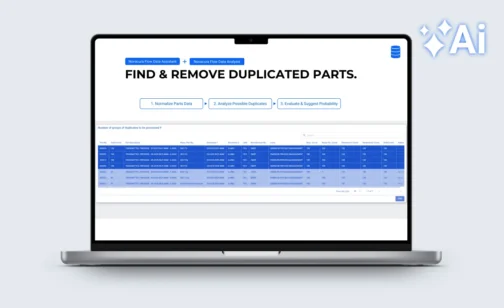
Every software vendor has an AI story right now – most of them built on the same idea: let AI generate an app from a prompt and see what happens. The problem is well-documented. Research from Veracode found that 45% of AI-generated development tasks produced code with critical security flaws. In enterprise ERP environments, where security, compliance, audit traceability, and reliable ERP connectivity are non-negotiable, that is not a viable foundation. Novacura Flow is also an AI application builder — but built on a different premise. AI is placed within a well-controlled enterprise framework: governed ERP connectors, role-based access, workflow transparency, version control, and consistent deployment. Novacura calls this AI on Rails. The AI accelerates development and drives user interactions; the framework ensures it behaves correctly in production. The practical result is visible in three categories of AI capability in Flow, demonstrated recently in a live session by Novacura’s Petter Larsson and Greg Warner — including working demos against IFS. Watch: How to build AI-powered apps on top of your ERP. A 20-minute walkthrough by Novacura Product Manager Petter Larsson and Solutions Engineer Greg Warner, covering three categories of AI in Flow with live examples. When AI actually makes sense in an ERP workflow The core challenge with AI adoption in industrial enterprises is not access to models – it is access to the right data, at the right moment, in the right context. Novacura Flow solves this because it already sits between frontline workers and the ERP. It collects operational data at the exact location where transactions happen, at a level of granularity most ERP interfaces cannot match. From that position, Flow can feed AI services with clean, structured, real-time data – and return the results directly into the workflow. This is the difference between an AI chatbot that summarizes information and an AI layer that acts on it. The practical applications fall into three categories: Making sense of large ERP datasets ERP systems accumulate data over years — and that data degrades. Parts masters drift. Duplicates accumulate. Naming conventions diverge across sites or business units. Manual cleanup is slow and expensive. AI handles it well. Novacura Flow addresses this natively, bringing data intelligence directly into the workflow layer. Users can normalize, harmonize, and deduplicate master data, as well as query and analyze data on the fly — across any connected ERP, database, or system. These capabilities are designed to slot into Flow as native workflow steps — not REST calls to an external API — keeping data processing inside the governed framework, and putting real data quality and insight directly in the hands of end users. The example: parts data quality and deduplication The Data Assistant first normalizes parts descriptions — consistent format, standardized naming — and then Data Analysis identifies probable duplicates across the catalogue. The result surfaces as a list of suggested actions for an operator to review and confirm. AI does the pattern recognition. A person makes the final call. The workflow logic, the ERP write-back, and the audit trail are all handled […]
learn more
 text
text ..
..